


FireFox won't play youtube videos but Internet Explorer and Apple Safari will. Keep seeing two links saying Download & Play Now and neither work

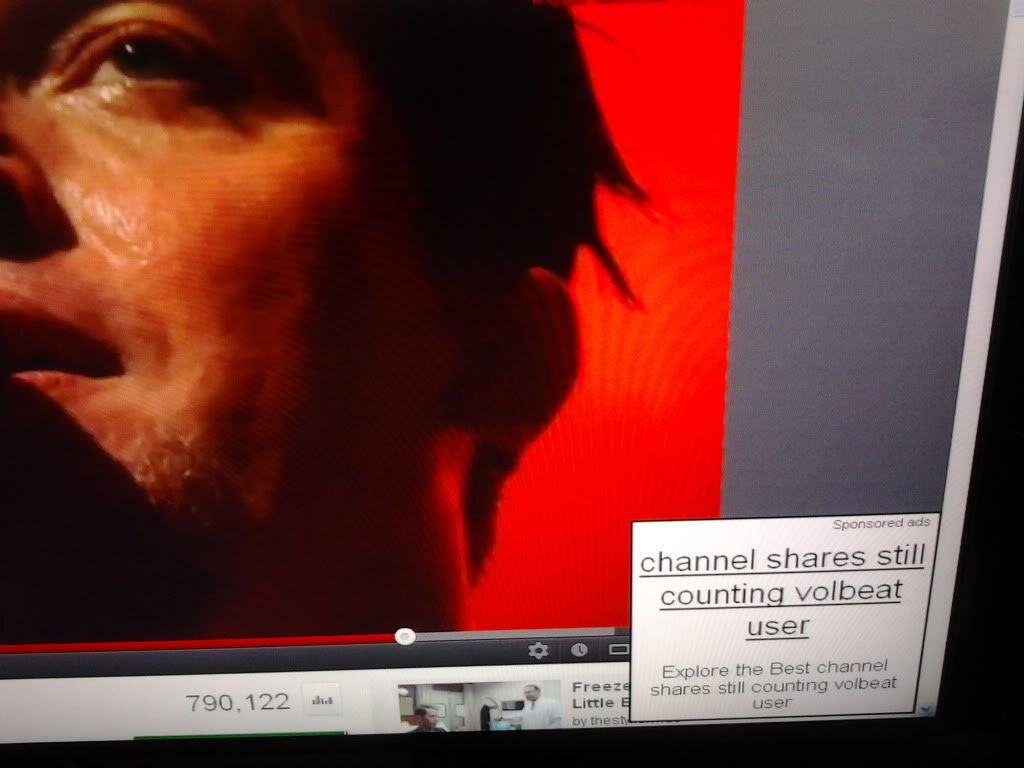
also I keep seeing this pop-up in the corner.....
http://i1253.photobucket.com/albums/h.../5f03a931.jpg
Spremenil cor-el
Izbrana rešitev
Start Firefox in Safe Mode to check if one of the extensions or if hardware acceleration is causing the problem (switch to the DEFAULT theme: Firefox/Tools > Add-ons > Appearance/Themes).
- Don't make any changes on the Safe mode start window.
- https://support.mozilla.org/kb/Safe+Mode
Do a malware check with some malware scanning programs on the Windows computer.
You need to scan with all programs because each program detects different malware.
Make sure that you update each program to get the latest version of their databases before doing a scan.
- http://www.malwarebytes.org/mbam.php - Malwarebytes' Anti-Malware
- http://www.superantispyware.com/ - SuperAntispyware
- http://www.microsoft.com/security/scanner/en-us/default.aspx - Microsoft Safety Scanner
- http://www.microsoft.com/windows/products/winfamily/defender/default.mspx - Windows Defender: Home Page
- http://www.safer-networking.org/en/index.html - Spybot Search & Destroy
You can also do a check for a rootkit infection with TDSSKiller.
See also:
- "Spyware on Windows": http://kb.mozillazine.org/Popups_not_blocked
Vsi odgovori (4)
YouTube doesn't normally have a download button. Perhaps that is a feature of one of your add-ons? There have been some compatibility issues between the latest Flash player and some Firefox add-ons or settings. Could you see whether anything in this article helps: Flash 11.3 doesn't load video in Firefox.
I downgraded and installed Flash 10.3 and it didn't help. Did you see the picture I posted? I'm thinking this is all some kind of malware but the anti-virus software i have doesn't pull anything up when i run a scan.
Izbrana rešitev
Start Firefox in Safe Mode to check if one of the extensions or if hardware acceleration is causing the problem (switch to the DEFAULT theme: Firefox/Tools > Add-ons > Appearance/Themes).
- Don't make any changes on the Safe mode start window.
- https://support.mozilla.org/kb/Safe+Mode
Do a malware check with some malware scanning programs on the Windows computer.
You need to scan with all programs because each program detects different malware.
Make sure that you update each program to get the latest version of their databases before doing a scan.
- http://www.malwarebytes.org/mbam.php - Malwarebytes' Anti-Malware
- http://www.superantispyware.com/ - SuperAntispyware
- http://www.microsoft.com/security/scanner/en-us/default.aspx - Microsoft Safety Scanner
- http://www.microsoft.com/windows/products/winfamily/defender/default.mspx - Windows Defender: Home Page
- http://www.safer-networking.org/en/index.html - Spybot Search & Destroy
You can also do a check for a rootkit infection with TDSSKiller.
See also:
- "Spyware on Windows": http://kb.mozillazine.org/Popups_not_blocked
holy shit! safe mode did the trick! And I figured out which extension was causing the problem. thanks both of you for the help!!
Spremenil bloodypandahachiroku