


Accessing New messages

I just received the latest email update Freedom. I am unable to determine how I can access my new messages. On the old version, I would click File in the top left corner and access a dropdown menu. On that menu, I would click New Messages, which would open another box to the right which listed my email address. I would click on that address and my new messages would download. The new version does not have the File tab at the top. Clicking the cloud arrow down icon at the top left does nothing. How can I access my new messages? Any suggestions would be appreciated. I can access my messages on another browser but I have saved messages on Thunderbird that I would like to maintain access to.
Izbrana rešitev
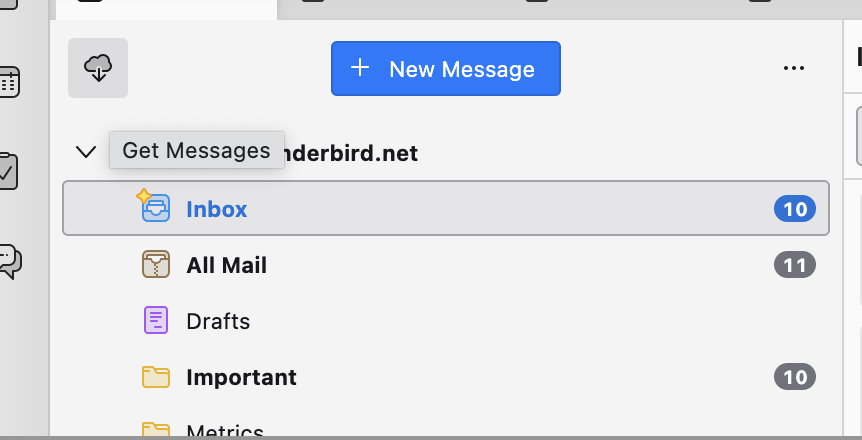
Look for the down arrow (cloud with arrow) icon at the top left. This is the new "Get Messages" button :)
If it's still not working when clicked (for whatever reason), then another option is right-clicking on your email account name in the left sidebar, and select "Get Messages" there.
Preberite ta odgovor v kontekstu 👍 0Vsi odgovori (2)
Izbrana rešitev
Look for the down arrow (cloud with arrow) icon at the top left. This is the new "Get Messages" button :)
If it's still not working when clicked (for whatever reason), then another option is right-clicking on your email account name in the left sidebar, and select "Get Messages" there.
Thanks. I had tried left clicking the down arrow button with no results. When I right clicked it, my account was shown and I could download my messages.