


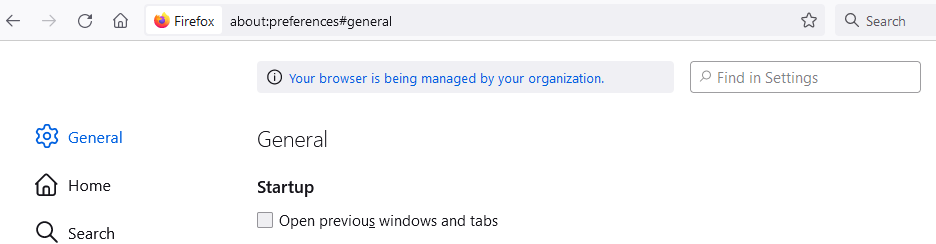
"Your browser is managed by your organization", but I don't have an organization

When I go into the Settings tab, I see a message at the top of the page that says "Your browser is managed by your organization". This is a private laptop so there should not be any organization managing my browser.
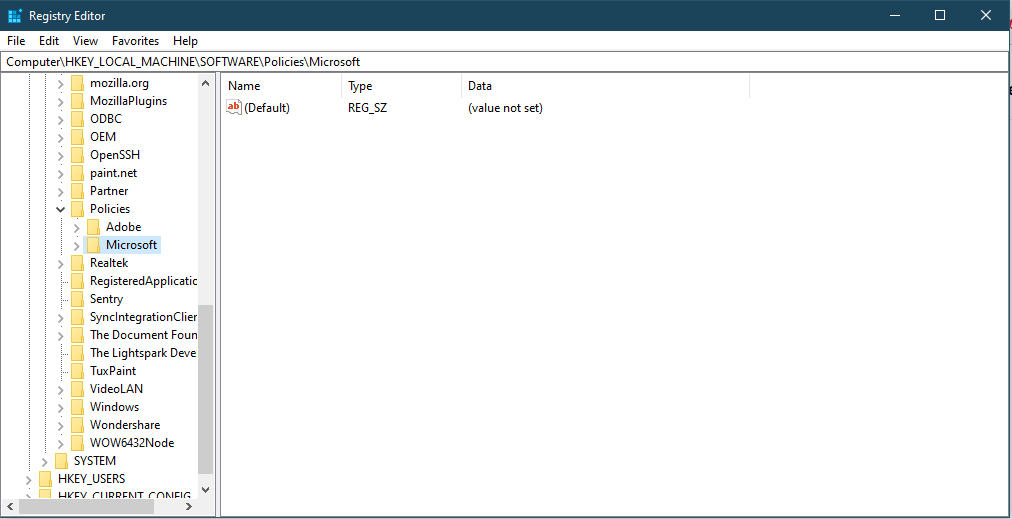
I have searched for help articles to try and solve this problem myself. They all recommend editing a key in the Windows registry, specifically HKEY_LOCAL_MACHINE\SOFTWARE\Policies\Mozilla\Firefox . However, this registry folder does not exist in my laptop. Who is managing my browser? How can I stop them?
When I go into the Settings tab, I see a message at the top of the page that says "Your browser is managed by your organization". This is a private laptop so there should not be any organization managing my browser.
I have searched for help articles to try and solve this problem myself. They all recommend editing a key in the Windows registry, specifically HKEY_LOCAL_MACHINE\SOFTWARE\Policies\Mozilla\Firefox . However, this registry folder does not exist in my laptop. Who is managing my browser? How can I stop them?
Vsi odgovori (1)

A policy may have been installed by security software. Look at about:policies.
https://support.mozilla.org/en-US/kb/customizing-firefox-using-group-policy-windows