


BCC sending

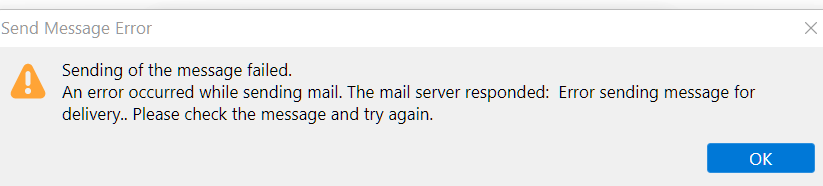
All of a sudden I can not use the Bcc to send out mail. A dialog box appears no matter the selection of any address from address book to send to, including myself. See screen shot below.
Vsi odgovori (5)
Are you attempting to send ONLY to BCC? There was a problem on that in a recent release. Are you using 91.9?
yes David you are correct. I have version 91.9.0 and also correct when I leave to TO: blank/empty this glitch occurs. If I enter my own addy, then it is ok and will send Bcc. I should not have to enter an address in the TO: to be able to send mail as this problem just recently began a few weeks ago and this is the only solution I have found to make sending Bcc possible. Even with only one address in Bcc it will still not send mail.
Well, this isn't a well-researched response, but I suggest reinstalling over your current installation, as I just tried and it worked fine. There seems to be a glitch somewhere.
Thank you for this suggestion, as I did a reinstall and the problem remains with sending error dialog box in the screenshot above returning as before when sending Bcc with the TO: box empty. Maybe a patch will be issued soon as I will have to use another mail program when sending only Bcc.
david said
Well, this isn't a well-researched response, but I suggest reinstalling over your current installation, as I just tried and it worked fine. There seems to be a glitch somewhere.
There is a glitch where Yahoo do not allow BCC without a TO: beyond that what bugs are you aware of?