


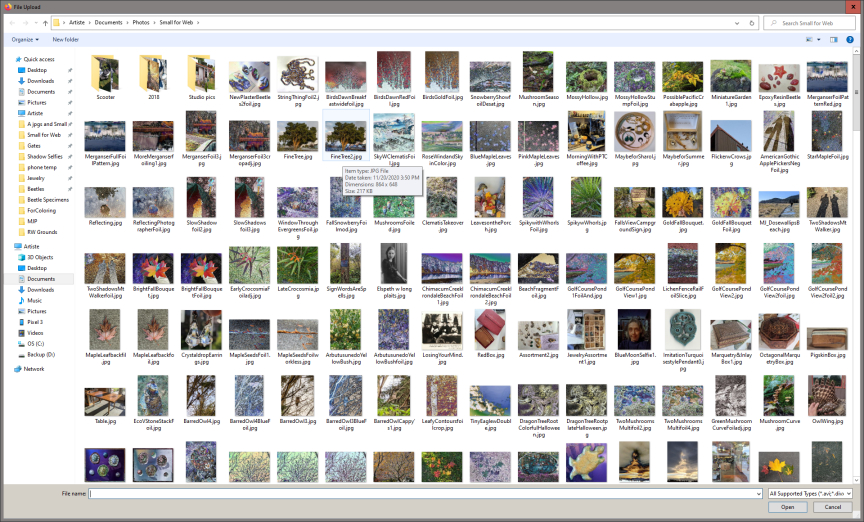
Firefox upload window for choosing files is full screen, and cannot resize!
For the last few versions of Firefox (up to date on Windows 10 64-bit) the file upload window always opens full screen, and cannot be resized. This is annoying! AND can be totally disfunctional when another bug in Windows leaves an artifact popup in the lower right of my screen that covers the upload window action buttons (Open & Cancel).
I used to get a more normal file chooser window that could be resized...
Izbrana rešitev
Did you try to open the window system menu via "Alt+Space" ?
Are you using Firefox in desktop mode or tablet mode in Windows ?
Preberite ta odgovor v kontekstu 👍 0Vsi odgovori (3)
Izbrana rešitev
Did you try to open the window system menu via "Alt+Space" ?
Are you using Firefox in desktop mode or tablet mode in Windows ?
I see this behavior when trying to post photos to Facebook, or to choose files to add to my Wordpress website or my Zenphoto gallery. The "add files" window opens up full screen on my 'desktop PC '.
Unfortunately Thunderbird mail software often leaves a blank popup artifact at the left corner of my screen, which obscures my open & cancel buttons, so then this minor annoyance becomes complete dysfunction! So I have turned new mail notifications OFF now in Thunderbird, which may solve that artifact popup...
Spremenil PTArtist
OK, that helped! It took me a minute to figure this out, but if I use "Alt-Space" with the huge file window open, the "Restore" option on the pull-down menu brought the window back down to a manageable size that I can move around to see other windows when I need to!
I really don't understand why I could not resize the large window as it was not maximized (as in no "minimize" option only "maximize" on the "Alt-Space" pull-down). I guess this is a "feature" :-).
But Restore takes care of it, who knew...
Thank you!