


what keystrokes to change the number of colums showing on webpage using Mozilla Firefox

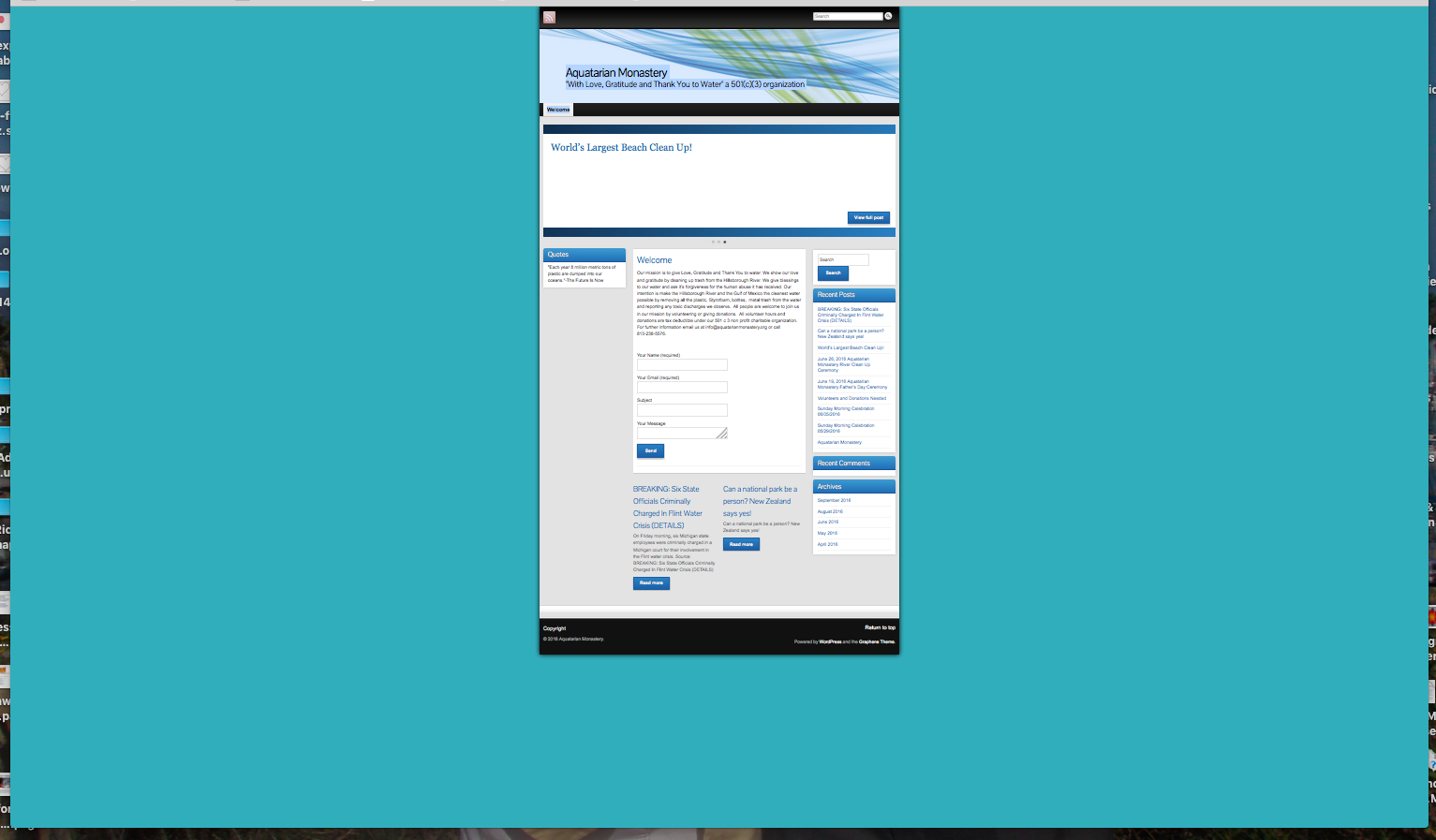
A combination of keys were hit that changed the size of my web page within the background of the page. The page changed from a full page to a smaller page within the page back ground, and it appears that there is room for 4 web pages within the background area on the web page and it appears that there are now 4 columns within the page background. Any ideas?
Izbrana rešitev
My best guess would be to hit cmd-0 (cmd and the 'zero' key). I'm guessing you might have hit cmd and '-' by mistake and zoomed out (cmd and '=' zooms in).
Please let us know if that works or not.
Preberite ta odgovor v kontekstu 👍 1Vsi odgovori (3)

Izbrana rešitev
My best guess would be to hit cmd-0 (cmd and the 'zero' key). I'm guessing you might have hit cmd and '-' by mistake and zoomed out (cmd and '=' zooms in).
Please let us know if that works or not.

Agreed
Your zoom controls.
<Control/cmd> + (plus) enlarge <Control/cmd> - (minus) reduce <Control/cmd> 0 (zero) restore
Thank you so much for your help. That put it right for us. Aquamas