


Why are all my emails being starred ?

Recently all my received emails are being starred. I have no filters, other than SpamAssassin which I think I managed to disable; in any case no message filters are now listed.
I am using Verizon as my email server.
Izbrana rešitev
This article says it means "New", but they don't explain "New".
I understand it to mean messages that have arrived since you last opened this folder. But I don't know what particular events trigger the change of state of this flag.
Preberite ta odgovor v kontekstu 👍 1Vsi odgovori (10)
I should add that I do have one Gmail account, also.

If you're not interested in the star, the simplest thing to do is disable the star column. Right-click its label (which is actually a button) and de-select it on the pop-up menu.
In a gmail account, you can go to their website and enable or disable certain functions such as "Important" and "Starred".
It is deselected but all the new messages come in starred !
What is deselected? Thunderbird simply cannot show stars if the stars column is hidden.
Perhaps you're actually seeing the orange asterisk which seems to denote a newly-arrived message?
I right click on the tool bar which has the column titles: Subject, From, etc.
A menu opens which lists: Thread, Starred, Attachments, etc.
The menu item Starred is unchecked.
If I uncheck a column heading like From, the From column goes away, but even though Starred is unchecked the stars still display.
Hello,
In order to better assist you with your issue please provide us with a screenshot. If you need help to create a screenshot, please see How do I create a screenshot of my problem?
Once you've done this, attach the saved screenshot file to your forum post by clicking the Browse... button below the Post your reply box. This will help us to visualize the problem.
Thank you!
Thanks for the advice; the screen shot is attached.
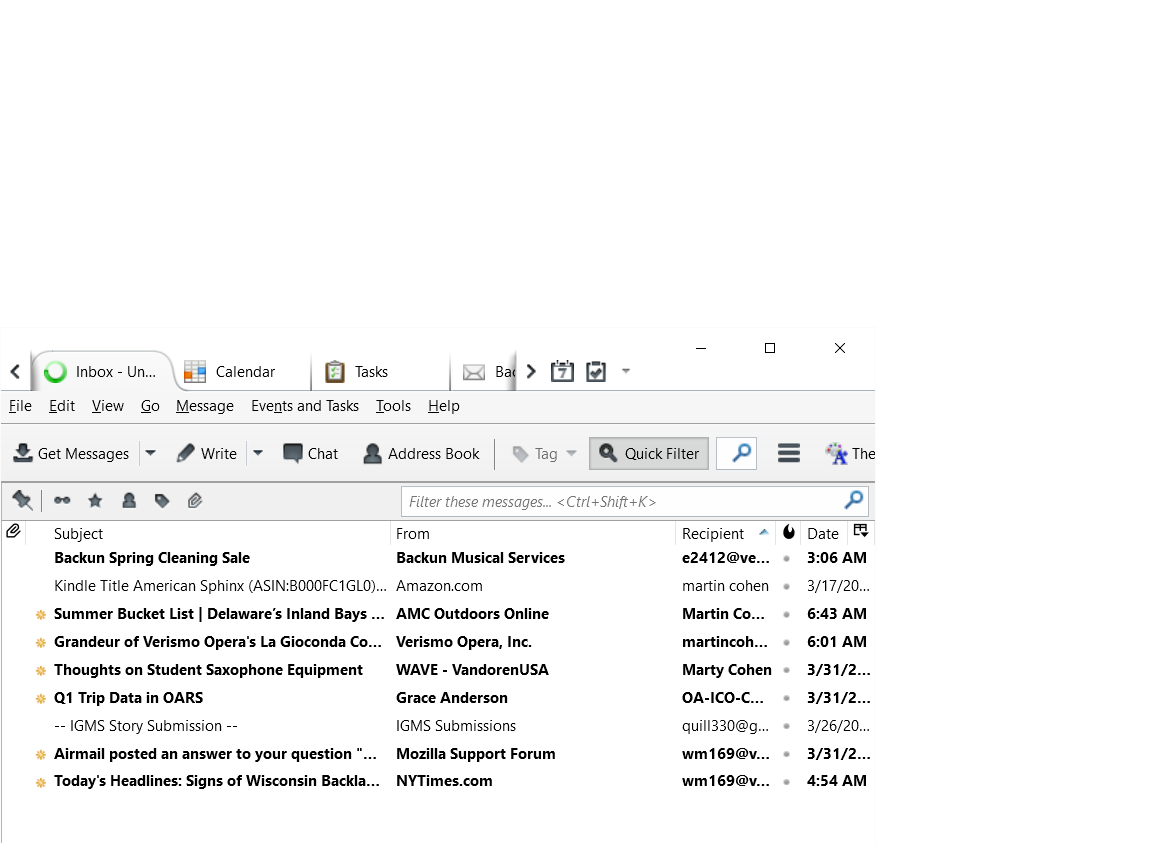
I take it back; after more investigating I see it is not the Starred column that I am seeing but that the newly received messages have a yellow icon of some sort preceding the subject. Can you tell me the significance of that icon ?
Izbrana rešitev
This article says it means "New", but they don't explain "New".
I understand it to mean messages that have arrived since you last opened this folder. But I don't know what particular events trigger the change of state of this flag.
Yes, if I read an email and then mark it as Unread, the listing typeface becomes bold again but the yellow icon does not reappear. Thanks to all for your assistance.