


I have my settings set for do not check for upgrades or updates yet I get this Message if I want to update everytime I open the browers and I have to check no.

If I have it checked to not look for upgrades why do I keep this message that causes an extra click each time I use Firefox?
Vsi odgovori (6)

Are you sure it's from Mozilla, and not an ad?
Type about:preferences#advanced<enter> in the address bar.
Under Advanced, Select Update. Check the settings.
I am attempted to add an image of my settings. I continue to get the message asking if I want Mozilla to update my browser and I have to no before Firefox opens.
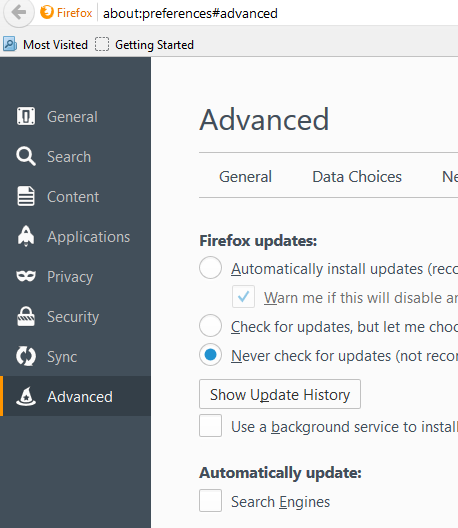
The setting is correct. Can you get a picture of the update message?
Taking a Screen shot; Windows > Start > search box > Snip. Select Snipping Tool.
Save the picture(s) to your desktop. Now look at the Reply box below. Press the button under it that says Browse. Now select the screen shot(s) from the desktop and load them one at a time.
Here is the message image.
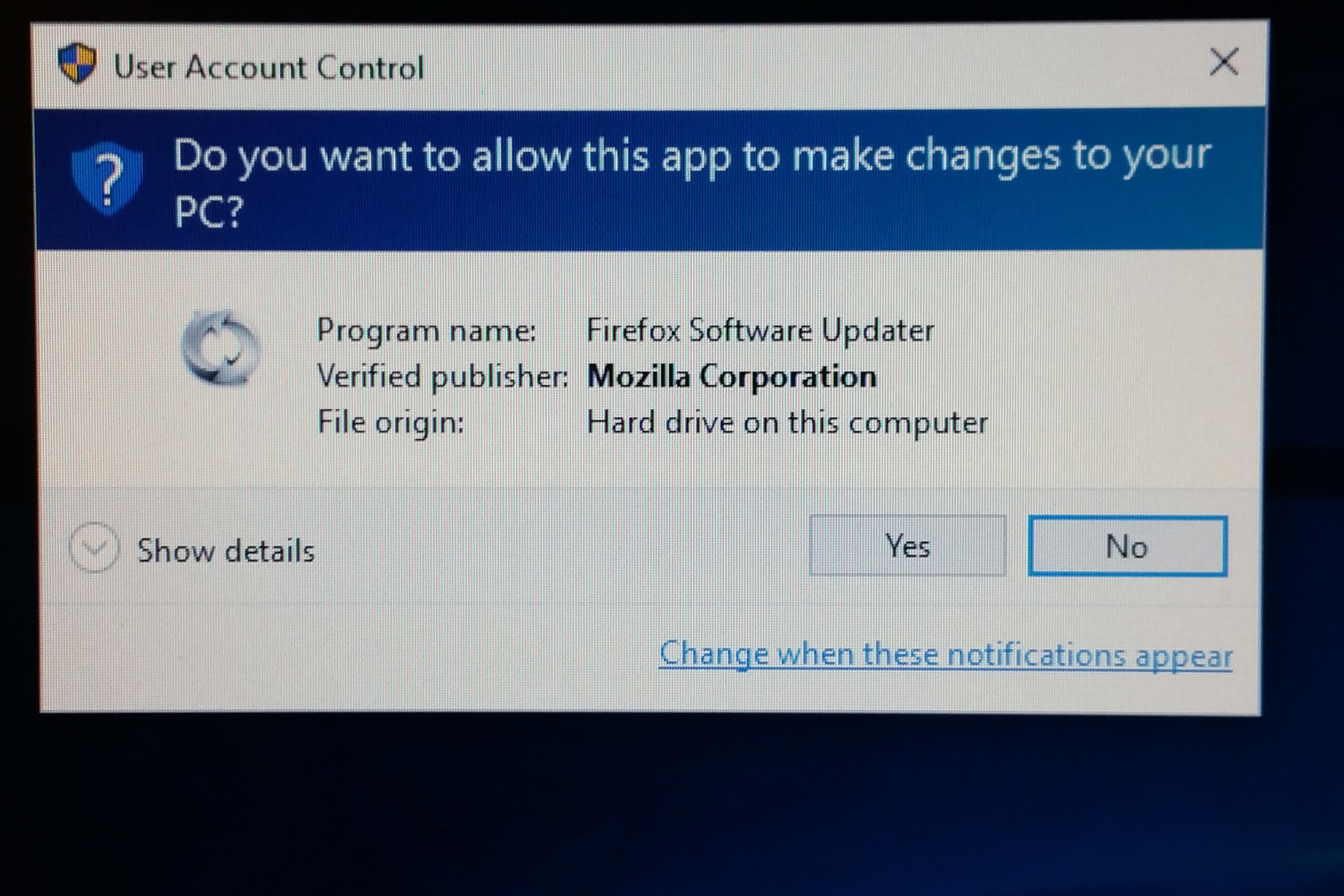
Quite probably the Mozilla Maintenance Service tried to "push" that "update". https://support.mozilla.org/en-US/kb/what-mozilla-maintenance-service
Try to run the Firefox program once as Administrator (right-click: Run as Administrator).