Firefox version 33.0.3 Bookmarks broken

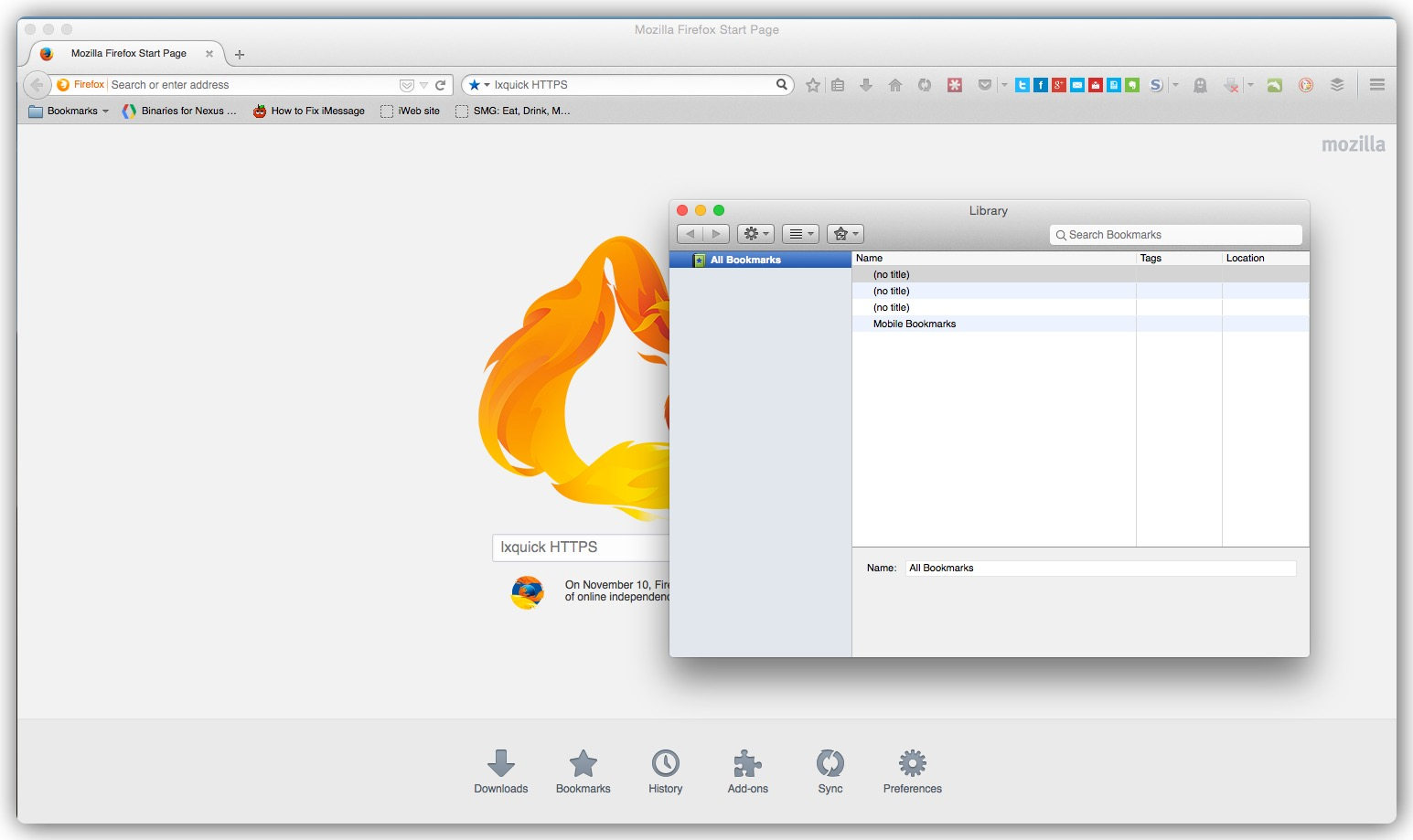
Bookmarks are despairing or getting deleted. Even when restoring from back up once you close the browser and restart it they are all gone again. When clicking on the bookmarks toolbar button, Show all bookmarks it won't show my correct bookmarks structure. If I do a restore from the menu then all my bookmarks are back but they won't show up in the show all bookmark manager just a wrong set of bookmarks show there. See screenshot. How do I fix this or is it something Mozilla has to do. Is anyone else having this problem?
Bookmarks are despairing or getting deleted. Even when restoring from back up once you close the browser and restart it they are all gone again. When clicking on the bookmarks toolbar button, Show all bookmarks it won't show my correct bookmarks structure. If I do a restore from the menu then all my bookmarks are back but they won't show up in the show all bookmark manager just a wrong set of bookmarks show there. See screenshot. How do I fix this or is it something Mozilla has to do. Is anyone else having this problem?
Spremenil soboku
Vsi odgovori (1)
here is a screenshot of my bookmarks after they disappear.