


Address Bar/Navigation Bar - AeroView/Opaque Control [FF v.29.01]

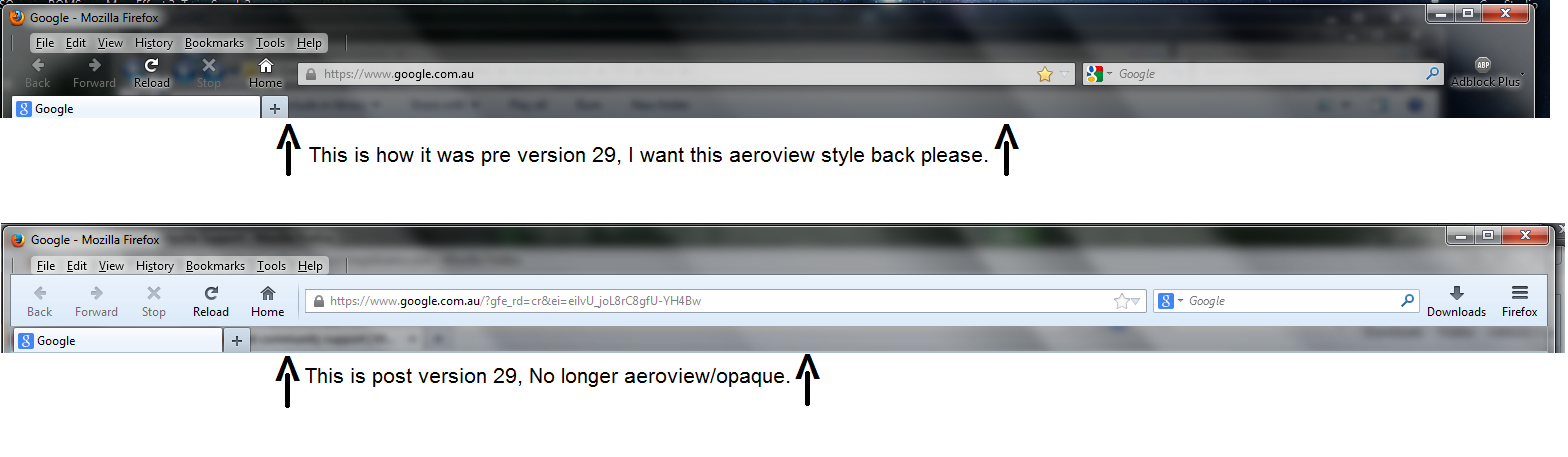
Hello, is there a way to restore a previous version look of Firefox Address Bar/Navigation Bar?

I have linked an image showing what I mean, Currently I use Classic theme restorer (recommended by Mozilla site), I have managed to get everything where I want it to be, except for the opaque/aeroview of the Navigation Bar background.
Spremenil M B
Izbrana rešitev
You can use a custom style rule to remove the background. There may or may not be another way.
I use the Stylish extension to apply custom style rules to Firefox. However, it also is possible to create a userChrome.css file so that you do not need to add an extension.
Here's a rule I threw together but only gave light testing:
@namespace url(http://www.mozilla.org/keymaster/gatekeeper/there.is.only.xul);
/* Clear background and border/shadow from Navigation Toolbar */
#nav-bar {
    background-color:transparent !important;
    background-image:none !important;
    border-color:transparent !important;
    box-shadow:none !important;
}
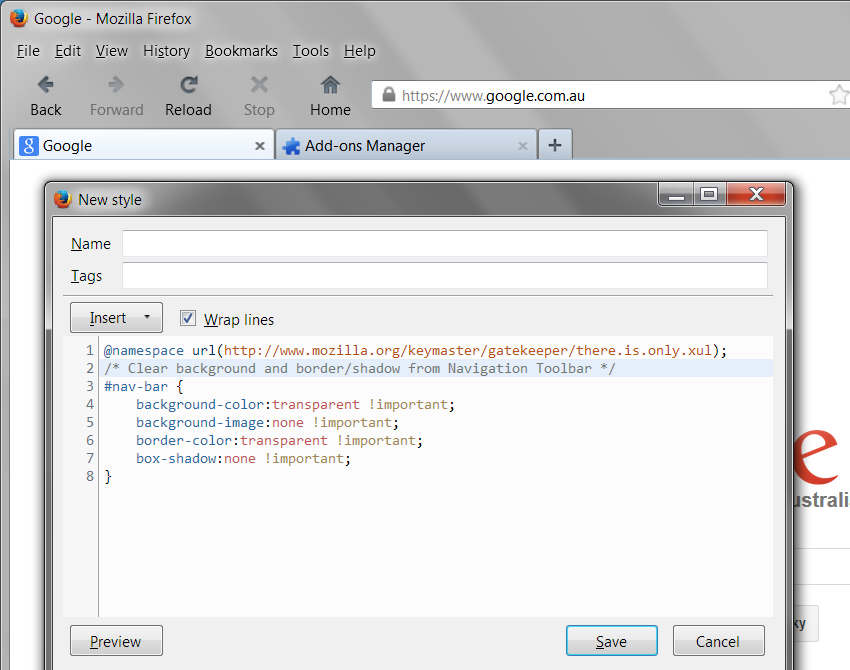
The result is displayed in the attached screenshot. Apologies for any mismatch with your CTR, as I am not very familiar with its options.
Preberite ta odgovor v kontekstu 👍 1Vsi odgovori (5)
Uploaded the example image directly in case the imgur link is not acceptable.
Hello? Mozilla staff?
Izbrana rešitev
You can use a custom style rule to remove the background. There may or may not be another way.
I use the Stylish extension to apply custom style rules to Firefox. However, it also is possible to create a userChrome.css file so that you do not need to add an extension.
Here's a rule I threw together but only gave light testing:
@namespace url(http://www.mozilla.org/keymaster/gatekeeper/there.is.only.xul);
/* Clear background and border/shadow from Navigation Toolbar */
#nav-bar {
    background-color:transparent !important;
    background-image:none !important;
    border-color:transparent !important;
    box-shadow:none !important;
}
The result is displayed in the attached screenshot. Apologies for any mismatch with your CTR, as I am not very familiar with its options.
Thank you very much, it worked really well.
Spremenil Starbuck
I wish I had back all the time I've wasted trying to undo FIREFOX'S UPDATES that it now installs w/o my permission. THIS is why I resist updating because new and improved Firefox always is new and ANNOYING and NON-FUNCTIONAL.
Going from site to site trying this and that to FIX FIREFOX is so unnecessary if they would just LEAVE STUFF ALONE. Do their stupid security updates (if that's what they really are) BUT LEAVE EVERYTHING ELSE ALONE.