- Solved
Spacebarnotworking.OnlyonFirefox.SpacebarworksonEdgeandChrome.
Thisjuststartedafewdaysagoanditis80%ofthetime.Pleaseadvise


Thisjuststartedafewdaysagoanditis80%ofthetime.Pleaseadvise
saved tabs open without problem. new google search tabs crash immediately after showing results
Google search no longer works on Firefox. Other browsers have no problems. Changing the default search engine on Firefox works (eg Bing), BUT. It can now find Google M… (read more)
Google search no longer works on Firefox. Other browsers have no problems. Changing the default search engine on Firefox works (eg Bing), BUT. It can now find Google Maps, but Google Maps cannot find a location, because it uses a Google search. I tried the fix in about:config, but it had no effect.
I am using Firefox with the uBlock Origin and Cookie AutoDelete extensions enabled. When I try and load Gmail or any other Google site, I get a blank page and nothing loa… (read more)
I am using Firefox with the uBlock Origin and Cookie AutoDelete extensions enabled. When I try and load Gmail or any other Google site, I get a blank page and nothing loads at all. This only occurs when my VPN is on (I use Private Internet Access). However, even with the VPN on, Chrome will still load those sites. Disabling the VPN means that the sites load normally.
My guess is it might be some sort of privacy setting in Firefox, but I don't understand what it could be. The only thing that breaks/fixes the sites is connecting and disconnecting the VPN, irrespective of which country I try and connect from.
macOS (and I assume Windows and Linux as well) supports local URL schemas. For instance, Apple supports the "applefeedback://" URL as a way to launch the macOS Feedback … (read more)
macOS (and I assume Windows and Linux as well) supports local URL schemas. For instance, Apple supports the "applefeedback://" URL as a way to launch the macOS Feedback Assistance app.
If I have a link to this on a web page, or if I put it in a bookmark, Firefox will ask for confirmation and will then launch Feedback Assistant. This part works great.
But if I type that URL into the location bar, Firefox always sends it to my configured search engine. It doesn't recongize it as a valid URL. And in the popup list of suggestions, there is no option to just go there and not search for it. See the attached screen shot.
I don't want to disable location-bar searching altogether, because it is really useful, but I think there should be a way, on a case-by-case basis, to tell Firefox that I really want it to treat the entire text as a URL. The simplest approach is probably to have an extra row on the popup suggestion list that I can click on to open the text as a URL or produce an error if there is nothing in Firefox or the OS that can resolve it.
Hopefully this won't be too difficult to support. I think it would be extremely useful.
Hi there, Using up to date Firefox on a Mac, London UK. Recently returned from travel in Japan. The bank cards auto-fill stopped working & Auto-fill does not appear … (read more)
Hi there,
Using up to date Firefox on a Mac, London UK. Recently returned from travel in Japan. The bank cards auto-fill stopped working & Auto-fill does not appear in Privacy Settings (it is not there – no need to request a check please:)?
Spent 2 hours on Mozilla support/community etc. No answers – including 'make a new profile'...(& why - won' that affect history etc)?
Would be very grateful for any help please?
With thanks,
Alex
I am on Firefox v122.0 Google docs paste functionality doesn't work when using Cmd + v. This is happening only for Google docs. Same doc works perfectly fine on Chrome. I… (read more)
I am on Firefox v122.0 Google docs paste functionality doesn't work when using Cmd + v. This is happening only for Google docs. Same doc works perfectly fine on Chrome. I also tried running Firefox in troubleshoot mode with same results. Should I just give up on trying to make Firefox work with Google products.
I've since resolved this issue, but am struggling with deleting this post
I restarted my computer today and downloaded a new version of Firefox. When I started it up again everything was gone... all Tabs, history, and bookmarks. This is a sad l… (read more)
I restarted my computer today and downloaded a new version of Firefox. When I started it up again everything was gone... all Tabs, history, and bookmarks. This is a sad loss as I have been organizing my life with Firefox for over 10 years. Is there any going back and getting my firefox restored?
When I go to website nypost.com, and select a random article that has a video display at the top of that page, a pop up of a smaller video window appears in the lower rig… (read more)
When I go to website nypost.com, and select a random article that has a video display at the top of that page, a pop up of a smaller video window appears in the lower right corner of the screen.
For example,
Go to nypost.com Select an article with a video such as https://nypost.com/2024/01/30/metro/phony-uber-driver-charged-with-ripping-off-nyc-bar-patrons-in-cellphone-scheme/
There is a pop window of a smaller video screen that shows in the lower right corner
Autoplay is disabled
Is there a specific setting to stop this functionality of the pop up video window to appear? Is the block pop up window functionality in the same category of this description supplied above?
Thank you.
I am having an issue where youtube videos played at higher quality stutter when put to fullscreen. Up till about 720p60 works fine, at 1080p60 and above the framerate bec… (read more)
I am having an issue where youtube videos played at higher quality stutter when put to fullscreen. Up till about 720p60 works fine, at 1080p60 and above the framerate becomes unstable.
Things I have tried: - I have tried going into media.media-capabilities.enabled and changing it from false to true - I have set network.buffer.cache.size to 262144 - I have disabled all my plugins - I have tried changing my user agent to windows/chrome
My current setup: Firefox 122.0, Macbook pro Sonoma 14.1, Apple M1 Pro chip
Curiously, if I make a new firefox profile and play a video there, there is no stutter. Does anyone have ideas on how I can fix my current profile?
I have been using Firefox for many years and I have never had problems, until now, out of nowhere Firefox closes and the little window opens that the report is being sent… (read more)
I have been using Firefox for many years and I have never had problems, until now, out of nowhere Firefox closes and the little window opens that the report is being sent to Firefox, but I can no longer restart or open Firefox, until I reset the computer, This can happen one, two, three and even four times a day, making it very uncomfortable to reset the computer.
I have already tried many ways to solve the problem, from completely uninstalling Firefox and reinstalling it, I use very few extensions, I already disabled WebGL and also disabled hardware acceleration, nothing has worked, when Firefox closes, I cannot open Firefox Developer either and That browser was not even open at the time of the failure with Firefox.
System 3.4 GHz Intel Core i5 de cuatro núcleos NVIDIA GeForce GTX 775M 2 GB 8 GB 1600 MHz DDR3 macOS Ventura 13.6.3
Firefox: 121.0
This is what appears in the error message
AdapterDeviceID: 0x0412 AdapterVendorID: 0x8086 Add-ons: %7B806d871e-a45a-4d26-8686-65fb36a5b399%7D:3.1,newtaboverride%40agenedia.com:15.1.1,langpack-es-MX%40firefox.mozilla.org:121.0.20231211.174248,es-ve%40dictionaries.addons.mozilla.org:1.1.18.2webext,uBlock0%40raymondhill.net:1.54.0,formautofill%40mozilla.org:1.0.1,pictureinpicture%40mozilla.org:1.0.0,screenshots%40mozilla.org:39.0.1,webcompat%40mozilla.org:121.0.0,addons-search-detection%40mozilla.com:2.0.0,google%40search.mozilla.org:1.4,wikipedia%40search.mozilla.org:1.3,bing%40search.mozilla.org:1.6,ddg%40search.mozilla.org:1.4,amazondotcom%40search.mozilla.org:1.7,mercadolibre%40search.mozilla.org:1.1 AvailablePhysicalMemory: 2027139072 AvailableSwapMemory: 1071644672 BackgroundTaskMode: 0 BuildID: 20231211174248 ContentSandboxCapable: 1 ContentSandboxLevel: 3 CrashTime: 1703917709 DOMFissionEnabled: 1 DOMIPCEnabled: 1 EMCheckCompatibility: true GpuSandboxLevel: 0 HeadlessMode: 0 InstallTime: 1703870048 LastStartupWasCrash: 1 MacAvailableMemorySysctl: 71 MacMemoryPressure: Normal MacMemoryPressureCriticalTime: Unset MacMemoryPressureNormalTime: 1703917708 MacMemoryPressureSysctl: 1 MacMemoryPressureWarningTime: Unset Notes: FP(D00-L1100-W0010000-T010) WR? WR+ ProductID: {ec8030f7-c20a-464f-9b0e-13a3a9e97384} ProductName: Firefox PurgeablePhysicalMemory: 31977472 ReleaseChannel: release SafeMode: 0 SecondsSinceLastCrash: 17 StartupCacheValid: 0 StartupCrash: 0 StartupTime: 1703917708 SubmittedFrom: Client TelemetryEnvironment: {"build":{"applicationId":"{ec8030f7-c20a-464f-9b0e-13a3a9e97384}","applicationName":"Firefox","architecture":"x86-64","buildId":"20231211174248","version":"121.0","vendor":"Mozilla","displayVersion":"121.0","platformVersion":"121.0","xpcomAbi":"x86_64-gcc3","updaterAvailable":true},"partner":{"distributionId":null,"distributionVersion":null,"partnerId":null,"distributor":null,"distributorChannel":null,"partnerNames":[]},"system":{"memoryMB":8192,"virtualMaxMB":null,"cpu":{"extensions":["hasMMX","hasSSE","hasSSE2","hasSSE3","hasSSSE3","hasSSE4_1","hasSSE4_2","hasAVX","hasAVX2","hasAES"]},"os":{"name":"Darwin","version":"22.6.0","locale":"es-419"},"hdd":{"profile":{"model":null,"revision":null,"type":null},"binary":{"model":null,"revision":null,"type":null},"system":{"model":null,"revision":null,"type":null}},"gfx":{"D2DEnabled":null,"DWriteEnabled":null,"ContentBackend":"Skia","Headless":false,"EmbeddedInFirefoxReality":null,"TargetFrameRate":60,"adapters":[{"description":null,"vendorID":"0x8086","deviceID":"0x0412","subsysID":null,"RAM":0,"driver":null,"driverVendor":null,"driverVersion":null,"driverDate":null,"GPUActive":true},{"description":null,"vendorID":"0x10de","deviceID":"0x119d","subsysID":null,"RAM":0,"driver":null,"driverVendor":null,"driverVersion":null,"driverDate":null,"GPUActive":null}],"monitors":[{"screenWidth":2560,"screenHeight":1440,"scale":1}],"features":{"compositor":"none","hwCompositing":{"status":"disabled:FEATURE_FAILURE_COMP_PREF"},"gpuProcess":{"status":"unused"},"webrender":{"status":"unavailable-no-hw-compositing"},"wrCompositor":{"status":"available"},"openglCompositing":{"status":"unavailable:FEATURE_FAILURE_OPENGL_NEED_HWCOMP"},"omtp":{"status":"unused"}}},"appleModelId":"iMac14,2","hasWinPackageId":null},"settings":{"blocklistEnabled":true,"e10sEnabled":true,"e10sMultiProcesses":8,"fissionEnabled":true,"telemetryEnabled":false,"locale":"es-MX","intl":{},"update":{"channel":"release","enabled":true},"userPrefs":{"app.shield.optoutstudies.enabled":false,"browser.formfill.enable":false,"browser.search.region":"US","browser.search.widget.inNavBar":false,"browser.startup.homepage":"<user-set>","browser.urlbar.autoFill":true,"browser.urlbar.autoFill.adaptiveHistory.enabled":false,"browser.urlbar.dnsResolveSingleWordsAfterSearch":0,"browser.urlbar.quicksuggest.dataCollection.enabled":false,"browser.urlbar.suggest.quicksuggest.nonsponsored":false,"browser.urlbar.suggest.quicksuggest.sponsored":false,"extensions.formautofill.addresses.enabled":false,"extensions.formautofill.creditCards.enabled":false,"layers.acceleration.disabled":true,"media.gmp-gmpopenh264.lastInstallStart":1703870080,"media.gmp-gmpopenh264.lastDownload":1703870081,"media.gmp-gmpopenh264.lastUpdate":1703870081,"media.gmp-widevinecdm.lastInstallStart":1703870080,"media.gmp-widevinecdm.lastDownload":1703870082,"media.gmp-widevinecdm.lastUpdate":1703870082,"media.gmp-manager.lastCheck":1703871110,"media.gmp-manager.lastEmptyCheck":1703871110,"network.trr.strict_native_fallback":false,"privacy.donottrackheader.enabled":true,"signon.management.page.breach-alerts.enabled":false,"signon.autofillForms":false,"signon.generation.enabled":false,"signon.rememberSignons":false,"signon.firefoxRelay.feature":"disabled","widget.content.gtk-high-contrast.enabled":true},"sandbox":{"effectiveContentProcessLevel":3,"contentWin32kLockdownState":3},"addonCompatibilityCheckEnabled":true,"isDefaultBrowser":null},"profile":{}} Throttleable: 1 TotalPhysicalMemory: 8589934592 UptimeTS: 1.09276904 Vendor: Mozilla Version: 121.0 useragent_locale: es-MX
Este informe también contiene información sobre el estado de la aplicación cuando se cerró.
I can no longer access my online banking at td.com - the server returns the following message: "Bad Request - Your browser sent a request that this server could not under… (read more)
I can no longer access my online banking at td.com - the server returns the following message: "Bad Request - Your browser sent a request that this server could not understand. Size of a request header field exceeds server limit.
The online banking works normally with Safari. Please help me fix this quickly.
Thank you.
Up until this last update, in Gmail inbox, each message could be moused over top and action icons would show up. This no longer happens and I don't know why. It was very … (read more)
Up until this last update, in Gmail inbox, each message could be moused over top and action icons would show up. This no longer happens and I don't know why. It was very convenient not to have to open the message to take action on it and then return to the inbox. Now if I click the checkbox on the left side of the message those icons appear, but I never had to do this before??? I have not made any changes to the settings on my 1 year old Macbook Pro or Firefox configuration...
I frequently open new tabs by right-clicking the current tab and choosing "New Tab" from the context menu. Naturally, I want to start typing a URL or search term. But th… (read more)
I frequently open new tabs by right-clicking the current tab and choosing "New Tab" from the context menu. Naturally, I want to start typing a URL or search term.
But the focus/cursor/caret is nowhere and typing does nothing. I have to click on the address bar, and then I can type.
I'm not using New Tab Override and I have Firefox's new tab set to a blank page.
I tried disabling all my add-ons, but I still had the problem.
I tried setting new tab to the Firefox home page and for a short while I got a cursor in the address bar. But the problem returned after a few hours
Any clues on what might be wrong? Firefox version 120.0.1 (64-bit) on MacOS Ventura 13.5.1. Thanks!
(A similar problem is described here: https://support.mozilla.org/en-US/questions/1420220 -- but in my case this is not a container tab.)
I have noticed that my browser saves certain data that was filled into forms on websites such as contact info, or 2FA codes. Of course, the all options for Logins and Pas… (read more)
I have noticed that my browser saves certain data that was filled into forms on websites such as contact info, or 2FA codes. Of course, the all options for Logins and Passwords as well as Forms and Autofill are turned off. So I wonder, what causes this behavior? I would maybe think these are some cookies, but after clearing them and deleting all site data this still happens. For 2FA codes this is harmless. but I'm concerned Firefox may do this for passwords too. Anyway, why would I need to save info of TOTP?
Note: Example is for SimpleLogin.
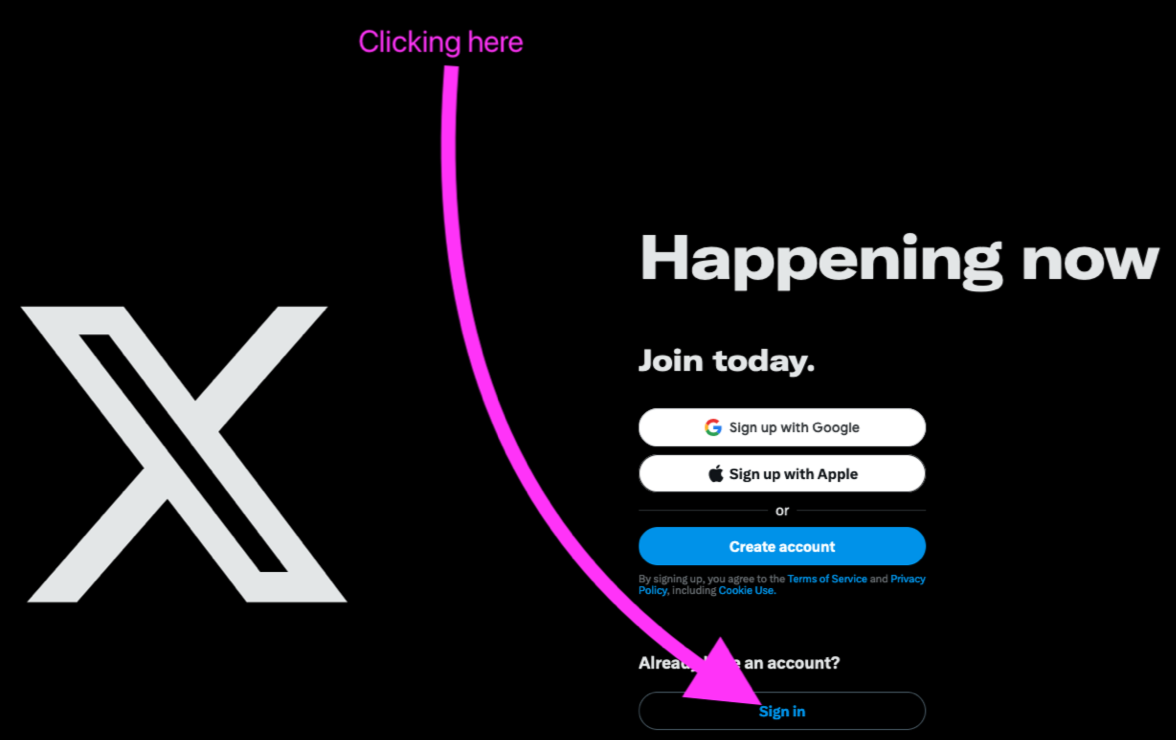
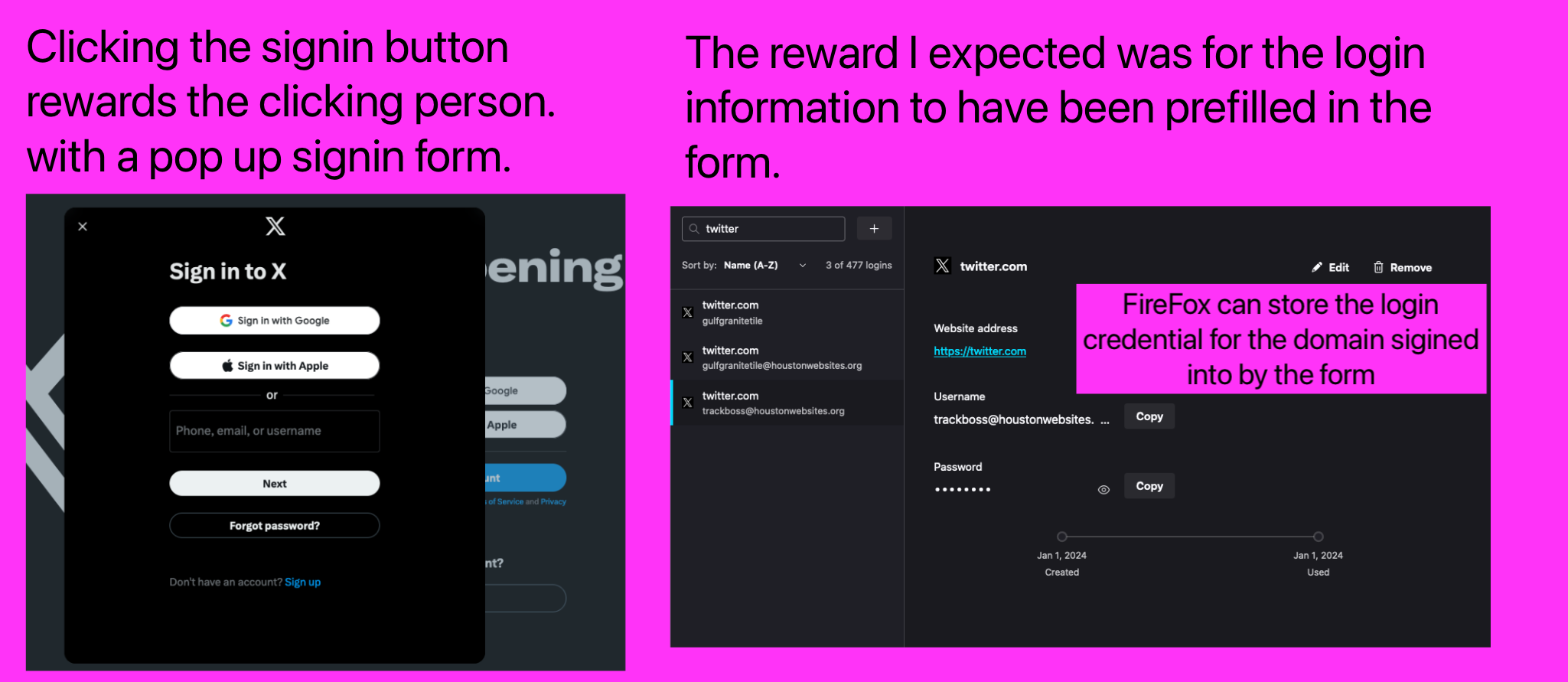
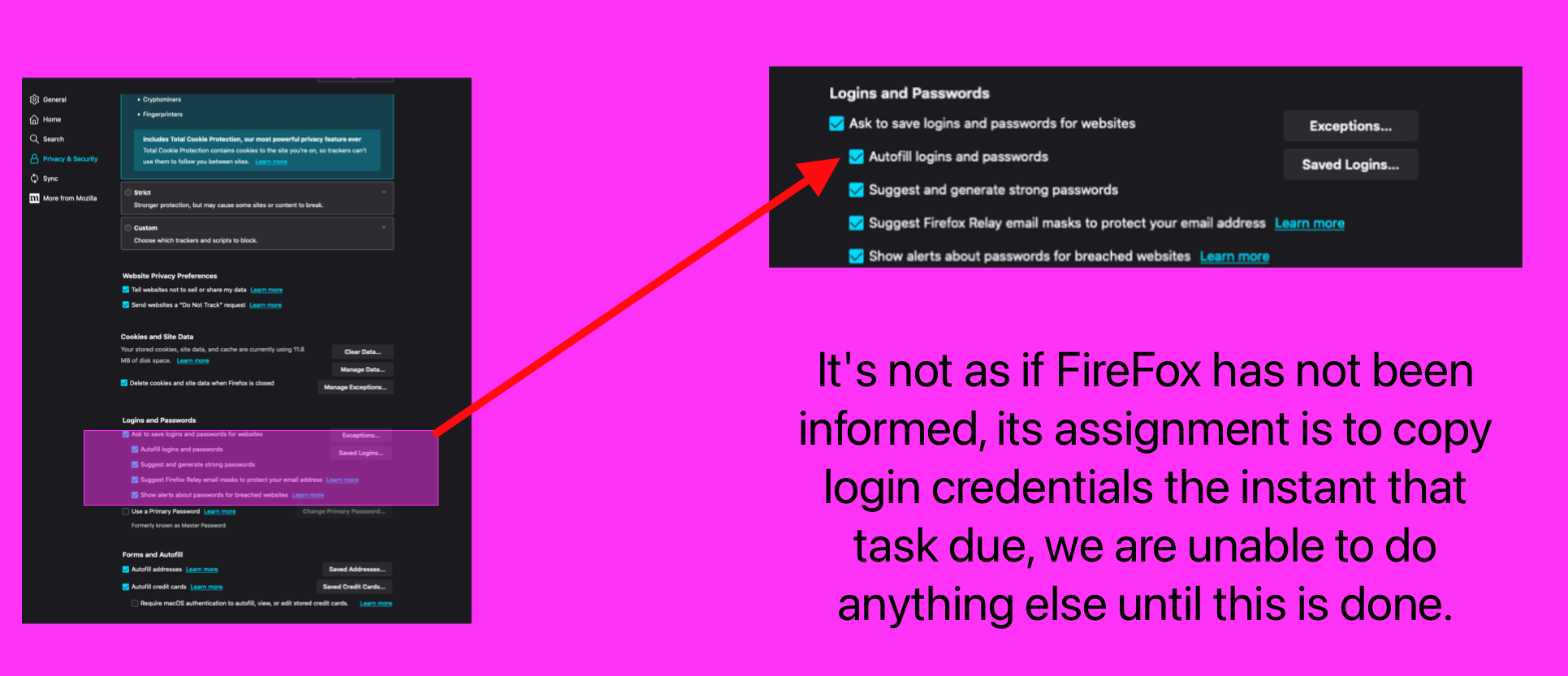
I am seeking help in arranging for FireFox to prefill login forms on websites. For most sites it already works. There is on site where I have been unable to get the log… (read more)
I am seeking help in arranging for FireFox to prefill login forms on websites. For most sites it already works. There is on site where I have been unable to get the login credentials to fill the login form. The following images provide background information to show what I am doing and the result I am getting thus far. https://assets-prod.sumo.prod.webservices.mozgcp.net/media/uploads/images/2024-01-07-21-03-35-c4ca42.png
I have my Firefox Firefox Privacy & Security History settings set to 'Always Use Private Browsing Mode.' Yet every time I open Firefox and visit the History tab, 'Rec… (read more)
I have my Firefox Firefox Privacy & Security History settings set to 'Always Use Private Browsing Mode.' Yet every time I open Firefox and visit the History tab, 'Recently Closed Tabs' shows a history of the websites I've visited. How do I disable this feature?
Wordpress sites "My sites" tab not working on all my sites since about 2 hours — all working on Chrome.
Hi. The annual NORAD Santa Tracker website does not function properly under Firefox. While there are no issues with the 3D rendering itself, the 3D map is squished vertic… (read more)
Hi. The annual NORAD Santa Tracker website does not function properly under Firefox. While there are no issues with the 3D rendering itself, the 3D map is squished vertically toward the left side of the page. It appears to be defaulting to a mobile browser view. The only extension I have installed is uBlock Origin, and I turned it off for the NORAD Santa website, and the display issue persists.
Opening the site under Safari shows the Santa tracker taking up the entire browser window as it should do.
I'm currently on Mac OS Sonoma using the latest version of Firefox 121.0