


How to disable that Firefox automatically saves PDFs?

I have the following settings in Settings/Preferences>General:
Files and Applications
Downloads Save all files in the following folder: Downloads Ticked Ask every time where to save a file
Applications Portable Document Format (PDF): Open in Firefox How should Firefox deal with other files? Ticked Ask whether to open or save files
On specific websites when I click on a pdf link, Firefox opens and automatically saves the file to Downloads folder without asking whether to save and where to save despite the above settings. As far as I remember, on other websites when clicking a pdf link Firefox only opens the corresponding file and doesn't save.
I found this with a internet search https://connect.mozilla.org/t5/discussions/stop-saving-pdfs-to-downloads-when-viewing-in-firefox/td-p/10225.
How can it be disabled that Firefox automatically saves PDFs?
この投稿は bernd1-1 により に変更されました
選ばれた解決策
Firefox always needs to download and save the file to be able to display the file in a tab.
You can set browser.download.start_downloads_in_tmp_dir => true on the about:config page to make Firefox use the OS temp folder for downloading and opening files.
You can open the about:config page via the location/address bar. On the warning page, click "Accept the Risk and Continue" to open about:config.
この回答をすべて読む 👍 0すべての返信 (5)
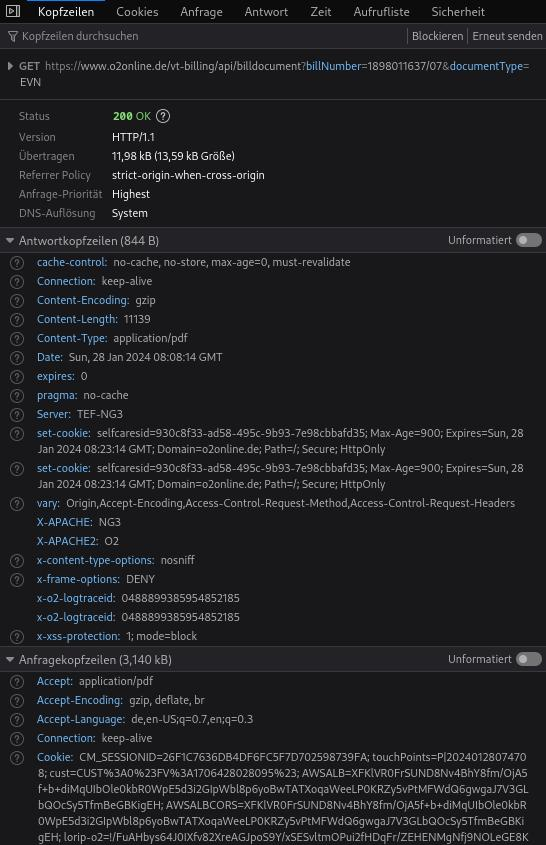
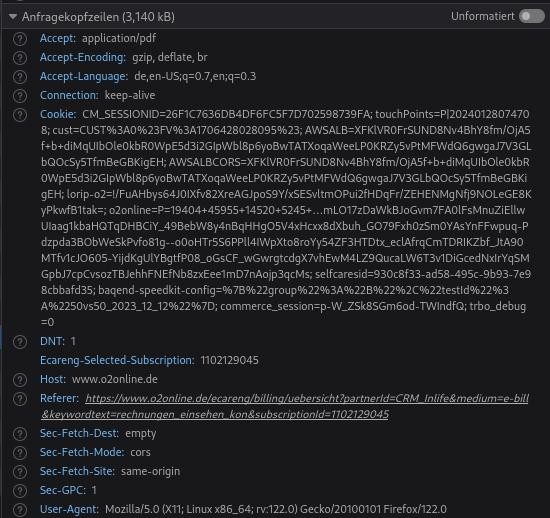
How does the server sends those PDF files if you check this in the in the Network Monitor?
@cor-el Here are 3 screenshots of the Network Monitor regarding an example of a pdf that was (unfortunately) automatically saved.

この投稿は bernd1-1 により に変更されました
Hello
Other information What information is stored in my profile? https://support.mozilla.org/en-US/kb/profiles-where-firefox-stores-user-data#w_what-information-is-stored-in-my-profile Download actions: handlers.json This file stores your preferences that tell Firefox what to do when it comes across a particular type of file. For example, these are the settings that tell Firefox to open a PDF file with Acrobat Reader when you click on it. For more information, see Manage file types and download actions in Firefox.
Try
Go to your profile https://support.mozilla.org/en-US/kb/profiles-where-firefox-stores-user-data#w_how-do-i-find-my-profile Open Folder Then shut down Firefox Then, in your profile, delete the file handlers.json or rename the file (for example) handlers.json-old Next, start Firefox
Then Perform your checks https://support.mozilla.org/en-US/kb/change-firefox-behavior-when-open-file
handlers.json will be recreated automatically For information purposes You can view the contents of the file handlers.json (e.g. with Notepad)
選ばれた解決策
Firefox always needs to download and save the file to be able to display the file in a tab.
You can set browser.download.start_downloads_in_tmp_dir => true on the about:config page to make Firefox use the OS temp folder for downloading and opening files.
You can open the about:config page via the location/address bar. On the warning page, click "Accept the Risk and Continue" to open about:config.