


Windows 10 reached EOS (end of support) on October 14, 2025. For more information, see this article.

Támogatás keresése

Kerülje el a támogatási csalásokat. Sosem kérjük arra, hogy hívjon fel egy telefonszámot vagy osszon meg személyes információkat. Jelentse a gyanús tevékenységeket a „Visszaélés bejelentése” lehetőséggel.

További tudnivalók

A témacsoportot lezárták és archiválták. Tegyen fel új kérdést, ha segítségre van szüksége.

Sites garbled text no layout

  • 3 válasz
  • 4 embernek van ilyen problémája
  • 51 megtekintés
  • Utolsó üzenet ettől: babablue

Some sites e g (gmail after login, twitter) completely not loading. Showing garbled characters. I thought this was the Helvetica problem but I checked my Fonts and couldn't find Helvetica there. Tried zooming in out the page but nothing changes. Tried forcing font to Times New Roman, still not working. Checked page style Tried different encodings such as UTF 16, Western, was on 8 default but doesn't do anything Tried Firefox on safe mode, still looks the same

Some sites e g (gmail after login, twitter) completely not loading. Showing garbled characters. I thought this was the Helvetica problem but I checked my Fonts and couldn't find Helvetica there. Tried zooming in out the page but nothing changes. Tried forcing font to Times New Roman, still not working. Checked page style Tried different encodings such as UTF 16, Western, was on 8 default but doesn't do anything Tried Firefox on safe mode, still looks the same

Összes válasz (3)

Attached sample scrshot
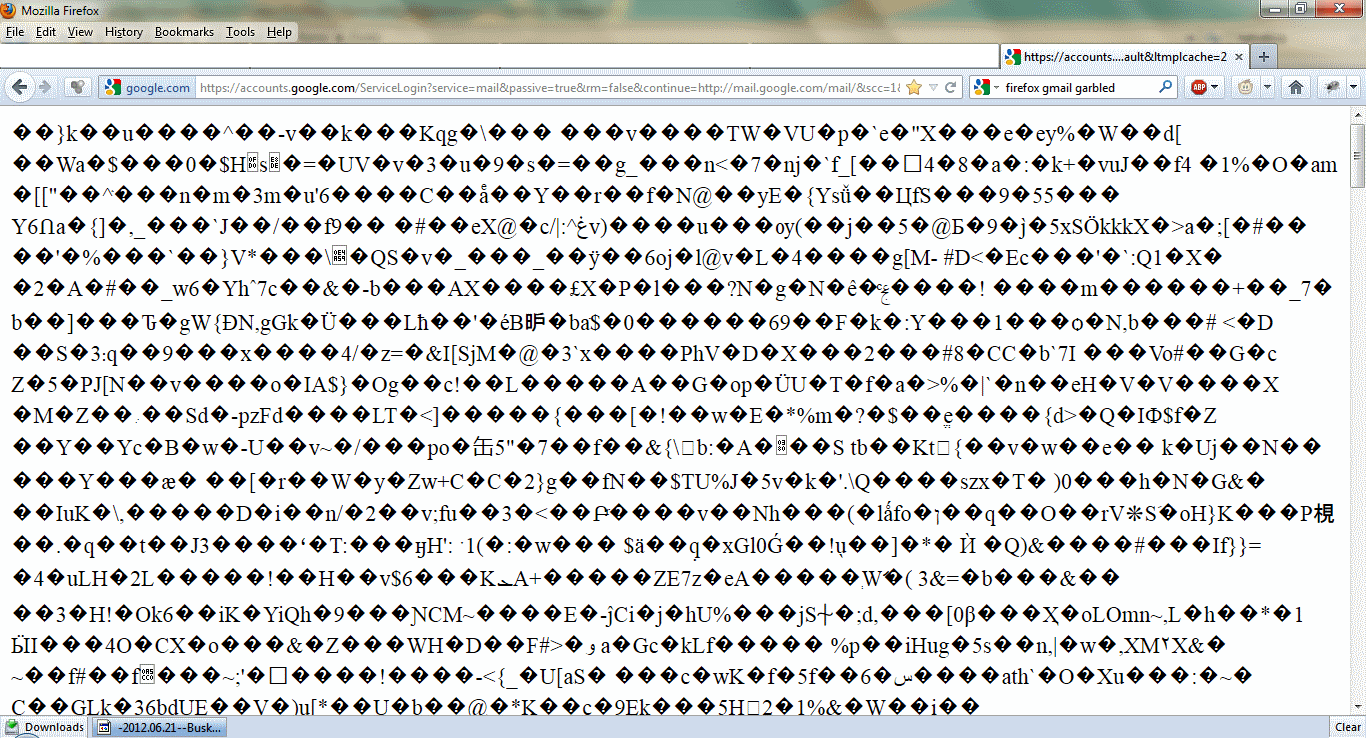
hello babablue, please enter about:config into the location bar, search for the preference named network.http.accept-encoding & right click and reset that to its default value. this should make gmail & twitter load normally again...

Thank you. That worked. I've never changed it before but it seems to have been changed to "true".