

A témacsoportot lezárták és archiválták.
Tegyen fel új kérdést, ha segítségre van szüksége.

Megoldva
Archivált
Deskcut 0.6.0.3 installed but not placing url on desktop

Desk cut has suddenly stopped working. Have re-installed 0.6.0.3 OK, but right clicking a tab and selecting left click "Create deskcut" the URL does not appear on the desktop.
Desk cut has suddenly stopped working. Have re-installed 0.6.0.3 OK, but right clicking a tab and selecting left click "Create deskcut" the URL does not appear on the desktop.
Összes válasz (2)
Kiválasztott megoldás
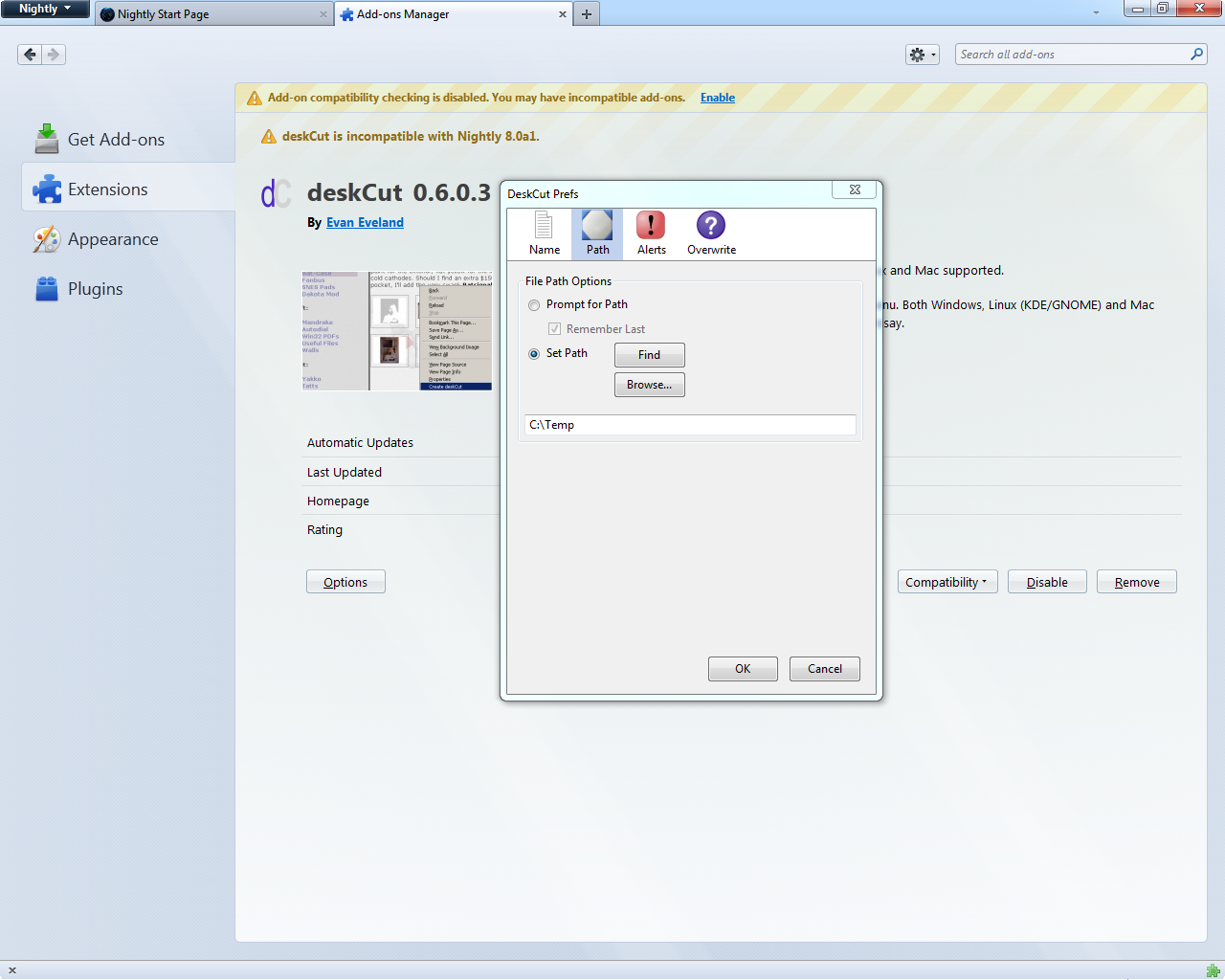
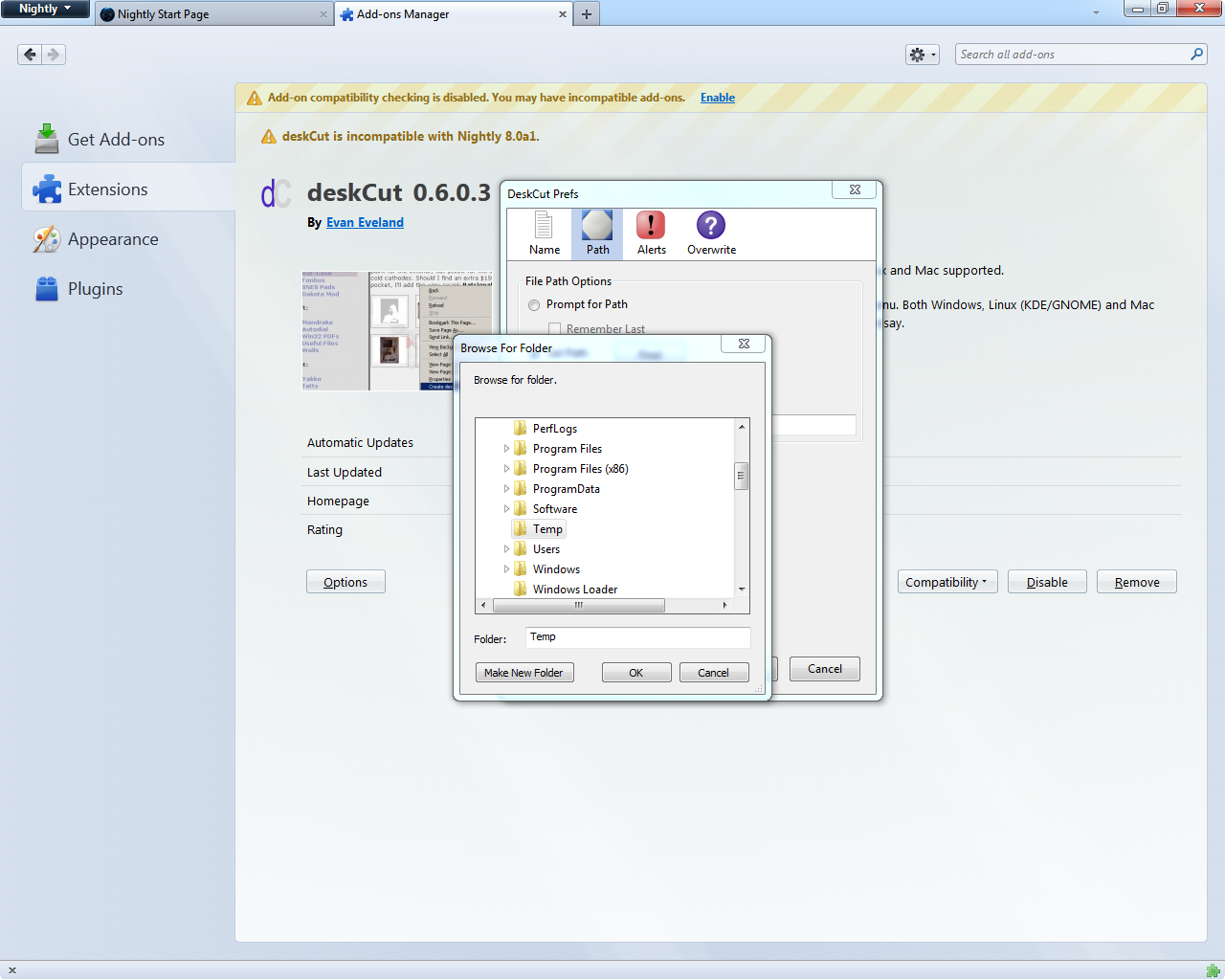
Just have to "configure it" by going to the deskCut Options/Prefs, Path, Browse... & then it'll work, even though it seems already set by the install (screenshots attached).
ps. Do me a favor & please click the "Helpful" button, from next to the post: "Was this reply helpful?" tnx!..:)
Thanks nimd4 for the reply. Did exactly as you said and worked first time. I have been to many forums and not obtained an answer that worked. Most grateful for your time thank you.
ramonford