


FF Sync Captcha Field is Blank
I cannot set up Firefox Sync. Every time I get to the captcha field, it appears blank and I can't get any farther. The blank captcha field only occurs in FF Sync. What do I do now?
Összes válasz (9)
Apparently 3 of us have this same problem. Does any one know of a fix for it? I'd like to FF Sync. It would really help me. I can't because of the blank captcha field when I attempt to set it up. Any ideas?
Here's an example of the problem.
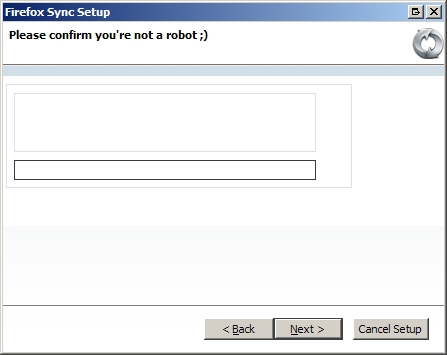
Anyone else try the new Firefox Sync version 1.5?
I was hoping this would fix the problem with the captcha, but no. The new version also continues to verify I am not a robot by then showing me a blank captcha field.
I am still unable to complete the process and use FF sync. Can someone please devise an alternative means?
You can try to disable all other extensions except Firefox Sync if you do not use Firefox 4.0 and if you use a custom theme then revert to the Default theme (Tools > Add-ons > Themes).
See Troubleshoot extensions, themes and hardware acceleration issues to solve common Firefox problems
Cor-el, good suggestion. I tried it just now but it made no difference.
I first disabled all the other add-ons except ff-sync and restarted Firefox. When I attempted to set up ff-sync, the captcha is still blank.
Thanks anyway.
If it still happens with all extensions disabled then you should check your security software (firewall). Some can block small images like a CAPTCHA.

i completely disabled my firewall and tried again - no result, i have the same problem
Temporarily disabling the plugin RequestPolicy solved this for me
i had the same issue! i just needed to upgrade to firefox4.0