


Cannot dismiss reminder or set the snooze.

Cannot dismiss reminder or set the snooze. Get the following:
Status Code: 2147500037, The request cannot be processed.
An error occurred when writing to the calendar charles.novak@gmail.com! Please see below for more information.
Server Replied with 400 If you're seeing this message after snoozing or dismissing a reminder and this is for a calendar you do not want to add or edit events for, you can mark this calendar as read-only to avoid such experience in future. To do so, get to the calendar properties by right-clicking on this calendar in the list in the calendar or task view.
Kiválasztott megoldás
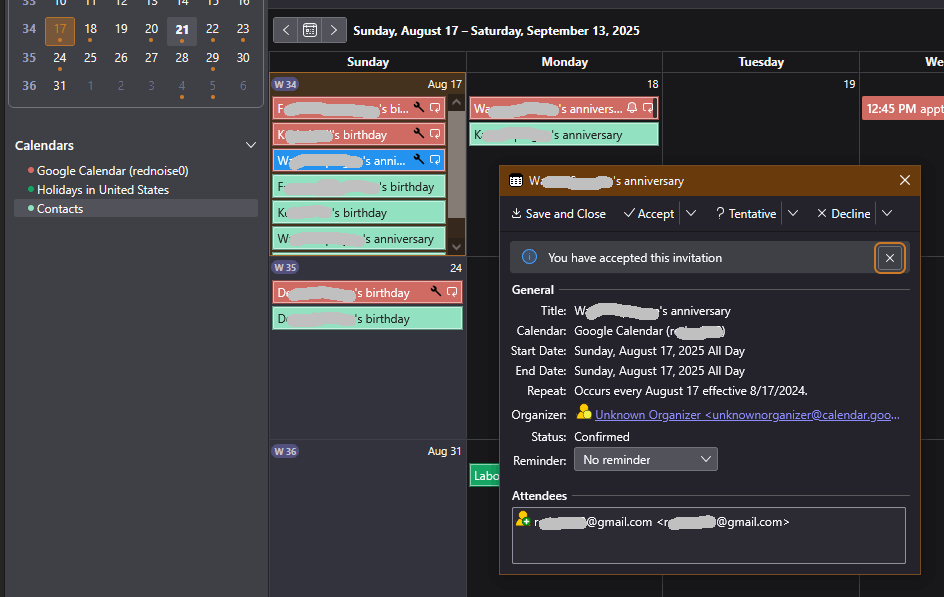
I have a similar problem - recurring events invoke a reminder dialog box that I can't dismiss or snooze. I posted about it here a week ago but have had no response. I can hardly believe that other people who use Thunderbird Calendar with Google haven't seen this. Until I find a solution, I've had to give up on TBird Calendar.
Here's my earlier post:
https://support.mozilla.org/en-US/questions/1530786
Válasz olvasása eredeti szövegkörnyezetben 👍 0Összes válasz (2)

Kiválasztott megoldás
I have a similar problem - recurring events invoke a reminder dialog box that I can't dismiss or snooze. I posted about it here a week ago but have had no response. I can hardly believe that other people who use Thunderbird Calendar with Google haven't seen this. Until I find a solution, I've had to give up on TBird Calendar.
Here's my earlier post:
I don't know why this has been marked as a "solution". No solution has been offered. The problem persists.