A témacsoportot lezárták és archiválták.
Tegyen fel új kérdést, ha segítségre van szüksége.

Archivált
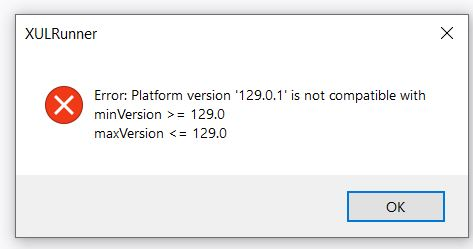
XULrunner error

I just started getting this error on 13 August 2024. “XULRunner Error: Platform version ‘129.0.1’ is not compatible [etc.]”. Is there a solution? I can't even get in to see what version of FF I have.
I don't want to lose all my bookmarks if I reinstall Firefox. And I noticed in past similar problems, the prolem may persist with a newly loaded Firefox.
I just started getting this error on 13 August 2024. “XULRunner Error: Platform version ‘129.0.1’ is not compatible [etc.]”. Is there a solution? I can't even get in to see what version of FF I have.
I don't want to lose all my bookmarks if I reinstall Firefox. And I noticed in past similar problems, the prolem may persist with a newly loaded Firefox.