


Windows 10 reached EOS (end of support) on October 14, 2025. If you are on Windows 10, see this article.

Támogatás keresése

Kerülje el a támogatási csalásokat. Sosem kérjük arra, hogy hívjon fel egy telefonszámot vagy osszon meg személyes információkat. Jelentse a gyanús tevékenységeket a „Visszaélés bejelentése” lehetőséggel.

További tudnivalók

A témacsoportot lezárták és archiválták. Tegyen fel új kérdést, ha segítségre van szüksége.

Lock down Applications

  • 2 válasz
  • 1 embernek van ilyen problémája
  • 84 megtekintés
  • Utolsó üzenet ettől: Mike Kaply

We are taking advantage of the Mozilla.cfg and PrefLock and that works great! Now I am looking for a way to lock down the Applications set in Firefox and I don't seem to be having any luck doing so.

Goal is to lock down the Applications section In Firefox under "General" (See the screenshot). Its currently set to a few default applications we use. These settings seem to change at random depending on user actions, or after browser updates. Is there any way to lock them in place once the settings are set? Would like the settings to stick and we don't want users to have do to anything. Example: If Adobe is set for PDF's, I just want it to always open in Adobe. Maybe grey out the section or something so it cannot be changed if possible.

Thanks!
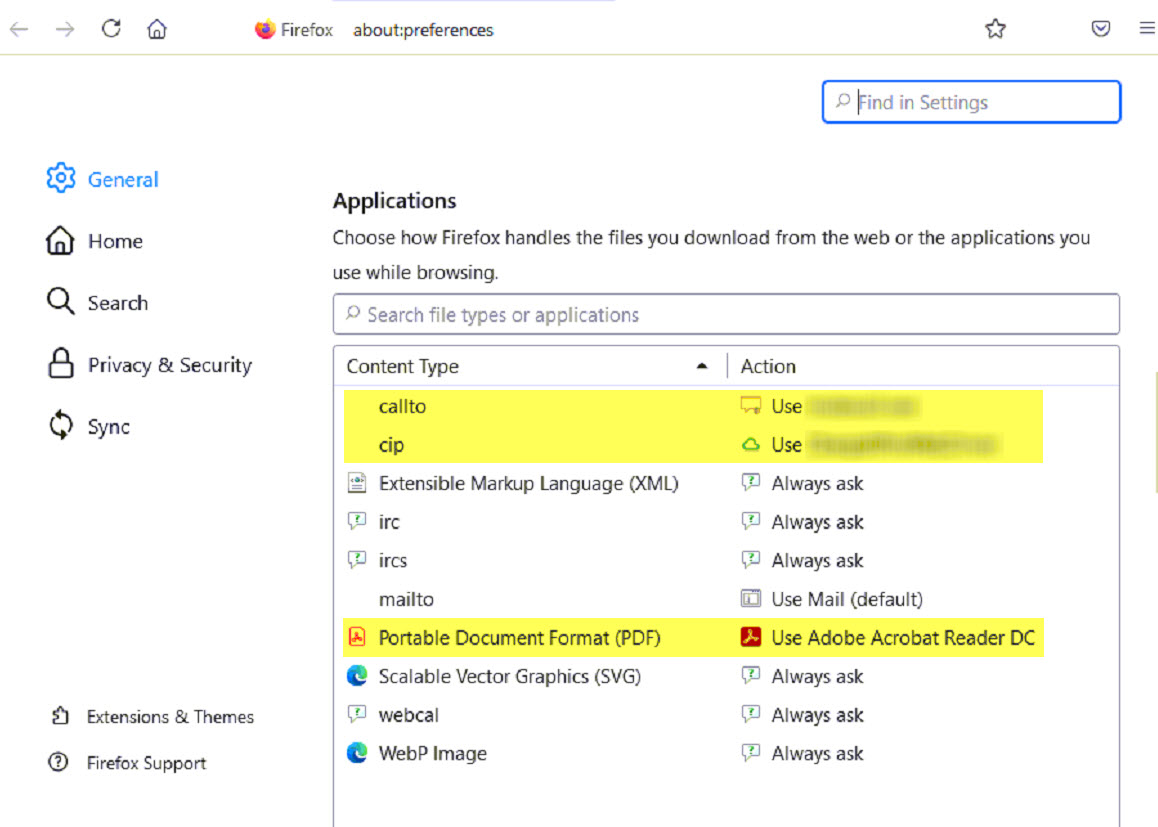
We are taking advantage of the Mozilla.cfg and PrefLock and that works great! Now I am looking for a way to lock down the Applications set in Firefox and I don't seem to be having any luck doing so. Goal is to lock down the Applications section In Firefox under "General" (See the screenshot). Its currently set to a few default applications we use. These settings seem to change at random depending on user actions, or after browser updates. Is there any way to lock them in place once the settings are set? Would like the settings to stick and we don't want users to have do to anything. Example: If Adobe is set for PDF's, I just want it to always open in Adobe. Maybe grey out the section or something so it cannot be changed if possible. Thanks!
Csatolt képernyőmentések

Módosította: ar550n1c,

Összes válasz (2)

Módosította: cor-el,

We do not provide a way to lock the application settings.