


Firefox reinstalled by itself and deleted all old data
Hi guys, Yesterday when I found that Firefox was updated and reinstall a new version by itself and the problem is that it deleted all old data (passwords, cookies, preferences...) and I did not find the folder "old firefox data" on my desktop. Is there a way to get back all those data please?
Many Thanks

Kiválasztott megoldás
Check the folder with the second latest date (not the current).
Összes válasz (5)
https://support.mozilla.org/en-US/kb/how-run-firefox-when-profile-missing-inaccessible
http://kb.mozillazine.org/Profile_folder_-_Firefox#Navigating_to_the_profile_folder
https://support.mozilla.org/en-US/kb/profile-manager-create-and-remove-firefox-profiles
https://support.mozilla.org/en-US/kb/back-and-restore-information-firefox-profiles
Type about:profiles<enter> in the address bar.
How many profiles are listed?
How many should be there?
Also, open the profile folder in your file explorer.
https://support.mozilla.org/en-US/kb/recover-user-data-missing-after-firefox-update
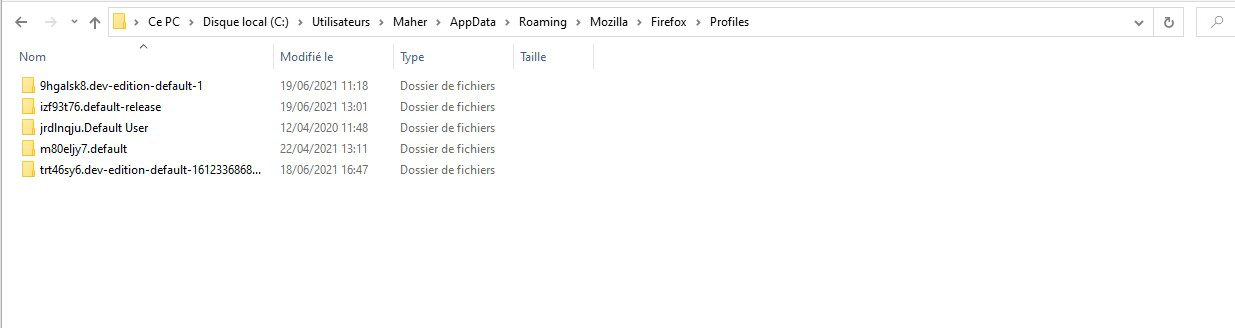
Thanks FredMcD for your answer, I found 5 profiles
Kiválasztott megoldás
Check the folder with the second latest date (not the current).
Thanks FredMcD, I just went to about:profiles, and set that folder that you have shown to me as default, and Voila problem solved ;)
Thank you
Glad to help. Safe Surfing.