


Windows 10 reached EOS (end of support) on October 14, 2025. If you are on Windows 10, see this article.

Támogatás keresése

Kerülje el a támogatási csalásokat. Sosem kérjük arra, hogy hívjon fel egy telefonszámot vagy osszon meg személyes információkat. Jelentse a gyanús tevékenységeket a „Visszaélés bejelentése” lehetőséggel.

További tudnivalók
A témacsoportot lezárták és archiválták. Tegyen fel új kérdést, ha segítségre van szüksége.
Megoldva Archivált

New homepage in FF 89.0

gemiroshnichenko megválaszolva
gemiroshnichenko

The 89.0 update is great, but I'm disappointed by the new homepage (see the picture). The font is too small, and if I scale the page, the lower row doesn't fit to the screen. A good option would be to remove the useless huge Firefox logo in the middle of the page and to shift the search bar up. Then I could just scale the page. Is there a way to do it?

Changing fonts on every page is not a satisfying solution, I only want to fix the homepage.
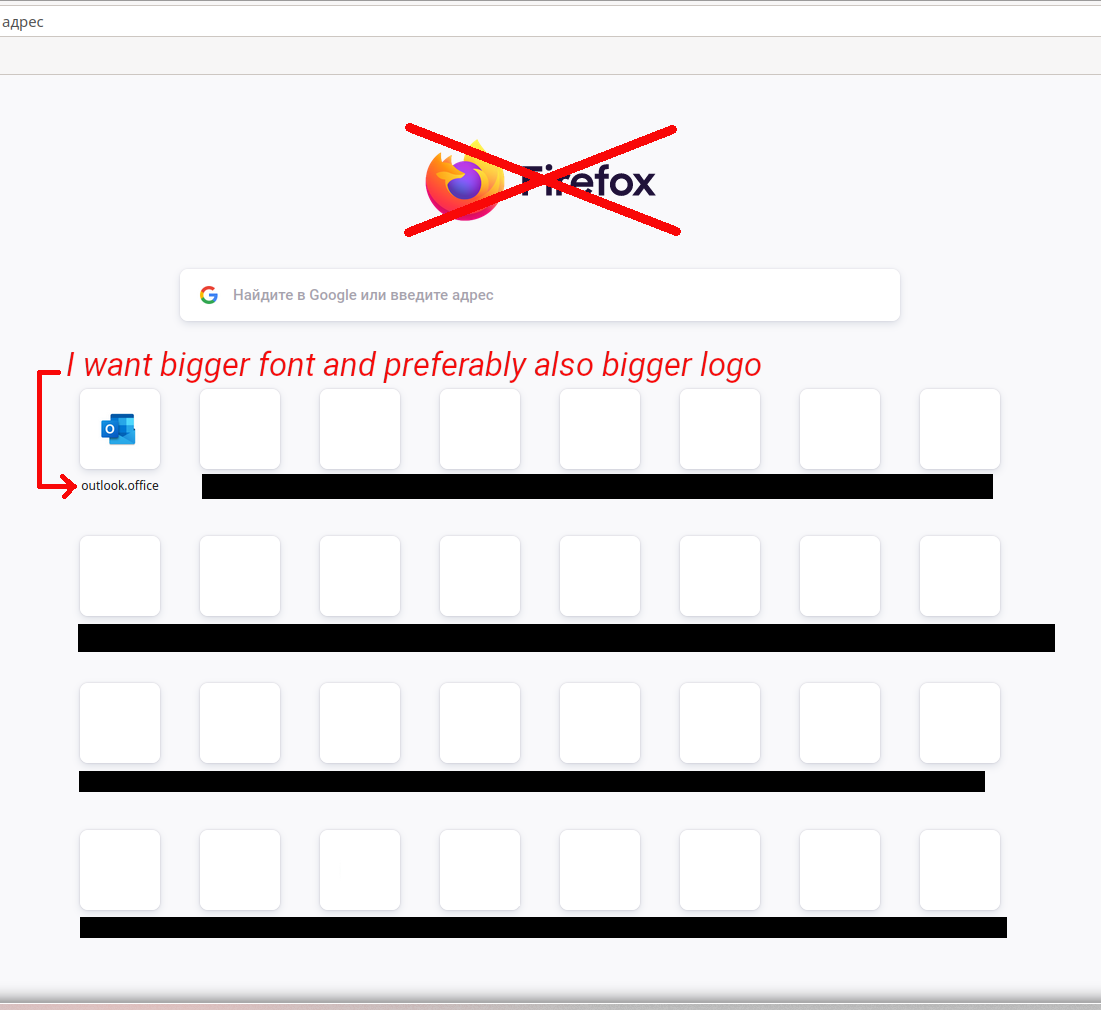
The 89.0 update is great, but I'm disappointed by the new homepage (see the picture). The font is too small, and if I scale the page, the lower row doesn't fit to the screen. A good option would be to remove the useless huge Firefox logo in the middle of the page and to shift the search bar up. Then I could just scale the page. Is there a way to do it? Changing fonts on every page is not a satisfying solution, I only want to fix the homepage.
Csatolt képernyőmentések

Összes válasz (3)

I checked FF 88.0.1 and realized that the font was the same, only the logos were bigger. Still, my question is the same.

Módosította: gemiroshnichenko,

Kiválasztott megoldás

You can remove a logo with browser.newtabpage.activity-stream.logowordmark.alwaysVisible = false.

I have found how to return the old big logos. browser.newtabpage.activity-stream.newNewtabExperience.enabled = false