


Bug? Iframes content confused if too many

If there are two many iframes on the webpage, FireFox (63.0 64-bit) confuses its content. Othe browesers (Chrome, Opera show correctly). What can I do about it?
Example: page with 7 iframes: http://101coffeemachines.info/lattego/
4th of them: <td><iframe style="width:120px;height:240px;" marginwidth="0" marginheight="0" scrolling="no" frameborder="0" src="//rcm-eu.amazon-adsystem.com/e/cm?lt1=_blank&bc1=000000&IS2=1&bg1=FFFFFF&fc1=000000&lc1=0000FF&t=101coffeema05-21&language=it_IT&o=29&p=8&l=as4&m=amazon&f=ifr&ref=as_ss_li_til&asins=B07DP916VN&linkId=180ebf82c476863c5814852bde748fae"></iframe></td>
However, Firefox shows on this place the content of 7th iframe (youtube): https://screenshots.firefox.com/ZzuslDL7XBHR9YL9/101coffeemachines.info
Módosította: Roland Tanglao,
Összes válasz (2)
Hi artemso:
Works for me in Canada, please see the screenshot.
I'm guessing you are in Europe somewhere?
Anyhow maybe it's one of your Firefox add-ons?!? Perhaps a Firefox add-on related to YouTube?!?
- I recommend you try disabling your Firefox add-ons: https://support.mozilla.org/kb/disable-or-remove-add-ons
- and if that doesn't work please try Firefox safe mode: https://support.mozilla.org/kb/troubleshoot-firefox-issues-using-safe-mode
Cheers!
...Roland
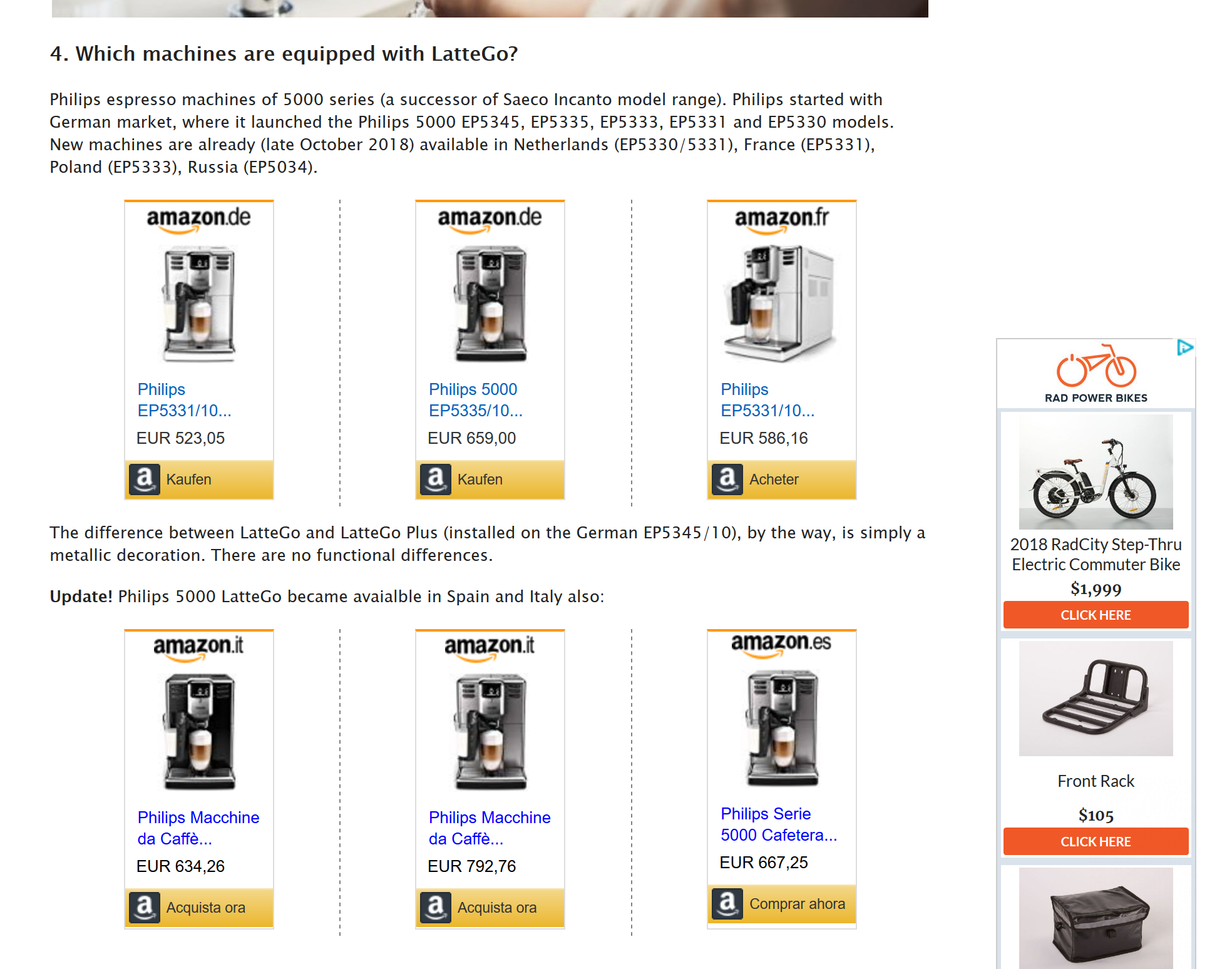
Some items are blocked by Content Blocking (Tracking Protection) and do not show.
The Web Console shows these messages.
The resource at “http://rcm-eu.amazon-adsystem.com/e/cm?lt1=_blank&bc1=000000&IS2=1&bg1=FFFFFF&fc1=000000&lc1=0000FF&t=101coffeema05-21&language=it_IT&o=29&p=8&l=as4&m=amazon&f=ifr&ref=as_ss_li_til&asins=B07DP8Y6MK&linkId=0e88c8b971017fea112997df9ef9406c” was blocked because content blocking is enabled.[Learn More] lattego
The resource at “http://rcm-eu.amazon-adsystem.com/e/cm?lt1=_blank&bc1=000000&IS2=1&bg1=FFFFFF&fc1=000000&lc1=0000FF&t=101coffeema0b-21&language=es_ES&o=30&p=8&l=as4&m=amazon&f=ifr&ref=as_ss_li_til&asins=B07DP8Y6MK&linkId=682ba76e0e50649477fa8c654d2c8647” was blocked because content blocking is enabled.[Learn More]
Módosította: cor-el,