


Why do I see random images appear when scrolling my inbox?

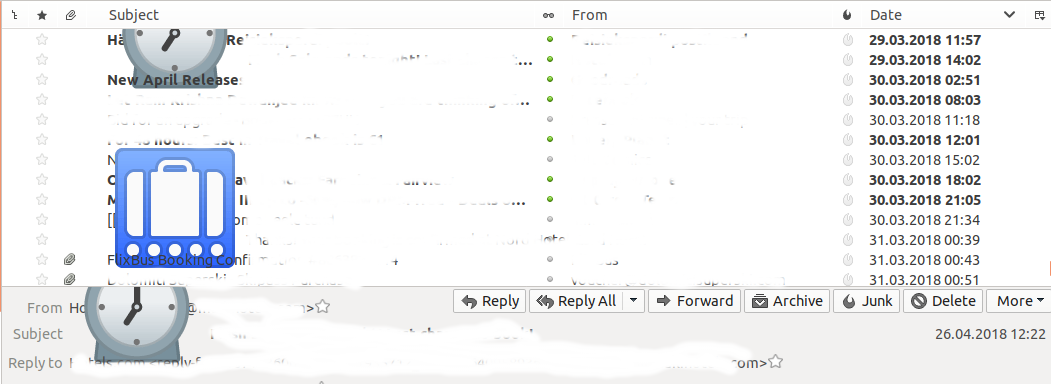
When I scroll my list of emails up and down (by mouse scroll button, there doesn't seem to be a possibility to scroll any other way) images appear on the screen as shown on the screenshot. If I scroll up and down again the same image appears in the same place. This started happening after I upgraded to Ubunu 18.04, TB version is 52.7.0
When I scroll my list of emails up and down (by mouse scroll button, there doesn't seem to be a possibility to scroll any other way) images appear on the screen as shown on the screenshot. If I scroll up and down again the same image appears in the same place. This started happening after I upgraded to Ubunu 18.04, TB version is 52.7.0
Kiválasztott megoldás
Összes válasz (3)
Here's a screenshot:
https://prod-cdn.sumo.mozilla.net/uploads/images/2018-05-05-03-01-49-dcc7e8.png

Kiválasztott megoldás
Módosította: Zenos,
So to be clear, what I had to do was to copy NotoEmoji-Regular.ttf to /usr/share/fonts/truetype/noto