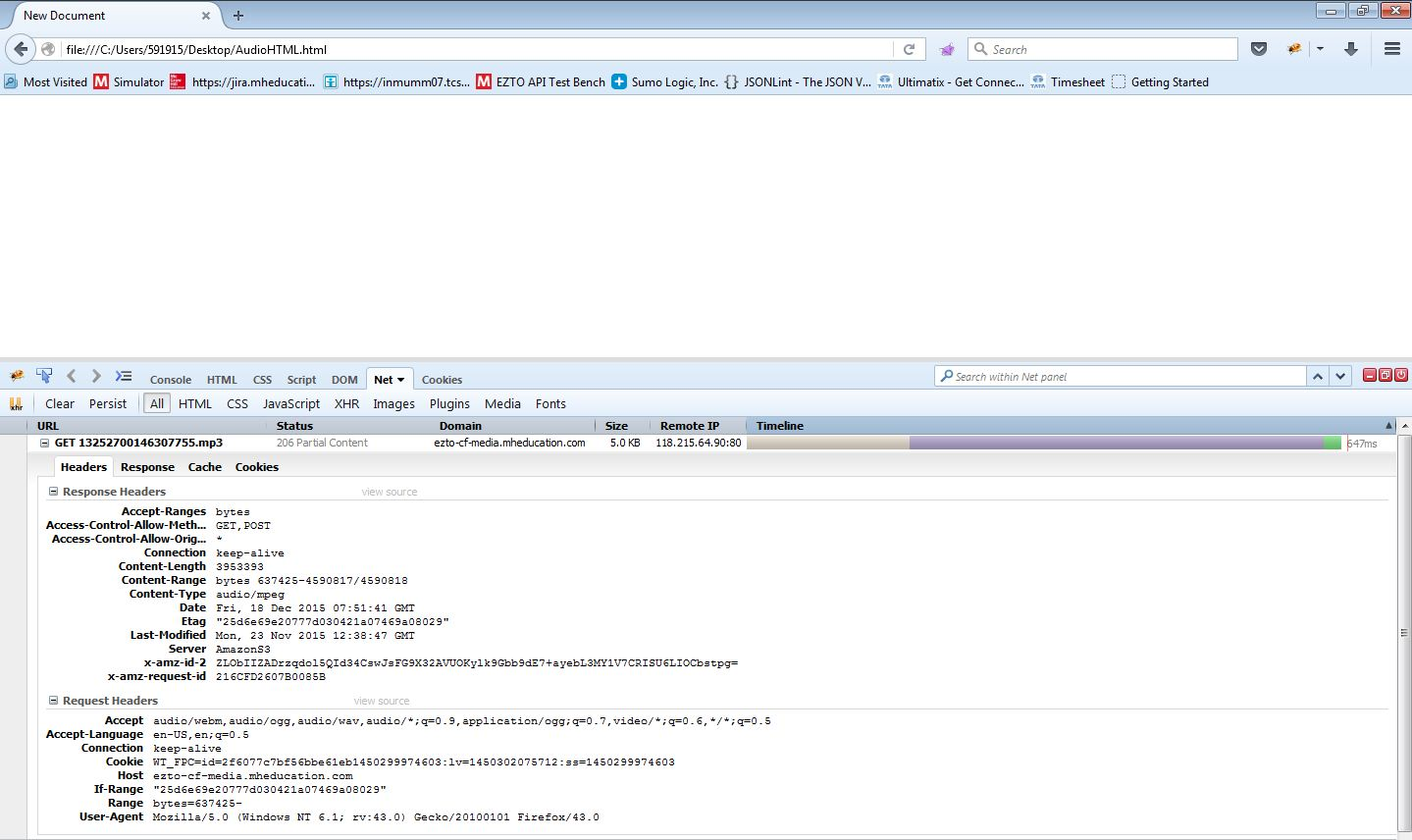
Mp3 file plays by URL, but fails to play in audio tag.

This URL, when hit directly, it plays.
But when embedded in audio tag, it fails to play and firefox shows "Media resource http://ezto-cf-media.mheducation.com/Media/Connect_Production/Externalized/Audio/13252700146307755.mp3 could not be decoded. All candidate resources failed to load. Media load paused."
Audio tag is implemented as,
<audio class="audio-player" controls><source type="audio/mpeg" src="http://ezto-cf-media.mheducation.com/Media/Connect_Production/Externalized/Audio/13252700146307755.mp3"></source></audio>
Módosította: cor-el,
Összes válasz (3)
HTML is used as below.
<audio class="audio-player" controls> <source type="audio/mpeg" src="http://ezto-cf-media.mheducation.com/Media/Connect_Production/Externalized/Audio/13252700146307755.mp3"></source></audio>
Módosította: cor-el,
I'm not sure what kind of file this is because the Network Monitor shows it as type audio/x-wav when used with the audio tag. When the URL is loaded via the location bar then the Network Monitor shows audio/mpeg. The decoder used with the audio tag might not recognize the file correctly.
The "Content-type" in response header shows "audio/mpeg". Can you please let me know where you are seeing "audio/x-wav". Attaching screenshot.
Thanks