


firefox does unauthorized update

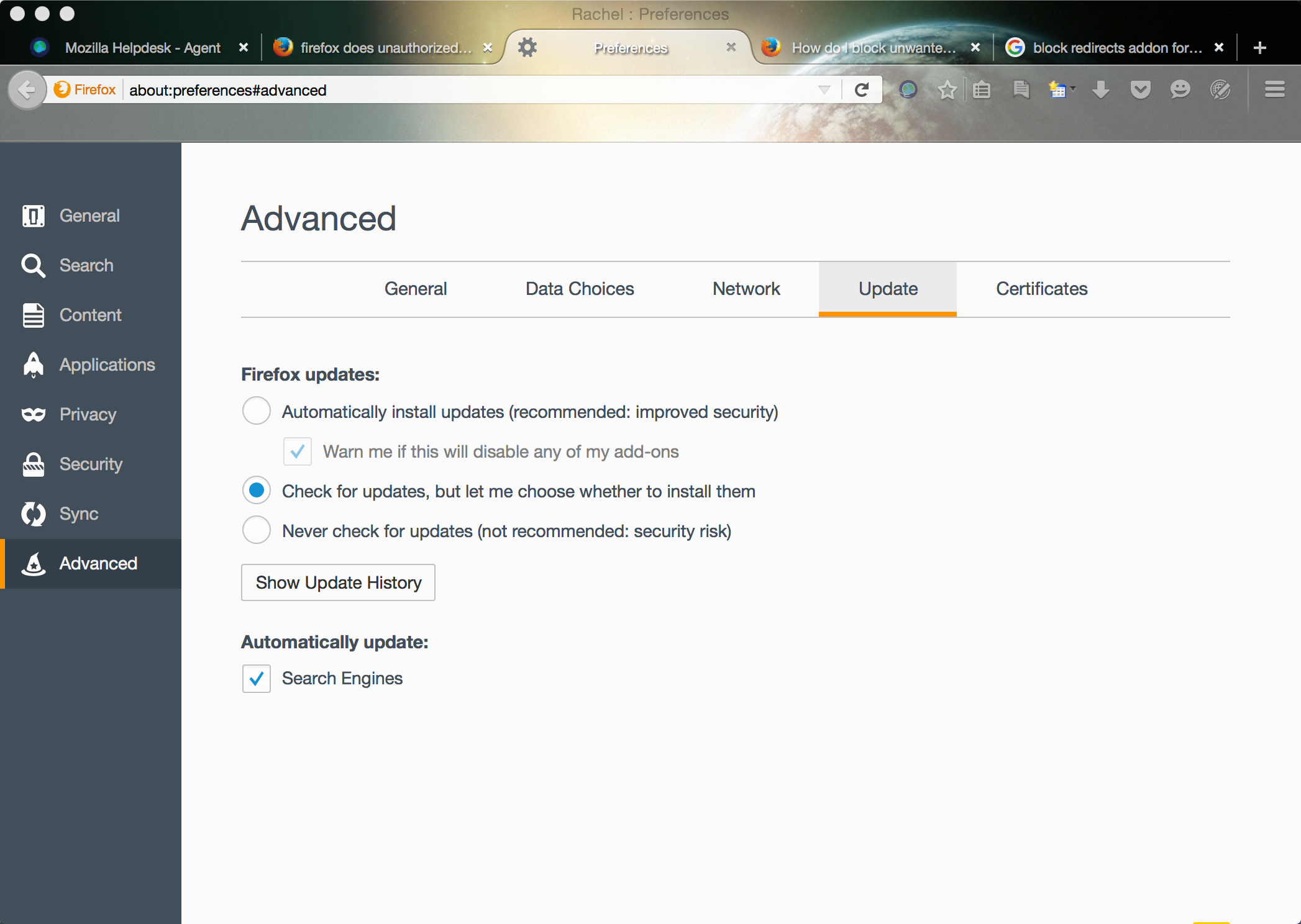
I have Firefox 40 installed and don't want to update Firefox so I have it a checked to not do auto updates so that it stays on version 40, but Firefox does this unauthorized and unwanted update to version 41, to me that's a form of malware, how can I install version 40 AND NOT have it update to a newer version. If this can't be done then I will just have to uninstall Firefox and refuse to use it in the future.
I have Firefox 40 installed and don't want to update Firefox so I have it a checked to not do auto updates so that it stays on version 40, but Firefox does this unauthorized and unwanted update to version 41, to me that's a form of malware, how can I install version 40 AND NOT have it update to a newer version. If this can't be done then I will just have to uninstall Firefox and refuse to use it in the future.
Összes válasz (2)
Was the About Firefox page ever opened?
Are you trying to avoid Firefox 41 because you rely on the Norton Toolbar? In that case, please see my suggestions in this thread: https://support.mozilla.org/questions/1088957