


Windows 10 reached EOS (end of support) on October 14, 2025. For more information, see this article.

Támogatás keresése

Kerülje el a támogatási csalásokat. Sosem kérjük arra, hogy hívjon fel egy telefonszámot vagy osszon meg személyes információkat. Jelentse a gyanús tevékenységeket a „Visszaélés bejelentése” lehetőséggel.

További tudnivalók

A témacsoportot lezárták és archiválták. Tegyen fel új kérdést, ha segítségre van szüksége.

MAC: Thunderbird freezes and does not work

  • 2 válasz
  • 2 embernek van ilyen problémája
  • 8 megtekintés
  • Utolsó üzenet ettől: Matt

további lehetőségek

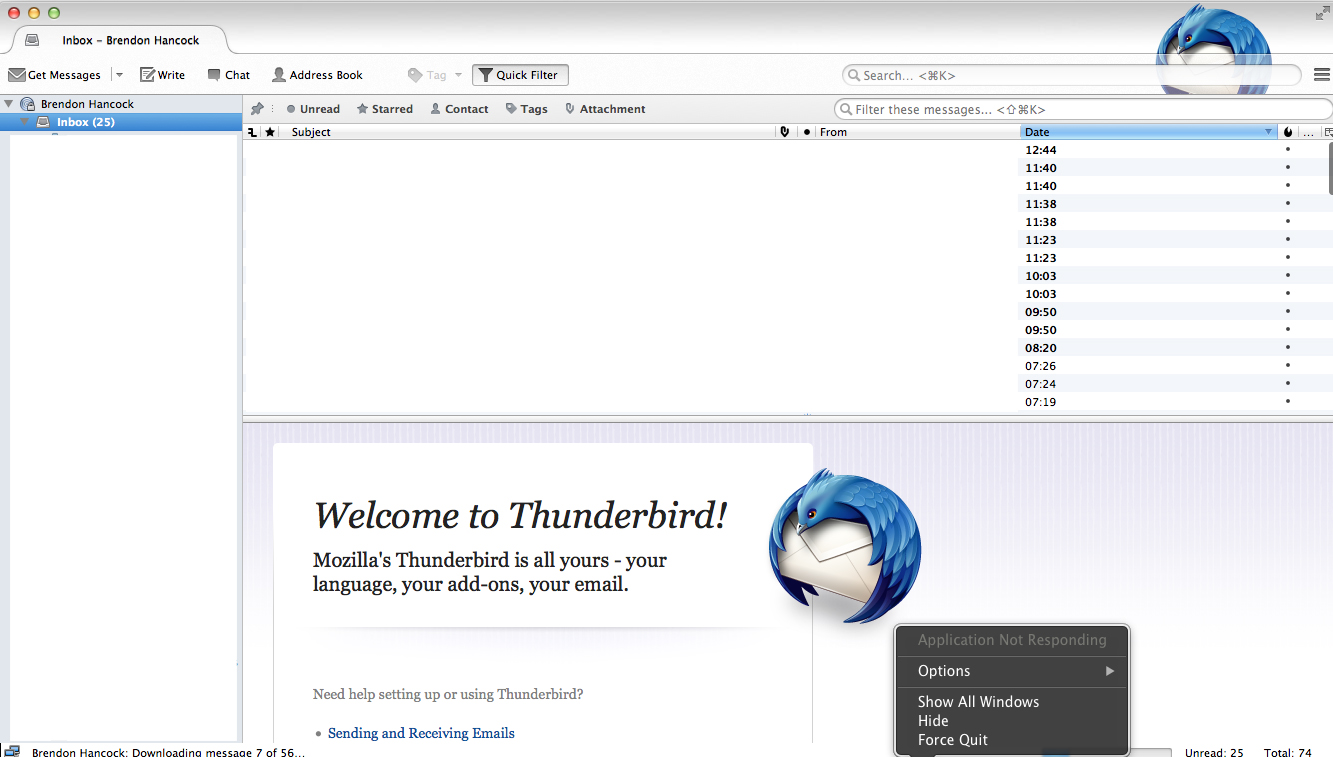
I have been using thunderbird on my mac for over a year and have numerous IMAP and POP 3 account associated with the account. Suddenly today every time I open Thunderbird after 5 seconds it comes up application not responding. I have done the following but it is still not working.

-Completely deleted Thunderbird from my Mac and then imported a back up profile - this still does exactly the same on startup. -In the 5 seconds I have before it goes to "application not responding" I have changed the settings of check mail every 1 min to every 15 min.

Of course eveytime I open it there is more emails it is trying to receive.

This is causing so much havoc for me and is rendering me useless at work.

Please can someone help!

I have been using thunderbird on my mac for over a year and have numerous IMAP and POP 3 account associated with the account. Suddenly today every time I open Thunderbird after 5 seconds it comes up application not responding. I have done the following but it is still not working. -Completely deleted Thunderbird from my Mac and then imported a back up profile - this still does exactly the same on startup. -In the 5 seconds I have before it goes to "application not responding" I have changed the settings of check mail every 1 min to every 15 min. Of course eveytime I open it there is more emails it is trying to receive. This is causing so much havoc for me and is rendering me useless at work. Please can someone help!

Összes válasz (2)

további lehetőségek

Please see screenshot of error. I have covered emails and folders due to privacy.
további lehetőségek

Have you been sucked into using an anti virus program? If so, which?