


Firefox 145 doesn't follow the OS "hosts" file site blocking

Hi
I need to block some sites through the OS Hosts file, Other browsers ( Edge, Chrome, .. ) are honoring the HOSTS file rules but Firefox bypassing them !! , I disabled the DNSOverHTTPS and all other available suggestion and options but still not honoring the hosts file !
as you can see in the attached file, the Firefox DNS Section is now blank ! but still doesn't follow the OS host file
I even made a custom policy file but still doesn't work, these are the things I disabled but still not working :
{
 "policies": {
   "DNSOverHTTPS": {
     "Enabled": false,
     "Locked": true
   },
   "Preferences": {
     "network.trr.mode": {
       "Value": 5,
       "Status": "locked"
     },
     "network.dns.native_https_query": {
       "Value": false,
       "Status": "locked"
     },
     "network.trr.uri": {
       "Value": "",
       "Status": "locked"
     },
     "network.trr.bootstrapAddress": {
       "Value": "",
       "Status": "locked"
     },
     "network.trr.exclude-etc-hosts": {
       "Value": true,
       "Status": "locked"
     },
     "network.dnsCacheEntries": {
       "Value": 0,
       "Status": "locked"
     },
     "network.dns.disableIPv6": {
       "Value": true,
       "Status": "locked"
     },
     "browser.fixup.dns_first_for_single_words": {
       "Value": true,
       "Status": "locked"
     },
     "keyword.enabled": {
       "Value": false,
       "Status": "locked"
     }
   }
 }
}
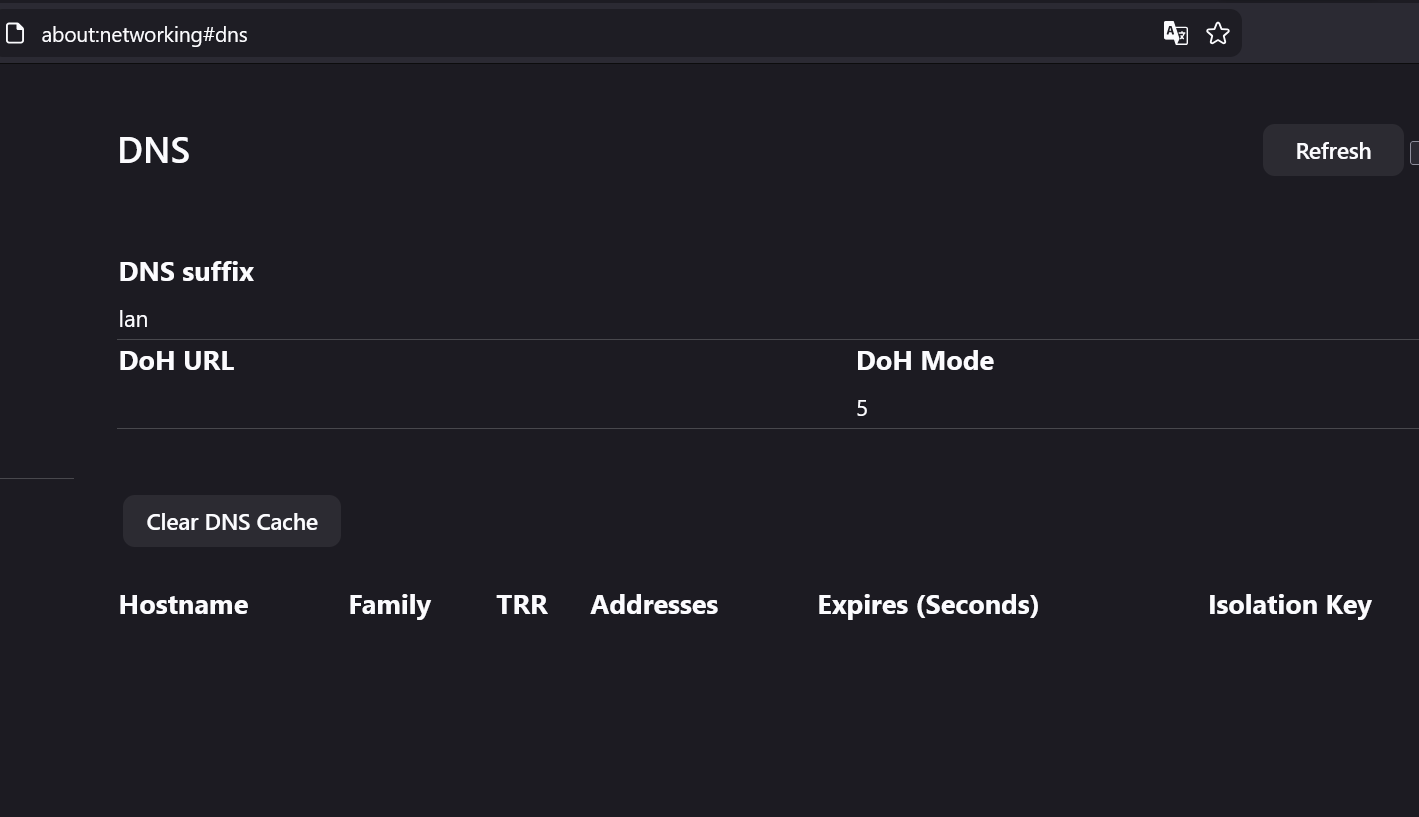
All Replies (5)

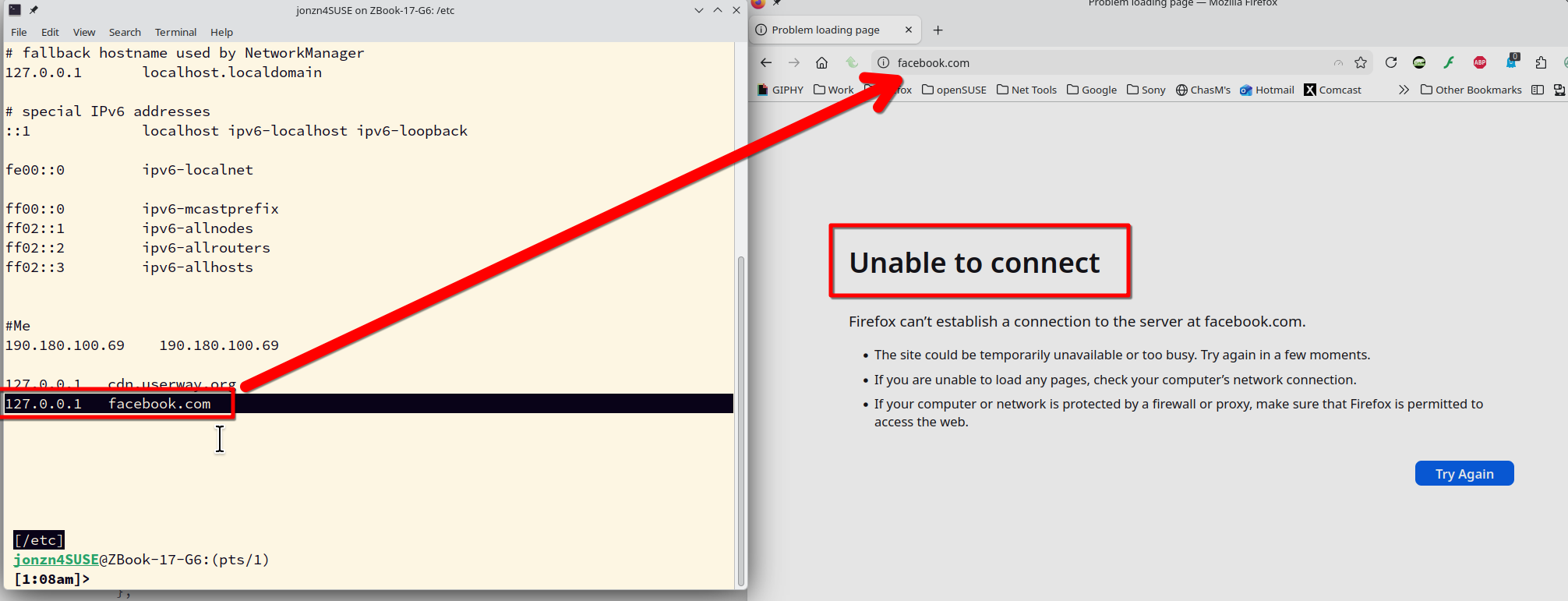
I'm not familiar with that way of doing it. I do it the old fashion way. It's been working for me for many years. see screenshot
Hello
For facebook.com, with hosts file. https://en.wikipedia.org/wiki/Hosts_(file)
https://fr.wikipedia.org/wiki/Hosts#Filtrage_Internet
Hmm. We’re having trouble finding that site. We can’t connect to the server at facebook.com. Did you mean to go to www.facebook.com? If you entered the right address, you can: Try again later Check your network connection Check that Nightly has permission to access the web (you might be connected but behind a firewall)
Have yout tried https://www.facebook.com
For others examples. https://support.mozilla.org/en-US/questions/1503118 For facebook, you can try, Firefox policies https://connect.mozilla.org/t5/ideas/block-websites-by-domain-list/idc-p/49031/highlight/true#M28482
Use the Troubleshooting Information page to help fix Firefox issues. https://support.mozilla.org/en-US/kb/use-troubleshooting-information-page-fix-firefox
Enterprise Policies: This shows you if your browser is being managed by Windows Group Policy or a policies.json file. If enterprise policies are managing Firefox, clicking Active will show you a list of the policies that are currently active on Firefox.
Your browser is being managed by your organization.
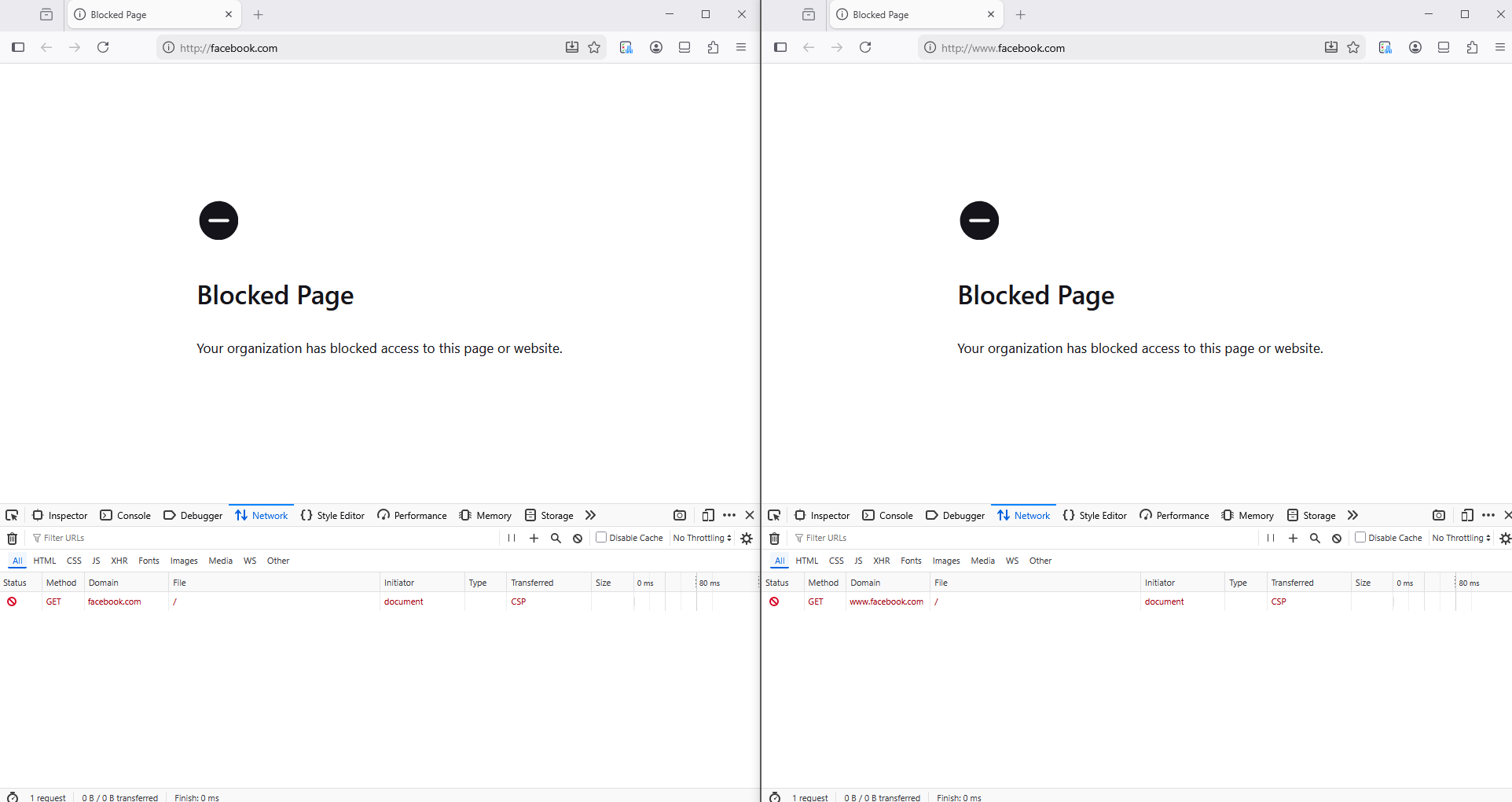
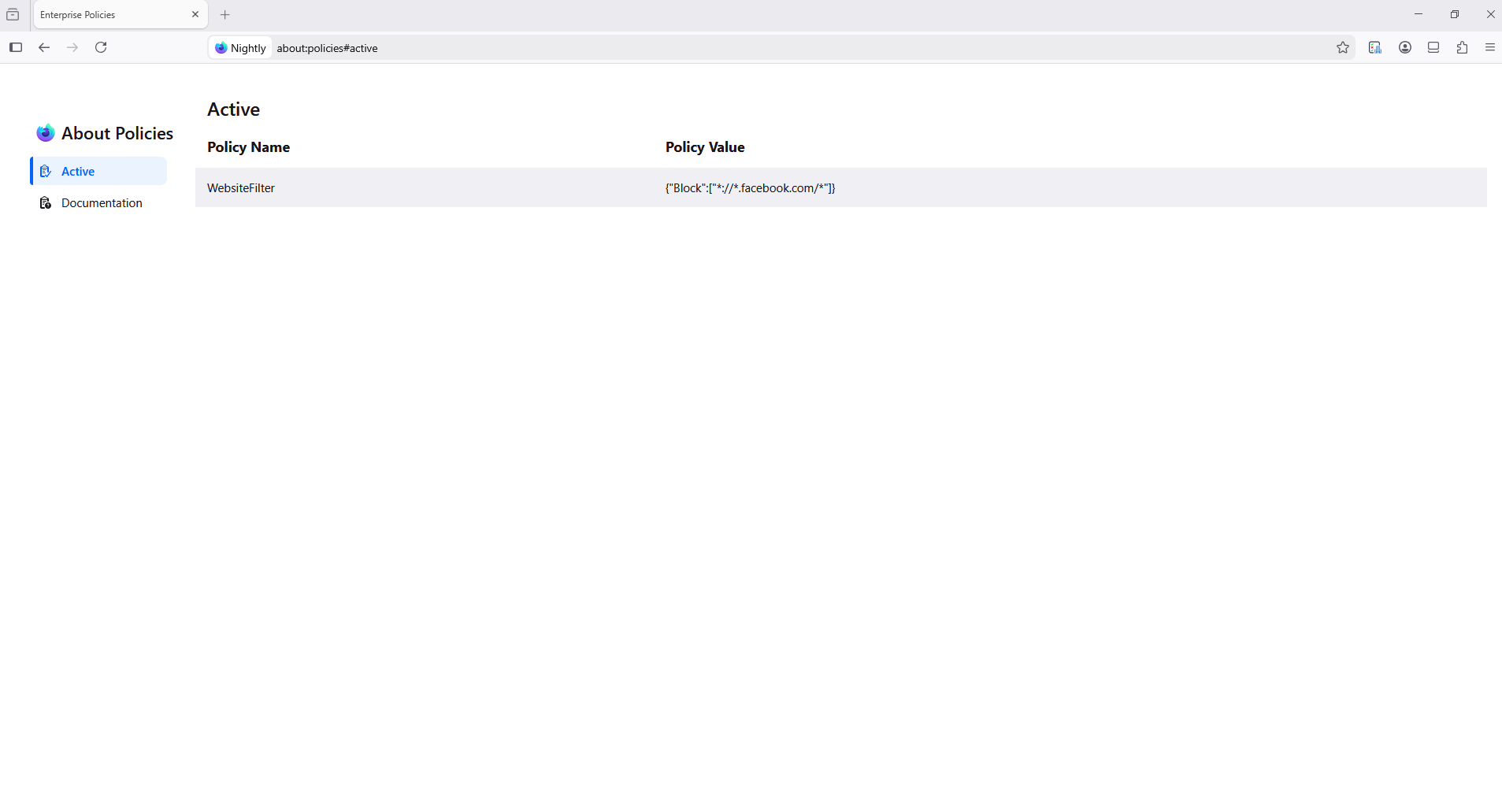
Athraithe ag Agent virtuel ar
jonzn4SUSE said
I'm not familiar with that way of doing it. I do it the old fashion way. It's been working for me for many years. see screenshot
It works on Linux, it doesn't work on Windows ! :(
Any Help ? :(
See what happens here. https://chat.mozilla.org/#/login You can also open a bug to see what devs say.