


how to get scratchpad to print console output to screen

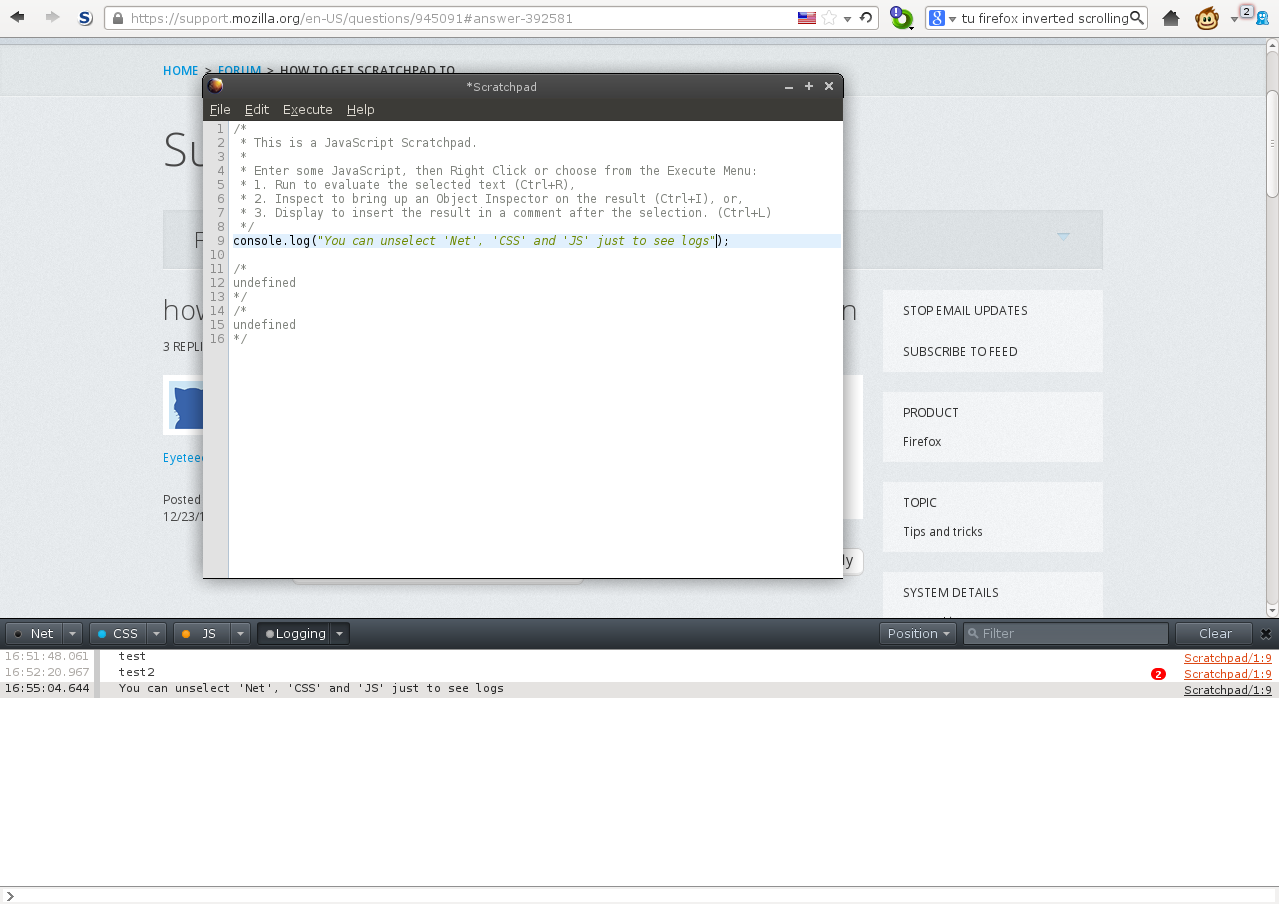
How do I get the Scratchpad under Tools>Web Developer>Developer Toolbar>More Tools to print console output so it's visible. I can't use console.log() because that function returns no visible output, and have to use alert() right now, which is a nuisance.
Kaikki vastaukset (3)
Try the console service.
You will have to run the Scratchpad in browser (chrome) environment .
Muokattu , muokkaaja cor-el
The links you provided say I can use the Execute>Display command within Scratchpad in order to get console logging, but when I run console.log("string literal"); or var string = "string"; and console.log(string); through Execute>Display, I get output of /* undefined */. I'm using whatever version of Scratchpad comes with Firefox 17.0.3 for Linux Mint. Further assistance is requested.
Tools > Web Developer > Web Console.
console.log() will have a grey line next to it.
Muokattu , muokkaaja Yousef