Firefox crashes

Firefox crashes immediately upon open in both regular and safe modes. Regardless of whether I choose "restore session" or "start new session" it will shut down immediately. I have even deleted and re-downloaded the application and am still experiencing the same issue.
Kaikki vastaukset (3)
Have you tried to update your Firefox? The developers may have put in a fix for the bug in a new version.
- To check for Firefox updates, go to the top of the Firefox window and click the Firefox button. Then go over to the Help menu and select About Firefox. For Windows XP: Go to the Help menu and select About Firefox. See Updating Firefox for help.
Muokattu , muokkaaja St.Peter
I cannot access the menu on Firefox at all because it shuts down before I can do anything in the application. Also, I'm on a Mac.
Please do the following steps. Please be patient with me as I use Windows and am not familiar with Mac's
I. If mac has any way to search your computer type in "%APPDATA%\Mozilla\Firefox\Crash Reports\submitted" include the quotes.
II. In this folder there will be a text file for every crash report you submitted arrange these by date and find most recent.
- If nothing is in folder crash Firefox and try to get it to ask about a crash report say yes.
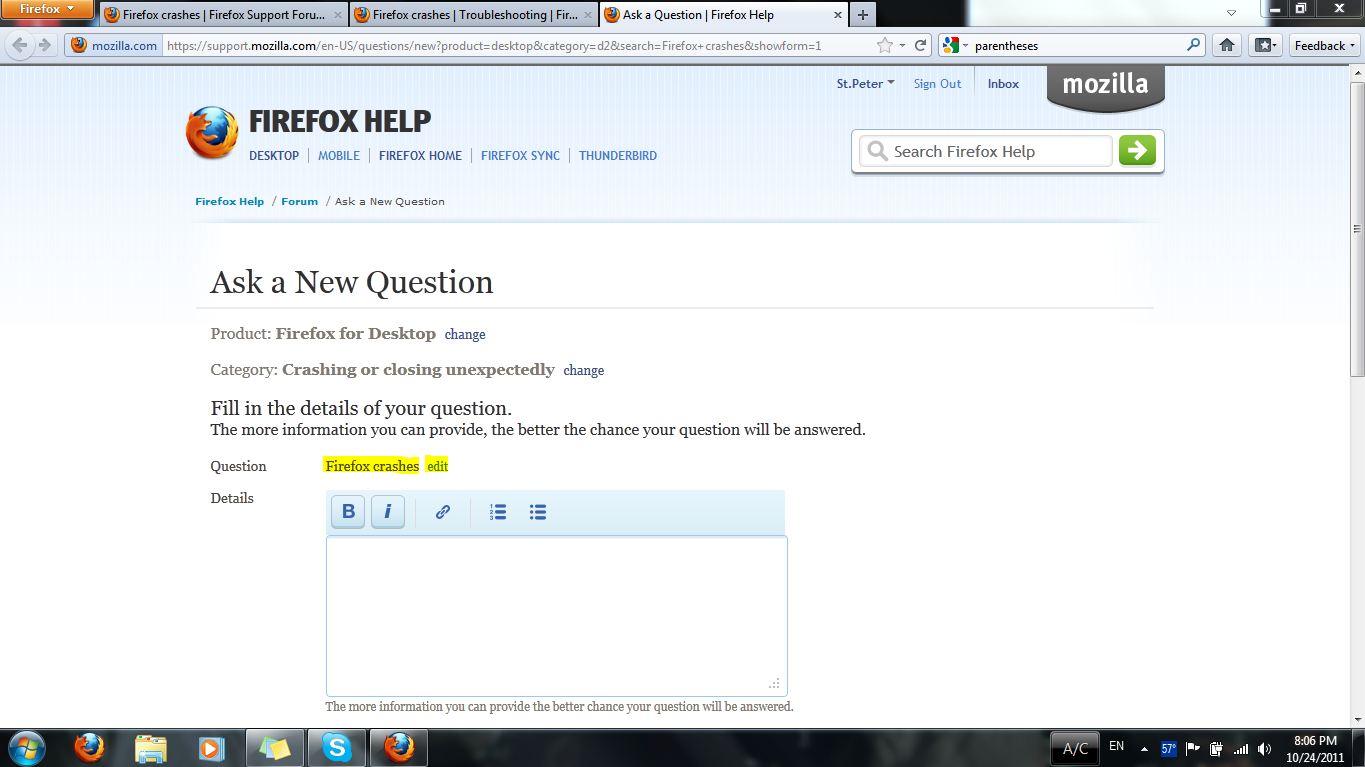
III. Click here to fill out an exclusive Firefox crashes forum question.
IV. Click "Edit" next to "Firefox crashes" and make the title descriptive.
V. Fill out details with as much info as possible include the steps you followed already.
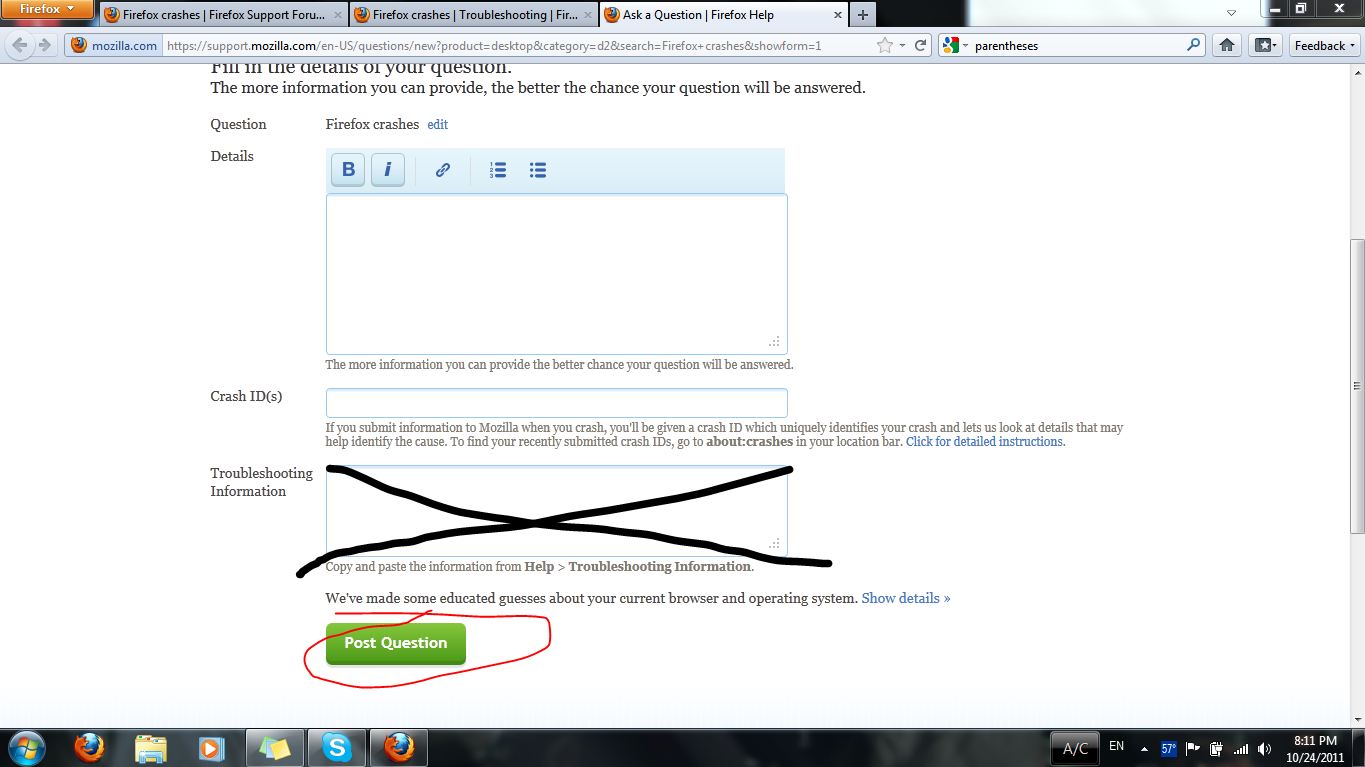
VI. Copy the Report ID for the last crash looks like (bp-...) and paste into "Crash ID(s)"
VII. Ignore "Troubleshooting Information" this is if you can get on Firefox or if you get on Firefox in Safe Mode.
VIII. Click "Post Question"
If you have trouble with any steps let me know and I can try to help.