


Filter running twice?

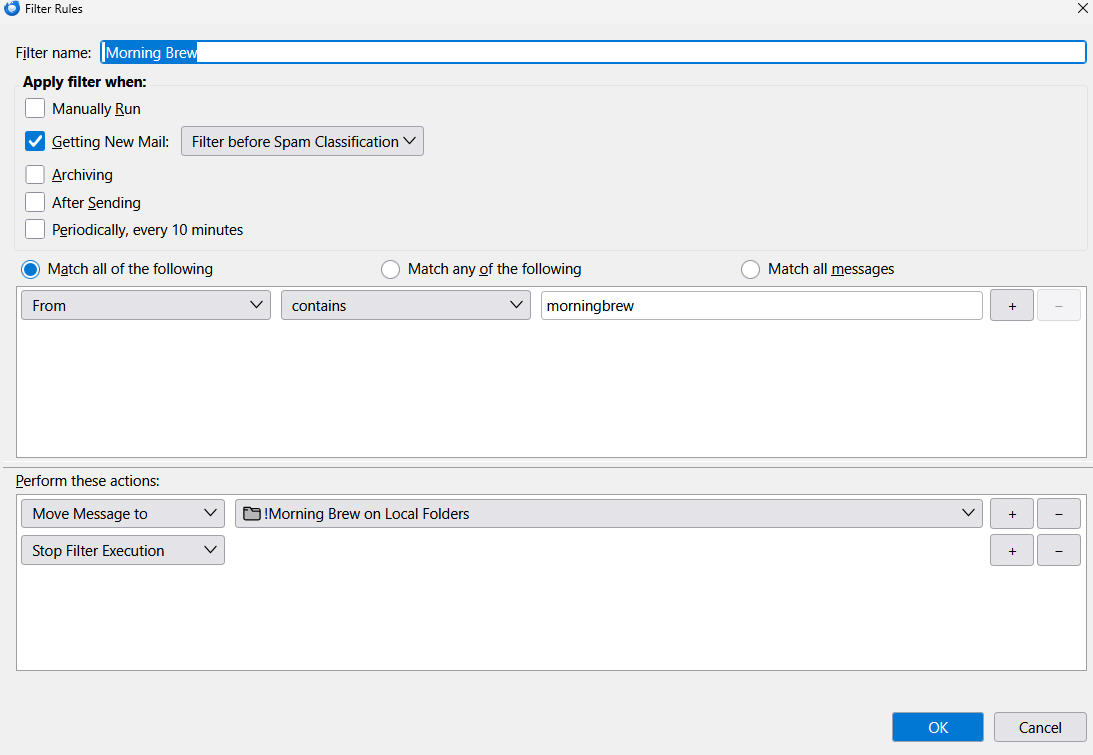
I get several daily email newsletters. I've set up a separate filter for each of the senders to move all these incoming newsletters to a local folder. I've attached a screenshot of one of the filters, but it's pretty straightforward: Move the email to the local folder, then stop filter execution.
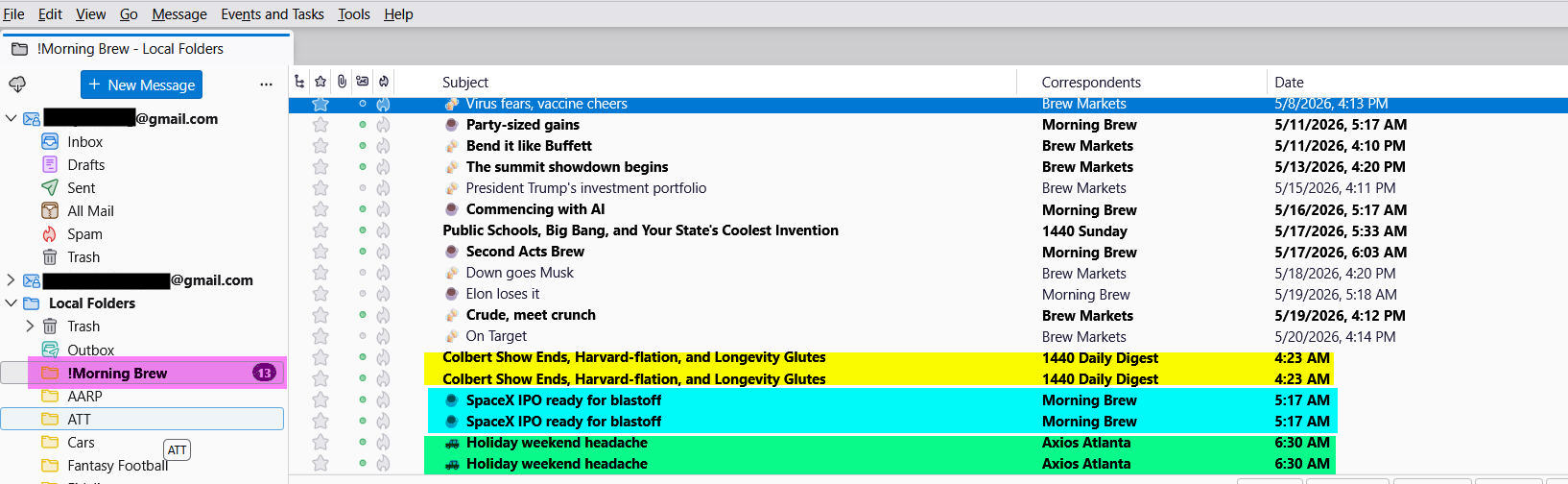
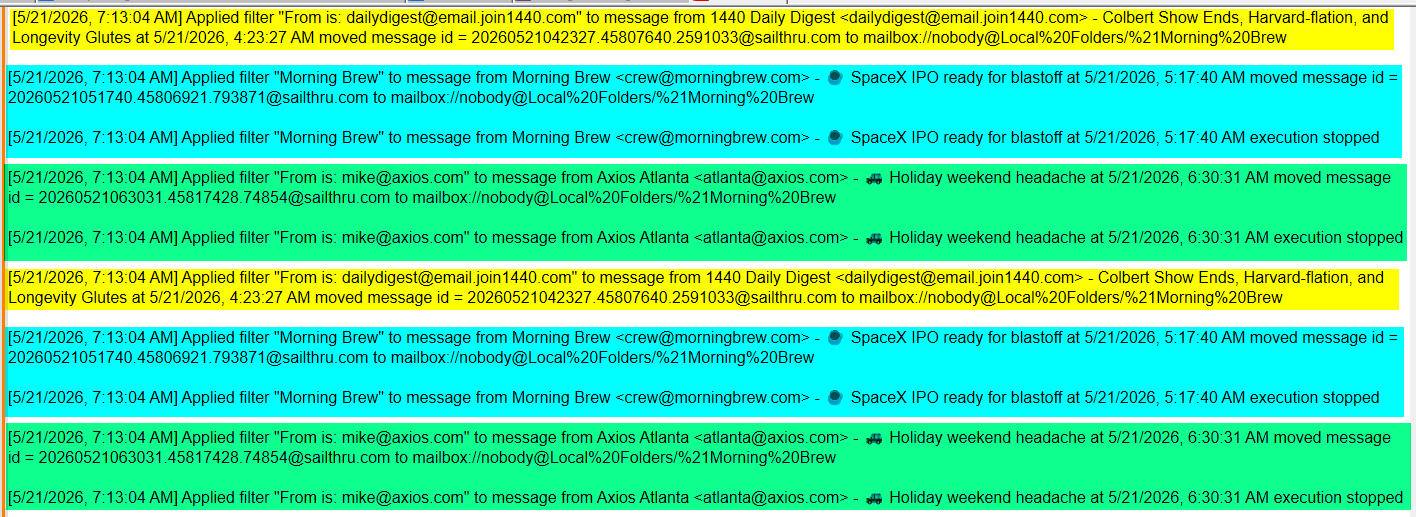
Sometimes, but not always, it seems to run twice, and puts two copies of the newsletter into the local folder.
Note that the filter for "Morning Brew" and "Axios" have the stop execution step, while the filter for "1440" does not. The same behavior seems to happen (again, occasionally) for each filter, with or without the "stop execution".
I see another user having a similar issue here: Filter Issue
Any suggestions?
Kaikki vastaukset (2)
Ok so lets have a look at your settings at Google for what they do with mail that is to be deleted
Have a look in your settings here. https://mail.google.com/mail/u/0/#settings/fwdandpop
A move is an implied deletion from gmail, a copy it not. So what happens with gmail impacts what you see in your Thunderbird IMAP syncronised Thunderbird account. If the mail is still visible in the new mail at google for some reason when the filter executes 10 minutes later I would expect deduplications to occur.
It may also help to move the execution to after spam classification. The default is before, but I find the after works more reliably with IMAP as sometimes the filter kicks off before the antivirus has done it's messing around and the short delay remove that race condition. It also allows slightly longer for other things that delay full download completing of the message body (required for spam classification but not filters)
BTW the stop filter execution command is mostly a nonevent. I am sure it has value somewhere, but I don't see where.
Thanks for the quick reply - I checked my gmail settings. Here's what's there currently:
When I mark a message in IMAP as deleted: Auto-Expunge on - Immediately update the server. (default) X Auto-Expunge off - Wait for the client to update the server.
When a message is marked as deleted and expunged from the last visible IMAP folder: X Archive the message (default) Move the message to the Trash Immediately delete the message forever
It's not clear to me what they should be. Maybe change the Auto-Expunge to On?