


Cpying older calendars to a new installation doesn't work

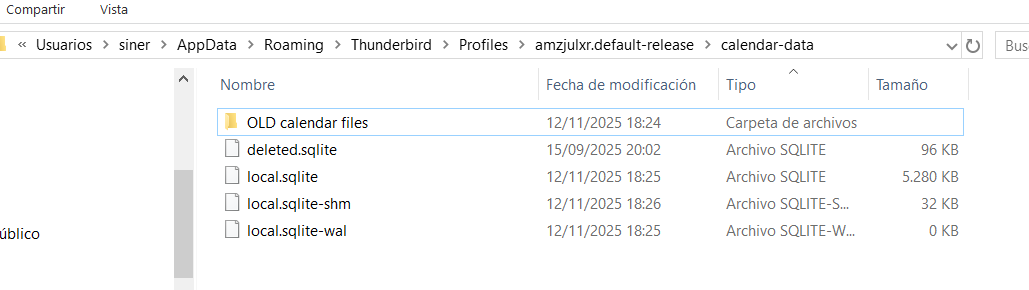
Hi, I was running Thunderbird on windows 10 before I had to do a system reset, so all software has been wiped out from the disk. After reinstalling thunderbird I wanted to recover the previous calendars, so I copied the backed up files within the 'calendar-data' directory to the calendar-data directory in the new install and moved the new files in a directory. (see attached image) Before doing this I had already created some new calendars in the new installation.
Nevertheless, despite the files have been moved and the older ones substituted them, I keep seeing the newly created calendars but NOT the older ones (which are the ones that interest me) and I believe I should not see the newly created ones. Why is this happening? Why is Thunderbird still showing me the new calendas when the files aren't accessible anymore??? Regards
Kaikki vastaukset (3)

Did you copy the files over when TB was running? If so, restart.
If TB wasn't running, close TB > move the old calendar folder and files out of the profile folder > copy the backed-up files > restart.
Hi, I followed your instructions but nothing changed (when you say 'restart' I guess you refer to TB only)
Muokattu , muokkaaja sinergy
sinergy said
Hi, I followed your instructions but nothing changed (when you say 'restart' I guess you refer to TB only)
Yes. Try importing instead:
Calendar page > Tools on the top menu > Import > Import from a file > choose the local.sqlite file.