

Ketju on arkistoitu.
Esitä kysymys, jos tarvitset apua.

Arkistoitu
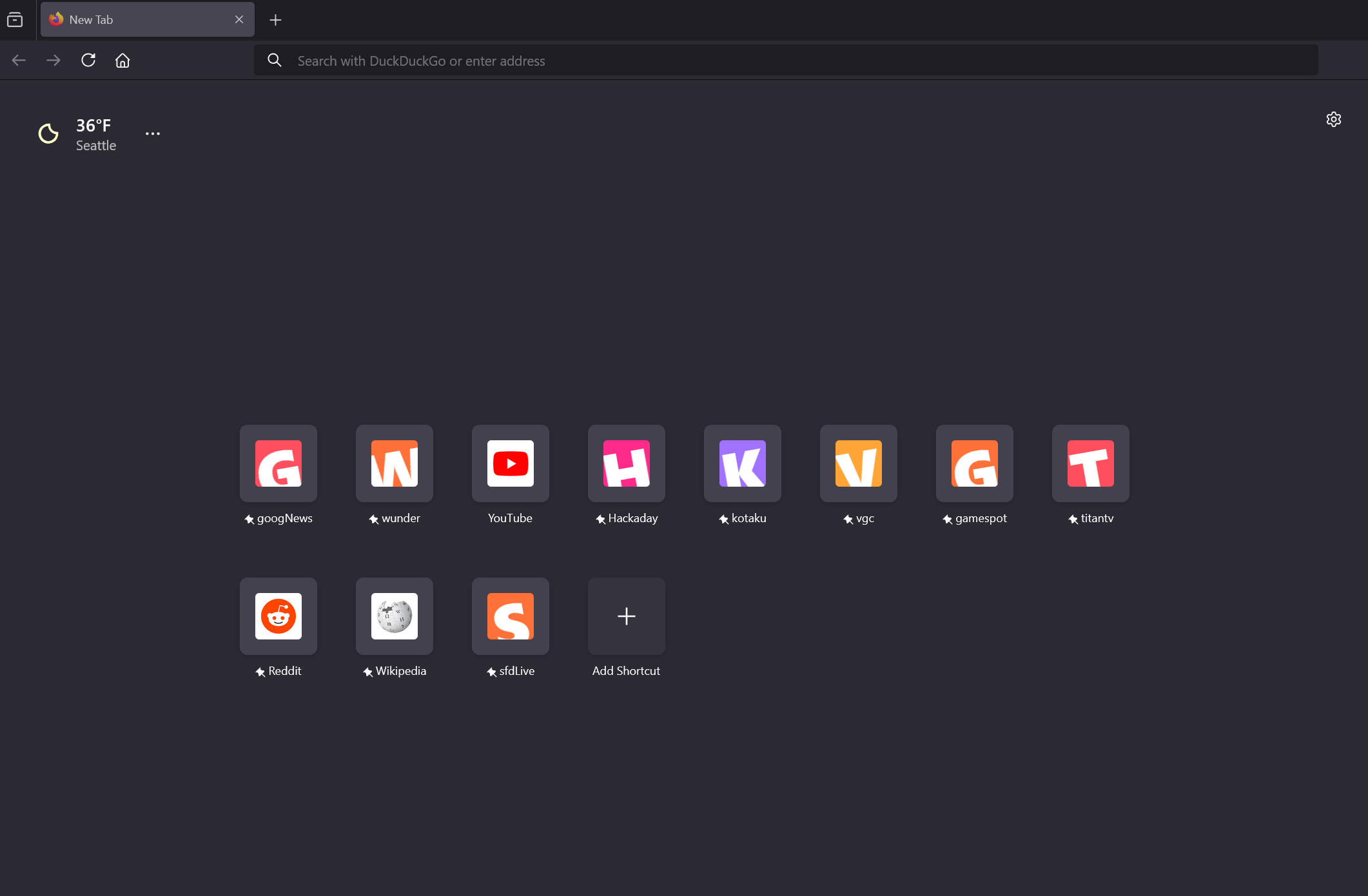
How do I get the icons for New Tab Shortcuts to automatically update to show their favicons?

Hello!
Is there a way to get the icons for Shortcuts on the New Tab page to update their image to show the pinned site's favicon, instead of the Firefox default icons, without manually updating all of them in the "Edit" menu for the icon?
It seems like they should update automatically, like your bookmarks in the Bookmarks menu do, when you visit the site.
I read another Discussion where they said to delete some favicon files in %AppData% > Roaming > Mozilla > Profiles , but those steps did not work for me.
Thanks!
Hello!
Is there a way to get the icons for Shortcuts on the New Tab page to update their image to show the pinned site's favicon, instead of the Firefox default icons, without manually updating all of them in the "Edit" menu for the icon?
It seems like they should update automatically, like your bookmarks in the Bookmarks menu do, when you visit the site.
I read another Discussion where they said to delete some favicon files in %AppData% > Roaming > Mozilla > Profiles , but those steps did not work for me.
Thanks!
Kaikki vastaukset (1)
Does anyone know of another post regarding this issue that I can refer to?