How to auto-archive new messages?

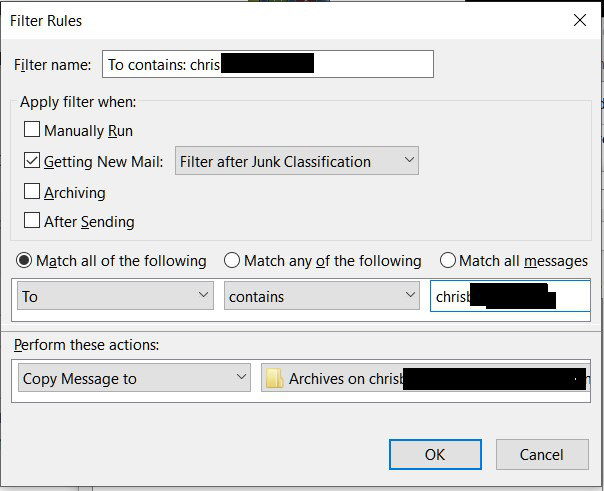
I created a filter to copy new messages to an archive folder and it works as intended... UNTIL I manually look at the Trash folder. Recently trashed items are copied to my archive folder as soon as I look at the contents of Trash.
I then have to manually delete the trash messages from the archive folder.
What am I doing wrong?
I have tried to include a .jpg or .gif of the filter, but all I get is a spinning wheel and "Uploading".
I created a filter to copy new messages to an archive folder and it works as intended... UNTIL I manually look at the Trash folder. Recently trashed items are copied to my archive folder as soon as I look at the contents of Trash.
I then have to manually delete the trash messages from the archive folder.
What am I doing wrong?
I have tried to include a .jpg or .gif of the filter, but all I get is a spinning wheel and "Uploading".
Kaikki vastaukset (2)
Muokattu , muokkaaja Chris
It seems I wasn't logged in. Here is the filter I am using.