


Inbox does not display messages. I can highlight a message and click on it and it comes up in preview pane.

I open TB and new messages download into inbox. the inbox pane does not show any messages but if I hover the cursor over the pane it highlights a message and when I click on it the message opens in the preview pane. How do I get the messages to show up again in the inbox. Thanks
Valittu ratkaisu
I used the mozbackup program and after several tries I finally got everything back to normal. I ended up deleting the inbox .msf file and re-opening TB to rebuild index. Thanks for all of your suggestions it was appreciated.
Kaikki vastaukset (7)
This is a screenshot of what I get.https://support.cdn.mozilla.net/media/uploads/images/2014-08-23-20-42-11-911af7.png
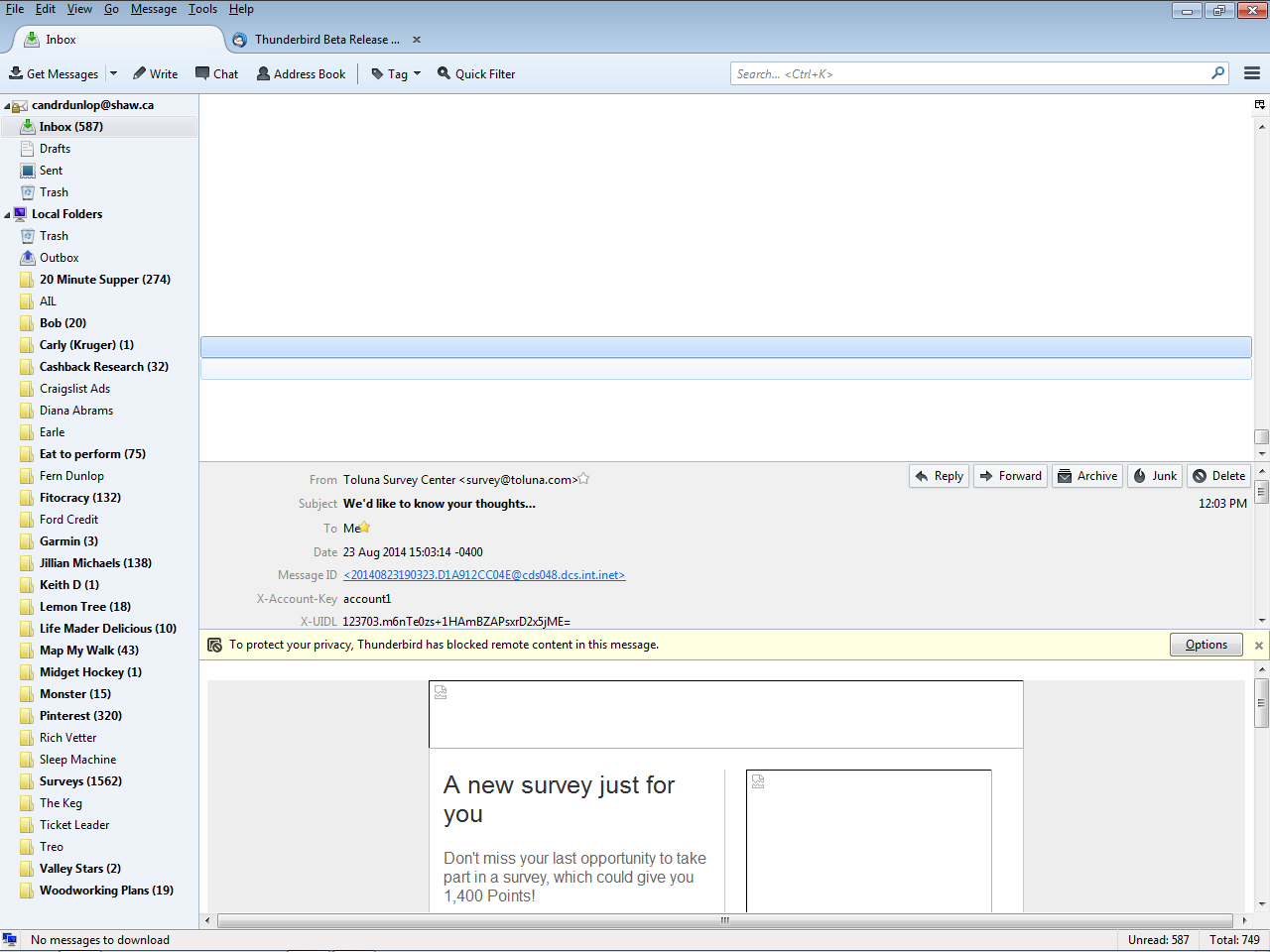
do you have any customizations in a userChrome.CSS file?
nothing that I know of. TB was working fine one day then the next it did this.
The only thing I can think of is a theme. restart with add-ons disabled from the help menu and see if your list returns. That disables themes as well as add-ons.
I have tried all of the re-start with add-ons disabled and re-start in safe mode and nothing seems to work. I am really atg a loss as to what to do. :(
lets try forcing the issue.
It is the fact that is is only a single pane in the three pane view that has me. If nothing displayed then I would be happier.
open your profile folder by going to the troubleshooting information on the help menu and clicking the show folder button create a new folder called chrome open notepad and insert
treechildren:-moz-tree-cell-text(read)
{
color: #D50000 !important
}
Save the file in the new chrome folder as userChrome.css
That forces read mail to be a rather ugly red color. I am looking for answers, perhaps if this also does not work we need to look as something like corrupt font files.
Valittu ratkaisu
I used the mozbackup program and after several tries I finally got everything back to normal. I ended up deleting the inbox .msf file and re-opening TB to rebuild index. Thanks for all of your suggestions it was appreciated.