


manage search engines in search bar doesn't work

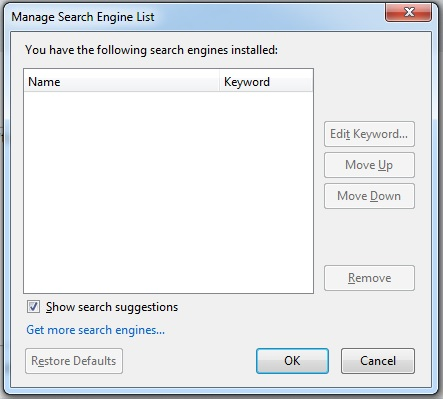
Firefox upgraded itself to FF 26, now my search bar (top right of screen) doesn't work. there are no search engines, and MANAGE SEARCH ENGINES > GET MORE SEARCH ENGINES doesn't work. As a matter of fact, nothing in that window works. I have no search engines installed. I have looked all over, and tried most of the fixes, and still no luck. Help please...
Krejt Përgjigjet (8)
Did you try reset firefox?
Search Engines are addons you can get here:
Resetting didn't work. Same problem...
Hmm try creat a new profile:
Try also start FIrefox in Safe Mode:
I have done both, and neither works.
You can always download a plugin.... Not the best option though.
Try to delete the search.json file and possible search-metadata.json and search.sqlite files in the Firefox profile folder to reset the search engines to the default.
- http://kb.mozillazine.org/Profile_folder_-_Firefox
- Help > Troubleshooting Information > Profile Directory: Show Folder (Linux: Open Directory; Mac: Show in Finder)
Firefox will rebuild the search.json file from the default search engines in the "browser\searchplugins" folder in the Firefox program folder and the searchplugins folder in the Firefox profile folder.
You can check if you have the XML files of the default search engines including Google in the browser\searchplugins folder in the Firefox program folder.
If not then you need to reinstall Firefox.
You can find the full version of the current Firefox 26.0 release in all languages and for all Operating Systems here:
same problem today. cannot enter anything in search bar. try to manage search options and everything is blank.
I am having this same problem and have done all of the above with no luck. I guess I have to remove Firefox and then load it again? / Reinstalled Firefox via another browser and now it's working. Tried to reinstall using Firefox but I got an error message saying that my operating system was too old? Weird!
Ndryshuar nga moorewmla