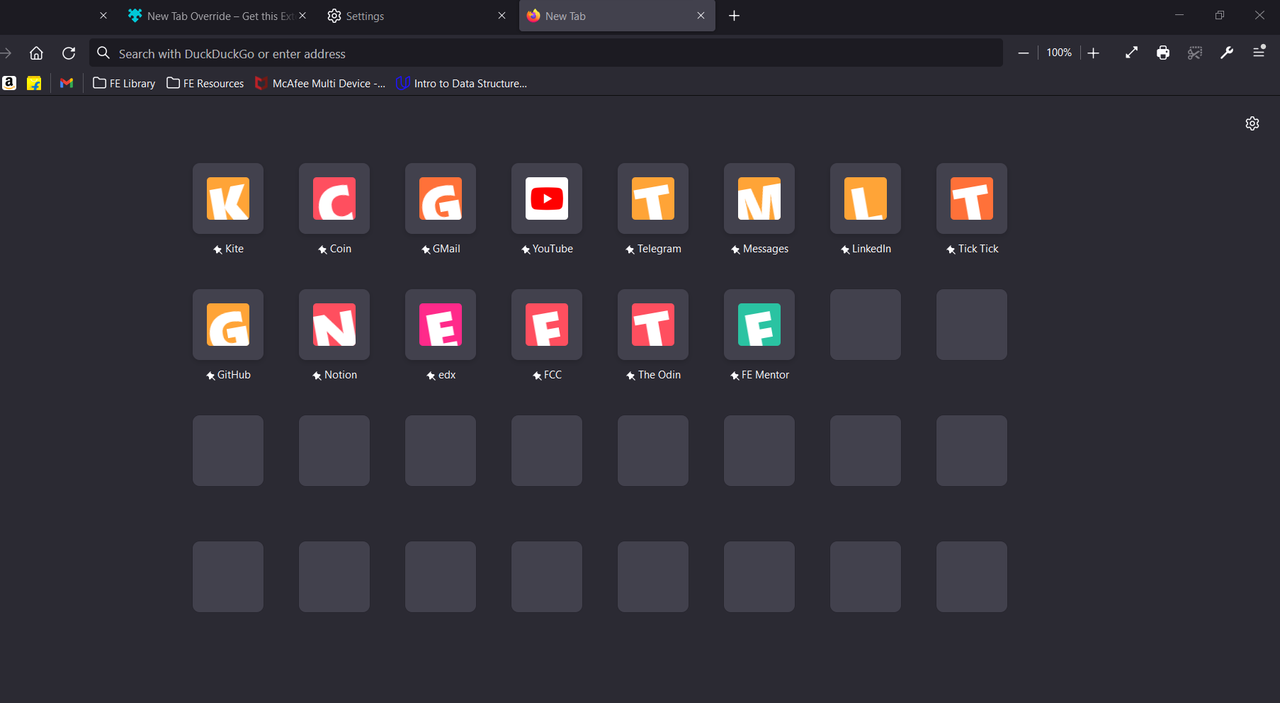
bookmarks are gone toolbar bookmarks are gone
the toolbar with all my bookmarks is gone. The bookmark manager is empty and when I try and bookmark a tab, I cannot Save. The Save Button is grayed out.
I find a website I like, I add to bookmarks, chose a location, add some tags and save. Next I look for bookmark to verify it saved and it is not in folder it was saved in… (閱讀更多)
I find a website I like, I add to bookmarks, chose a location, add some tags and save.
Next I look for bookmark to verify it saved and it is not in folder it was saved into.
I open Bookmarks and search for this newly created bookmark and it is not in the correct location, it is in another folder, or past the folder in a tree that is not seen under the drop-down up under address bar, only through searching via Bookmarks. After I searched and I had found it, I chose open in folder, saw its position and dragged it to the folder and position I wanted it to be, then close the search, use the drop down folders in bookmark bar and not there. ??
Go back to Bookmark search, find it and it is shown to be where I last dragged it, but it is not there unless I search for it.
So not sure what is going on with bookmarks, but after saving they are not saved where I directed them to save and I am losing my bookmarks to some void in my bookmark manager.
I have followed suggested links in ever variable circles to no avail... innumerable deletes, restarts, reinstalls etc, etc.... but still have NO ACCESS to my Bookmarks to… (閱讀更多)
I have followed suggested links in ever variable circles to no avail... innumerable deletes, restarts, reinstalls etc, etc.... but still have NO ACCESS to my Bookmarks toolbar! I've worked way too long over such & would gladly forget my history... but remain unable to access the Bookmarks toolbar
my bookmark sidebar only shows icons but no titles associated with icons. How do I get the titles back? Thanks.
I'm getting the following error message: The bookmarks and history system will not be functional because one of Firefox's files is in use by another application. Some sec… (閱讀更多)
I'm getting the following error message:
The bookmarks and history system will not be functional because one of Firefox's files is in use by another application. Some security software can cause this problem.
I don't know what prompted this concern on my Windows 11-based laptop, but I only noticed this last night doing some research for another issue. I don't have any of my bookmarks showing up in the bookmarks section, nor will it allow me to click the star on any tab to bookmark the page. I have restarted and shut down my laptop several times and this is not solving the concern. Let me know if you need more information or if I need to start this inquiry again elsewhere, but again it sounds like the same concern.
I have included a screenshot of the exact error for accuracy's sake. Like everyone else here, I'm trying to get my bookmark and history access back up and running but not sure how to go about it.
I couldn't get past the first fix suggestion because I am not sure how to restart Firefox (https://support.mozilla.org/en-US/kb/fix-bookmarks-and-history-will-not-be-functional?as=u&utm_source=inproduct&redirectslug=The+bookmarks+and+history+system+will+not+be+functional&redirectlocale=en-US). I have restarted my laptop several times but the issue still persists.
Please advise.
Ironically, I am not having this issue on my older PC that is still operating on Windows 10. I can view history and access or add bookmarks with no concern to my knowledge.
When I click to save a bookmark, the menu that allows you to select the folder to save it to is no longer being displayed. If I click the save bookmark option again, it … (閱讀更多)
When I click to save a bookmark, the menu that allows you to select the folder to save it to is no longer being displayed. If I click the save bookmark option again, it gives the option to edit the bookmark like it has always done. The bookmark menu then pops up and shows the bookmark is saved in whatever folder you had saved a bookmark in previously. I am on a desktop using windows 11. This has been happening for the last couple of days. I have shutdown the computer and also tried restarting but am still not able to see the selection box when saving a bookmark. I am also current on firefox updates and windows updates.
Hello, Since the last update Firefox 128.0.3, I can't add bookmarklet. There is one bookmarklet I regularly use on my main profile, wanted to add it to another profile, b… (閱讀更多)
Hello, Since the last update Firefox 128.0.3, I can't add bookmarklet. There is one bookmarklet I regularly use on my main profile, wanted to add it to another profile, but it's not adding there. If I try to drag & add, it shows the new bookmark add dialogue, but nothing is getting added. If I try manual add bookmark from bookmark manager, still nothing happens. The bookmarklet is working fine in the main profile btw.. but can't add it to another. I looked in the browser console using Ctrl+Shift+J, it shows the following two messages repeatedly. `Places - Transactions: Failed to execute batched transaction: Error: Bookmarks.sys.mjs: insert: Invalid value for property 'url': "javascript:\"use strict\";function _array_like_to_array(arr,len){(null==len||len>arr.length)&&(len=arr.length);for(var i=0,arr2=new Array(len);i `Error: Bookmarks.sys.mjs: fetch: Invalid value for property 'url': "javascript:\"use strict\";function _array_like_to_array(arr,len){(null==len||len>arr.length)&&(len=arr.length);for(var i=0,arr2=new Array(len);i
Hello. Today I updated Firefox to Version 138.0.3 64 bit and I have found that the Search Bookmarks in Bookmarks no longer works where as in Version 138.0.1 it did. I hav… (閱讀更多)
Hello. Today I updated Firefox to Version 138.0.3 64 bit and I have found that the Search Bookmarks in Bookmarks no longer works where as in Version 138.0.1 it did. I have done a Refresh and it still does not work. I was wondering if anyone else is experiencing this problem. Is this a bug or something new with the current update. Could someone tell me how to solve this a using the Search Bookmarks function was a big help. Thank you.
Respectfully, Don
Hello,
I have lost access to my bookmarks, and don't see anyway of getting them back. What applications block or remove them?
how do i get the shortcuts on my home page to just be the sites that i've saved instead of visited because there's too many and its stressing me out
What happened to my bookmarks? I didn't ask for any of this....,..., That's it -- not a happy camper
Am I understanding this correctly? HTML backup (bookmarks) doesn't support tags and annotations, but JSON backup does, and JSON backup doesn't preserve the website favic… (閱讀更多)
Am I understanding this correctly?
HTML backup (bookmarks) doesn't support tags and annotations, but JSON backup does, and JSON backup doesn't preserve the website favicons, but HTML backup does?
So, what I can do, is restore my (saved) bookmarks using JSON backup, then restore the HTML backup, this would get my tags and annotations, and the website favicons back? But the downside, I will need to remove duplicates?
I notice this in release candidate, fallback to 126
Where is the problem for crist sake?
Buried in this announcement is the following statement: "Meanwhile, new features like Tab Groups and enhanced bookmarks now provide built-in ways to manage reading lists … (閱讀更多)
Buried in this announcement is the following statement:
"Meanwhile, new features like Tab Groups and enhanced bookmarks now provide built-in ways to manage reading lists easily."
Is this a yet to be announce new feature because as far as I can tell the bookmark implementation has not changed in years. However, I would welcome some "enhancements" as the current implementation is quite clunky.
Thoughts, anyone?
-louie
So I'm new to Firefox, and I added some shortcuts to the main tab, using the "+" button. But then after a few minutes it disappeared, when I wanted to add more. I set 4 r… (閱讀更多)
So I'm new to Firefox, and I added some shortcuts to the main tab, using the "+" button. But then after a few minutes it disappeared, when I wanted to add more. I set 4 rows of shortcuts and I have a lot of space left for them. What do I do to bring this button back? I tried deleting a shortcut but it didn't appear.
Why is Firefox backing up my bookmarks in a json file, when Firefox itself doesn't recognise the file type when trying to restore said bookmarks? I WAS able to restore my… (閱讀更多)
Why is Firefox backing up my bookmarks in a json file, when Firefox itself doesn't recognise the file type when trying to restore said bookmarks? I WAS able to restore my bookmarks by converting the json file at https://www.jeffersonscher.com/ffu/bookbackreader.html. But why can't Firefox just back up as an html file like it used to? I had to go off searching the internet for a solution, turning what should've been a 5 minute job into nearly an hour 😕
Why is Firefox backing up my bookmarks in a json file, when Firefox itself doesn't recognise the file type when trying to restore said bookmarks? I WAS able to restore my… (閱讀更多)
Why is Firefox backing up my bookmarks in a json file, when Firefox itself doesn't recognise the file type when trying to restore said bookmarks? I WAS able to restore my bookmarks by converting the json file at https://www.jeffersonscher.com/ffu/bookbackreader.html. But why can't Firefox just back up as an html file like to used to? I had to go off searching the internet for a solution, turning what should've been a 5 minute job into nearly an hour 😕
Firefox is my preferred browser, and I have a very comprehensive list of bookmarks with folders and subfolders. Recently, whenever I add a bookmark through 'Manage Bookma… (閱讀更多)
Firefox is my preferred browser, and I have a very comprehensive list of bookmarks with folders and subfolders. Recently, whenever I add a bookmark through 'Manage Bookmarks' to access this list more easily than 'bookmark this page' > 'edit bookmark' & > 'Choose', it works the first time only; after that if I add another the second will not appear. If I close the 'manage bookmarks' window & reopen it & scroll to where I was before (a time consuming exercise), I can see that it did add the bookmark— for some reason it does not show when I do. This happens if the window is idle more than a few moments. Ideas how to fix?
Let's say I've bookmarked a job posting from Company Z, the job is zookeeper. Then later there is a job for a lion trainer that I want to bookmark from the same company, … (閱讀更多)
Let's say I've bookmarked a job posting from Company Z, the job is zookeeper. Then later there is a job for a lion trainer that I want to bookmark from the same company, same website -- but it overwrites the zookeeper job and replaces it with the lion trainer job.
1) Why is it doing this? 2) How can I save BOTH bookmarks (and more) from the same website?
TIA
bold texthow to copy bookmarks to a flash drive