


open excel files in excel

Hello, I just downloaded FireFox 8 because I've had enough of IE. Now, when I click on an Excel file in Sharepoint 2010 it opens it directly in Firefox, without the option of download/save. I need to open these files in Excel so I have the analysis and editing of Excel. How do I bring this option back so that it doesn't directly open in Firefox? When I click the Open in Excel button, I get an error ''To open this workbook, your computer must have a version of Microsoft Excel installed and your Web browser must support opening files directly from Excel in the browser.''
所有回复 (4)
Tools > Options > Applications > type "excel" into the search
- Microsoft Excel CSV > Save File
- Microsoft Excel Worksheet (application... > Use Micrsoft Excel ...
As an Excel user you might be interested in these two extensions
- Firefox Customizations (Notes)
http://dmcritchie.mvps.org/firefox/firefox.htm#table2clipboard - Dafizilla Table2Clipboard :: Add-ons for Firefox
https://addons.mozilla.org/en-US/firefox/addon/dafizilla-table2clipboard/ - TableTools2 - Copy/Sort/Chart/Filter Table&More! :: Add-ons for Firefox
https://addons.mozilla.org/en-US/firefox/addon/tabletools2/
Thanks for the response. When I type Excel it's not an option. Any ideas?
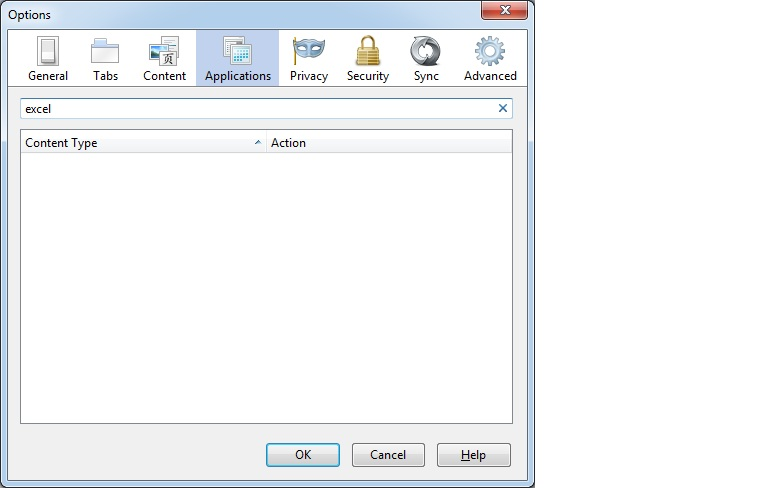
So it appears the issue is only with *.xlsx extensions (new for Office 2007). Is there a plug-in that can tell FF it is still an Excel file? Don't need the editing capability in Sharepoint just to download into Excel and save locally. Thanks!
There isn't a plugin available for Firefox to open MS Office files in a Firefox tab (there is one for Open Office).
Save the file to your hard drive if you can't open the file in Excel via the download dialog.
See: