Windows 10 reached EOS (end of support) on October 14, 2025. If you are on Windows 10, see this article.

Претражи подршку

Избегните преваре подршке. Никада од вас нећемо тражити да зовете или шаљете поруке на број или да делите личне податке. Пријавите сумњиве радње преко „Пријавите злоупотребу” опције.

Сазнај више
Архивирано

Mail Compose Screen

Armadillo

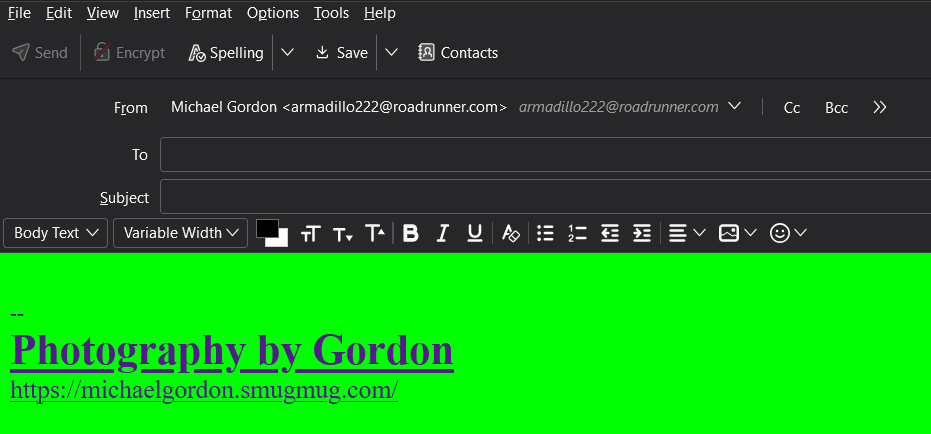
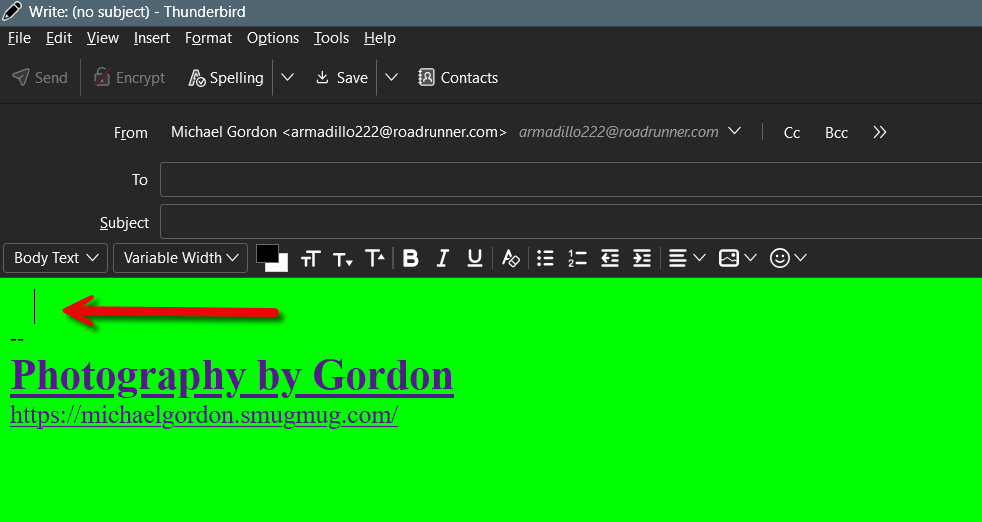
First thing this afternoon, the background color of the mail composition screen was changed to solid green. The HTML toolbar is semi-transparent, and I cannot change the screen background back to white. When I click the cursor in the compose window, the HTML toolbar appears, but it does not change the background to white. The format tool indicates a white screen with black text. In Config Editor, the compose background colors are white and black text. I have tried several theme changes, including the theme from Mozilla, but there has been no change.

Rebooting Win 11, no change.

Michael Gordon
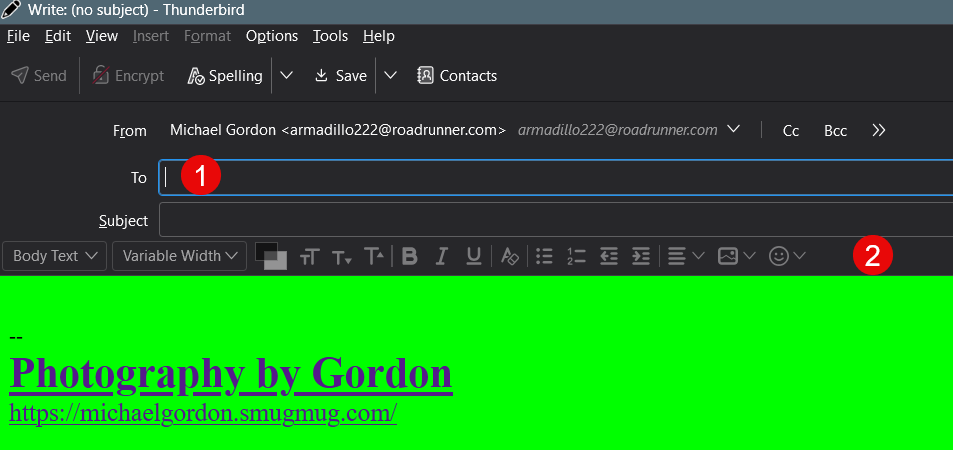
First thing this afternoon, the background color of the mail composition screen was changed to solid green. The HTML toolbar is semi-transparent, and I cannot change the screen background back to white. When I click the cursor in the compose window, the HTML toolbar appears, but it does not change the background to white. The format tool indicates a white screen with black text. In Config Editor, the compose background colors are white and black text. I have tried several theme changes, including the theme from Mozilla, but there has been no change. Rebooting Win 11, no change. Michael Gordon
Приложени снимци екрана

Сви одговори (1)

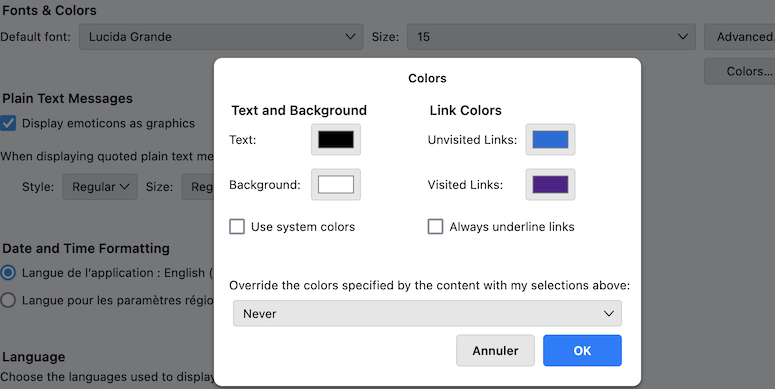
Test Thunderbird in "Troubleshoot Mode" to know whether the issue still is the same https://mzl.la/3AbU5jz Hold the shift ⇧ key and launch Thunderbird. Which are your colour settings in Settings > General > Language & Appearance ... ?