


Windows 10 reached EOS (end of support) on October 14, 2025. If you are on Windows 10, see this article.

Претражи подршку

Избегните преваре подршке. Никада од вас нећемо тражити да зовете или шаљете поруке на број или да делите личне податке. Пријавите сумњиве радње преко „Пријавите злоупотребу” опције.

Сазнај више
Solved Архивирано

Main inbox tab empty and non-responsive

lusk одговорено
lusk

OS: MacOS 12.7.2 Thunderbird: 115.6.0

I recently opened the Multibrowser Toolbox out of curiosity. I changed the text-color of an HTML element and it caused Thunderbird to freeze up and I had to force quit to get it to close.

Now on restart the main tab (inboxes) is empty. Right-clicking on the individual inboxes doesn't do anything (no right-click menu). All other tabs, such as the calendar, work fine, as does search.

I have reinstalled Thunderbird 115.6.0, but the issue remains.

Some errors that are currently present when viewing the Multibrowser Toolbox:

- "Uncaught TypeError: gFolder is undefined" - "Uncaught TypeError: multiMessageBrowser.contentWindow.gMessageSummary is undefined" - "Uncaught Error: You need to specify a tab!"
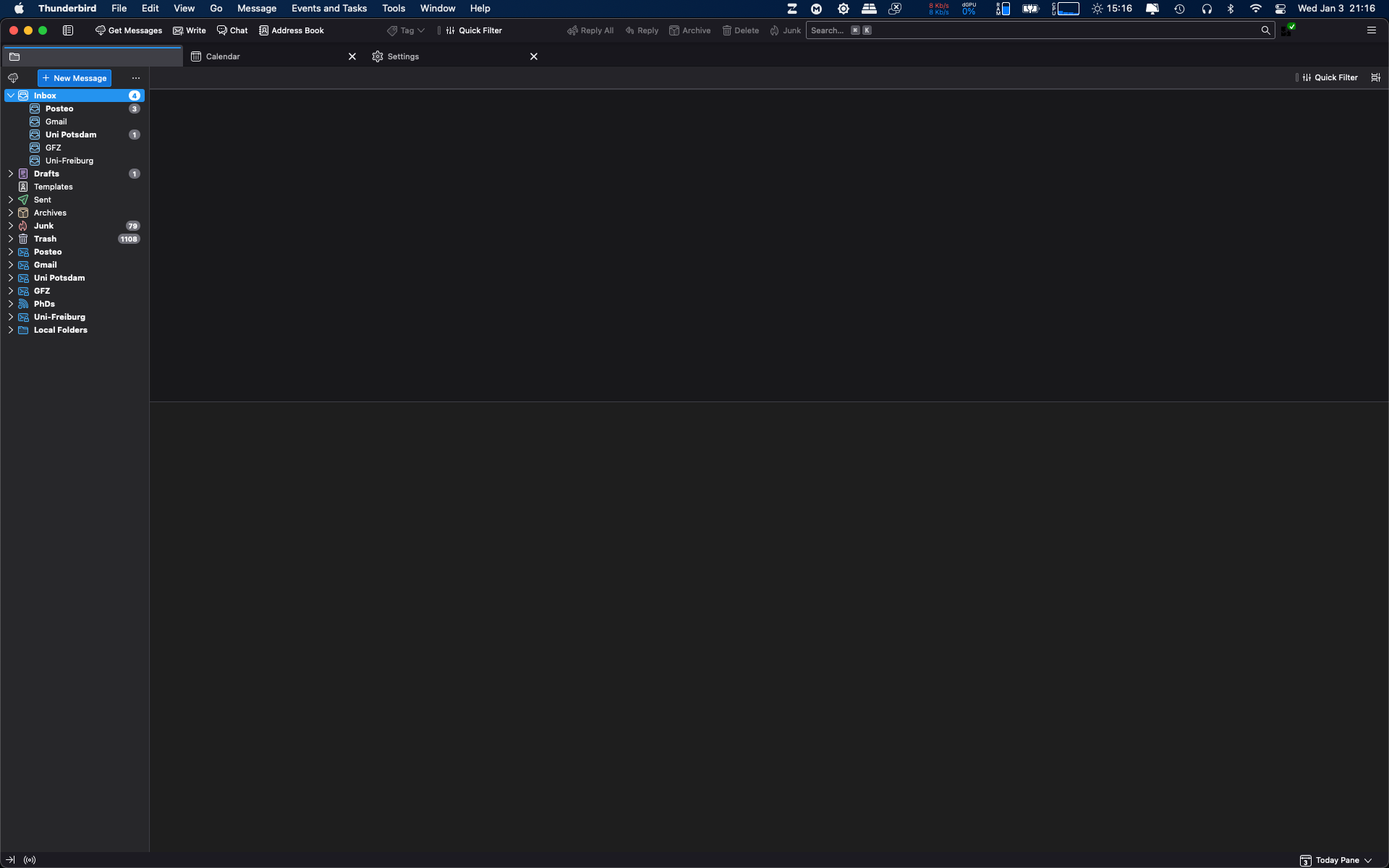
OS: MacOS 12.7.2 Thunderbird: 115.6.0 I recently opened the Multibrowser Toolbox out of curiosity. I changed the text-color of an HTML element and it caused Thunderbird to freeze up and I had to force quit to get it to close. Now on restart the main tab (inboxes) is empty. Right-clicking on the individual inboxes doesn't do anything (no right-click menu). All other tabs, such as the calendar, work fine, as does search. I have reinstalled Thunderbird 115.6.0, but the issue remains. Some errors that are currently present when viewing the Multibrowser Toolbox: - "Uncaught TypeError: gFolder is undefined" - "Uncaught TypeError: multiMessageBrowser.contentWindow.gMessageSummary is undefined" - "Uncaught Error: You need to specify a tab!"
Приложени снимци екрана

Сви одговори (1)

Одабрано решење

I was able to fix the issue by disabling all of my add-ons and restarting Thunderbird. After the problem was solved, I re-enabled the add-ons and everything still works fine.