


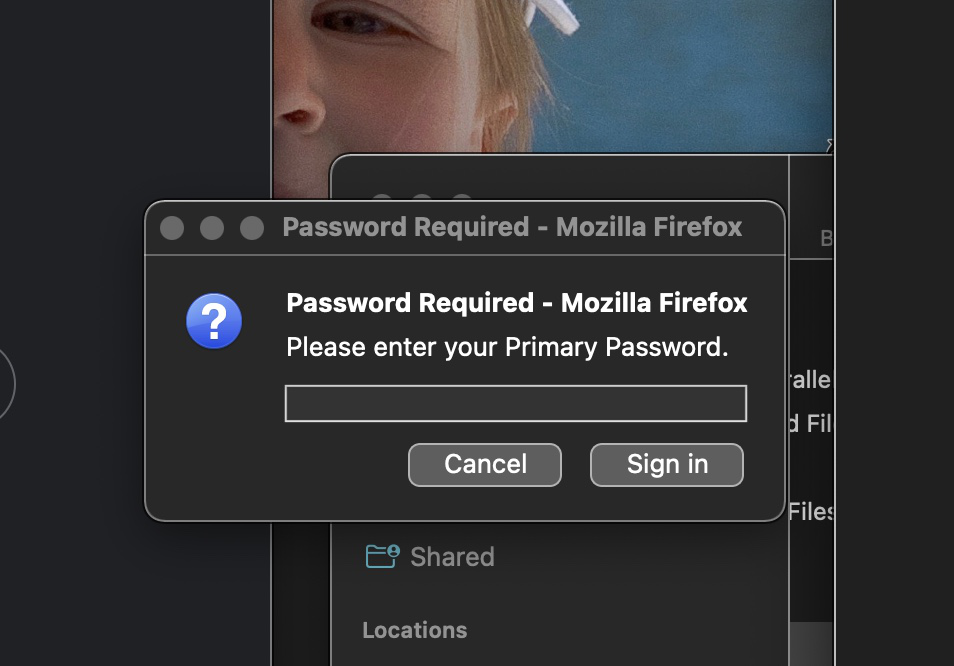
Pop-up asking for password

When I'm using the Firefox browser a small pop-up box often appears saying "Must provide password." If I type in my actual password and hit Enter, the box just pops up again. If I hit the Cancel button it goes away and doesn't seem to affect my use of the browser. Is there a way to get it to stop popping up?
Одабрано решење
Hi Bruce, the Primary Password dialog normally appears if you saved a login for that site and there's a login form to be filled in. If that isn't the case, or you don't want to use a saved login, just cancel that dialog.
More info on Primary Password: Use a Primary Password to protect stored logins and passwords
Сви одговори (6)
That seems a bit suspicious. Do you think it is referring to a particular website? Do any of your add-ons try to connect to websites in the background?
Is this a Firefox pop-up or an OS pop-up (i.e. can you possibly move it around) or is this fixed on the webpage ?

You should Never provide a password unless you know for sure where/what it is for.
If it comes back, try to get a screenshot.
The pop-up says it requires password for Firefox. Screenshot attached.
Одабрано решење
Hi Bruce, the Primary Password dialog normally appears if you saved a login for that site and there's a login form to be filled in. If that isn't the case, or you don't want to use a saved login, just cancel that dialog.
More info on Primary Password: Use a Primary Password to protect stored logins and passwords
If you are using sync, this could be what is causing the issue.