

Ова тема је архивирана.
Питајте друго питање ако вам је потребна помоћ.

Solved
Архивирано
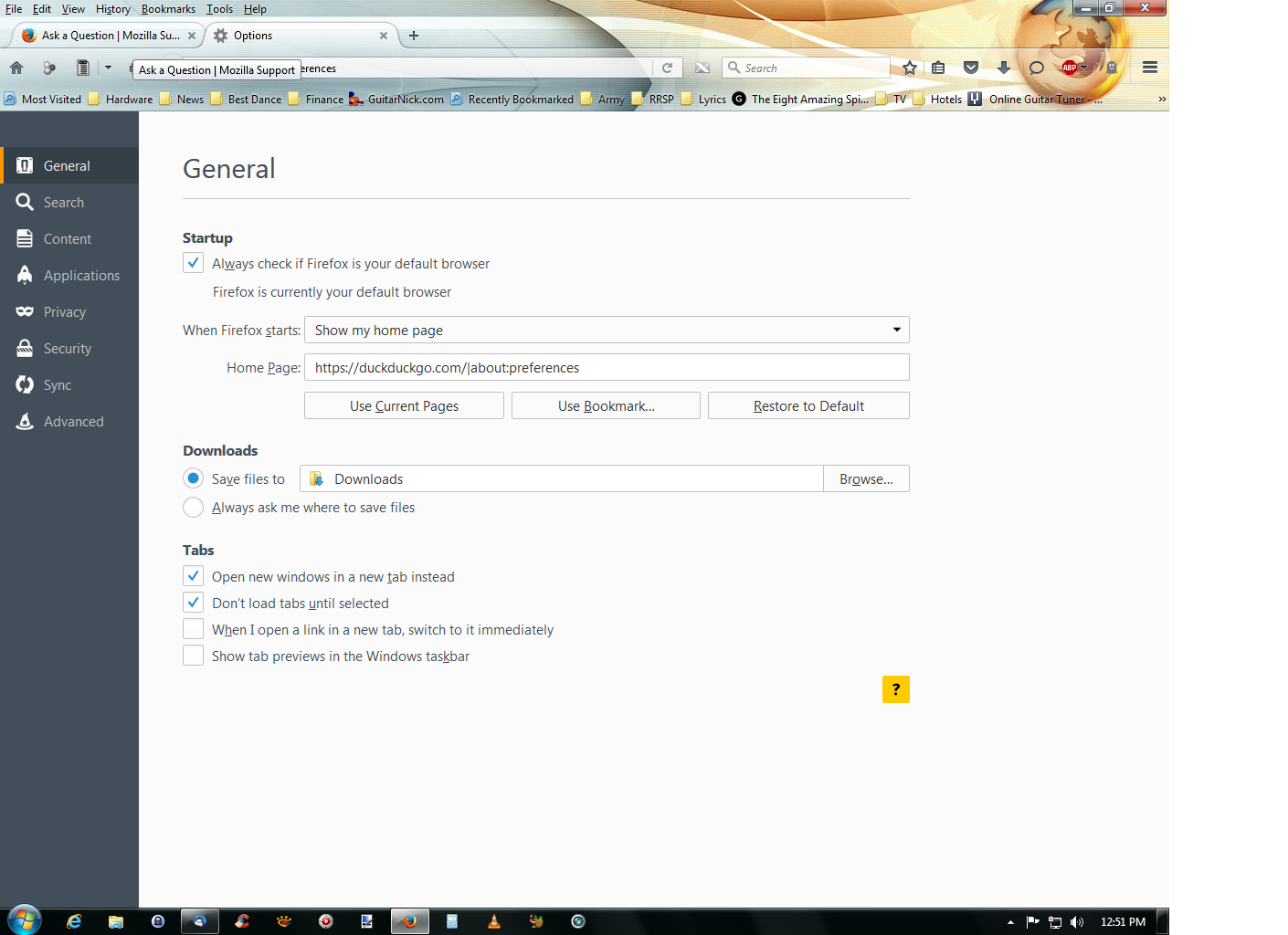
I have Firefox 43, just upgraded a few days ago, now when I press the home button,the option tab open up. I have to close it manually everytime.

Thanks for your reply, this is your answer but I don't have this next in my option tab, I have attached a picture. There is no way for me to save my options, just to close it by using the x at the top of the option tab.
Thanks for your reply, this is your answer but I don't have this next in my option tab, I have attached a picture. There is no way for me to save my options, just to close it by using the x at the top of the option tab.
Сви одговори (1)
Одабрано решење
hi, please remove about:preferences from the homepage field in the firefox menu ≡ > options > general panel.