

Ова тема је архивирана.
Питајте друго питање ако вам је потребна помоћ.

Архивирано
after updating firefox text display is not showing proper

Hello,
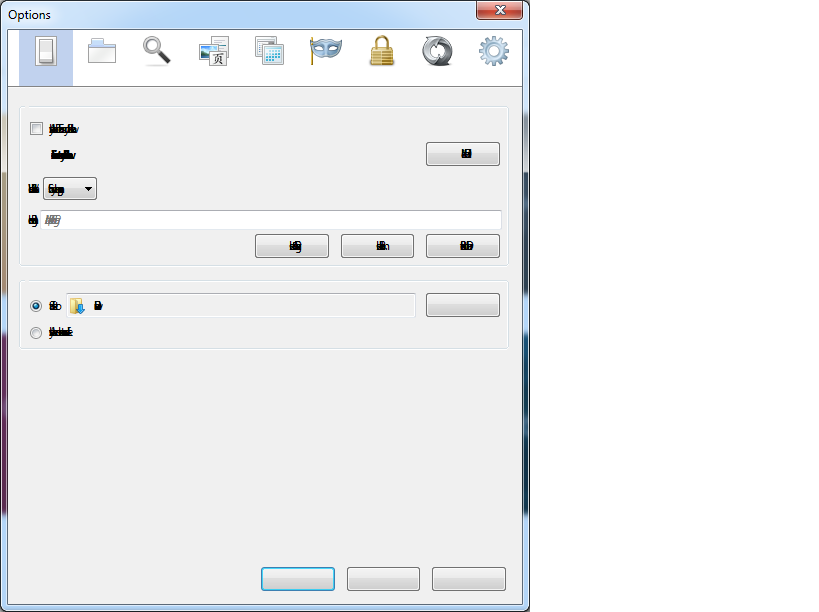
I have just downloaded Firefox. But I can't see characters proper as shown in image.
Thanks.
Hello,
I have just downloaded Firefox.
But I can't see characters proper as shown in image.
Thanks.
Сви одговори (1)
Make sure that you allow pages to choose their own fonts.
- Tools > Options > Content : Fonts & Colors > Advanced: [X] "Allow pages to choose their own fonts, instead of my selections above"
You can try to disable hardware acceleration in Firefox.
- Tools > Options > Advanced > General > Browsing: "Use hardware acceleration when available"
You need to close and restart Firefox after toggling this setting.
- https://support.mozilla.org/kb/Troubleshooting+extensions+and+themes
- https://support.mozilla.org/kb/upgrade-graphics-drivers-use-hardware-acceleration
If you have made changes to Advanced font settings like increasing the minimum/default font size then try the default minimum setting "none" and the default font size 16 in case the current setting is causing problems.
- Tools > Options > Content : Fonts & Colors > Advanced > Minimum Font Size (none)
Make sure that you allow pages to choose their own fonts.
- Tools > Options > Content : Fonts & Colors > Advanced: [X] "Allow pages to choose their own fonts, instead of my selections above"
It is better not to increase the minimum font size, but to use an extension to set the default page zoom to prevent issues with text not being displayed properly.