


How can I make image viewer to open PNG files that I download?

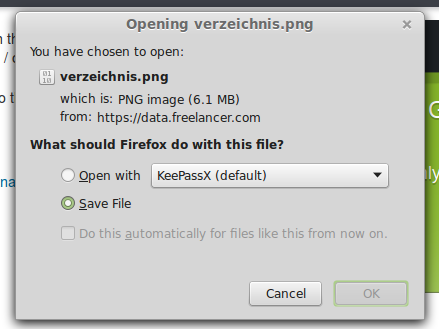
Whenever I download a PNG file it doesn't open up in my image viewer. Instead the default program is keepassx, which is a password manager. How can I change this behaviour? I want PNG files to be opened using my image viewer application. Please help.
Whenever I download a PNG file it doesn't open up in my image viewer. Instead the default program is keepassx, which is a password manager. How can I change this behaviour? I want PNG files to be opened using my image viewer application. Please help.
Сви одговори (2)
You can add another application to handle PNG files in Preferences > Applications > Portable Network Graphics Image > Use other... When the dialog asks what to use, click the dropmarker next to "KeePassX" and choose the application you just added.
You can rename (or delete) the mimeTypes.rdf file in the Firefox profile folder to reset all file actions.