Zombie Inbox, Trash folders

I tried installing TB on two machines with the same profile, but this did not work because I was unable to keep the versions in sync on the two machines.
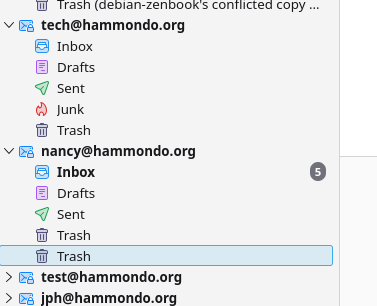
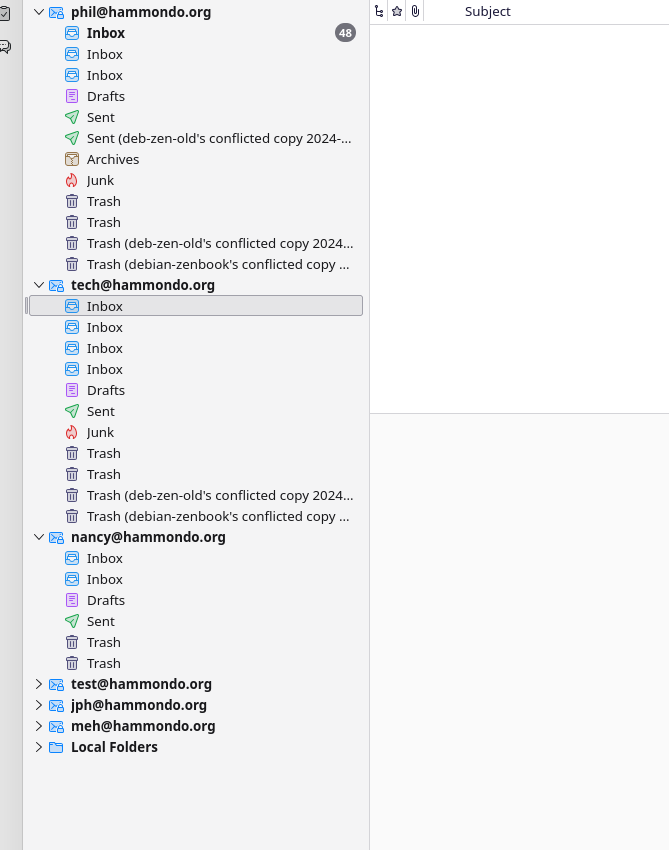
Now I am back to one machine, but because of the above I was left with quite a few "zombie" Inbox and Trash folders. These are empty but they cannot be removed.
Is there a "trick" or mechanism within TB for doing so?
This is a Deb12 Linux installation btw.
Thx, Phil
Izbrana rešitev
I worked out a method for removing these "zombie" folders -- Sent, in addition to the mentioned Inbox and Trash folders.
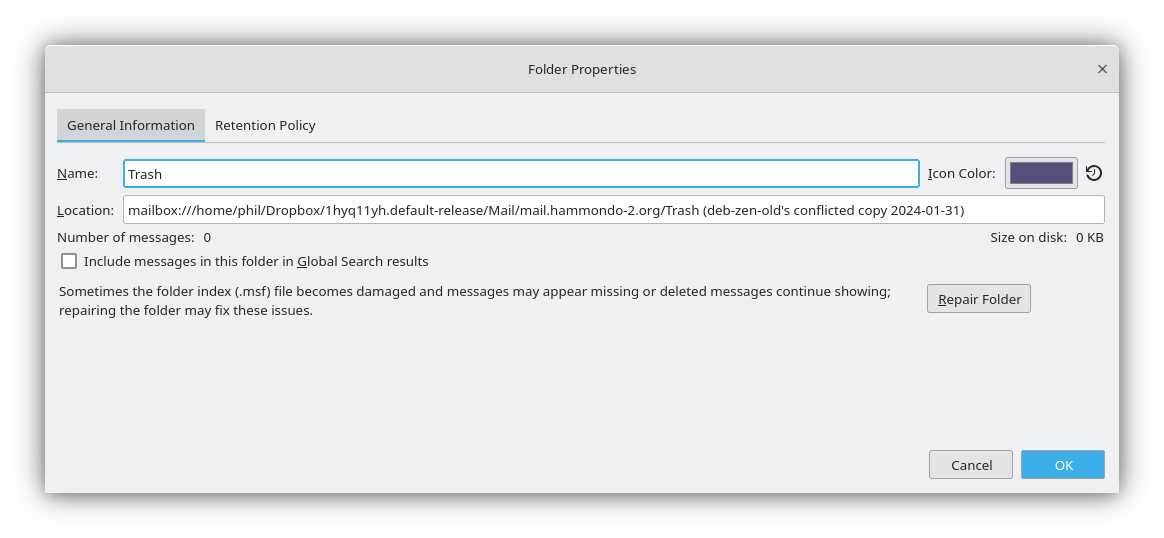
In the Mail directory within the profile, each folder has two files associated with it. You can see where these files are located by looking at Properties on the context menu of the folder in the TB user interface.
One file has a name beginning with "Trash" for example; usually just "Trash" unless something funky has happened between conflicting installations of TB. The other has the same base name as the other file but the extension ".msf" probably meaning "mail store file." Deleting these two files removes the folder from the profile.
Definitely back up the profile and exit TB before deleting any files.
If a folder contains mail messages, I found you can use the TB UI to move those contents to another folder, so that they will not be lost. I imagine that folder contents are represented inside the .msf file you want to delete.
Again, back up the profile before doing this, and afterwards start TB to make sure you haven't broken the profile.
This worked for me, YMMV. Phil
Preberite ta odgovor v kontekstu 👍 0Vsi odgovori (1)
Izbrana rešitev
I worked out a method for removing these "zombie" folders -- Sent, in addition to the mentioned Inbox and Trash folders.
In the Mail directory within the profile, each folder has two files associated with it. You can see where these files are located by looking at Properties on the context menu of the folder in the TB user interface.
One file has a name beginning with "Trash" for example; usually just "Trash" unless something funky has happened between conflicting installations of TB. The other has the same base name as the other file but the extension ".msf" probably meaning "mail store file." Deleting these two files removes the folder from the profile.
Definitely back up the profile and exit TB before deleting any files.
If a folder contains mail messages, I found you can use the TB UI to move those contents to another folder, so that they will not be lost. I imagine that folder contents are represented inside the .msf file you want to delete.
Again, back up the profile before doing this, and afterwards start TB to make sure you haven't broken the profile.
This worked for me, YMMV. Phil