


Data Collection of the Crash Report and its privacy

Hello. Firefox crashed and I drone clicked for the Crash Reporter to send data. Now I try to review what exactly the crash reporter sent, as I don't like data of the sites I browse to end up all over the internet.
I am trying to access the crash report but get this message:
This application has not been configured to display crash reports. The preference breakpad.reportURL must be set.
I rolled around the internet trying to get an answer, but no solution works among the few that Google gave me.
How can I access my crash reports? Where are the settings for it? What is included in them? Who gets the information?
The Privacy Policy and the Terms of Agreement give some indications, but it is not exactly clear, and doesn't really help me with the technical parts.
Thank you for your time.
EDIT: After some more digging, I figured some things out regarding what information is being sent and how it is being handled.
Still unsure how to access the crash reporter settings as well as the crash reports.
I found the report on the drive, but using its signature on crash-stats.mozilla.org lead me only to a page saying it could not be found.
Spremenil Joseph
Vsi odgovori (1)

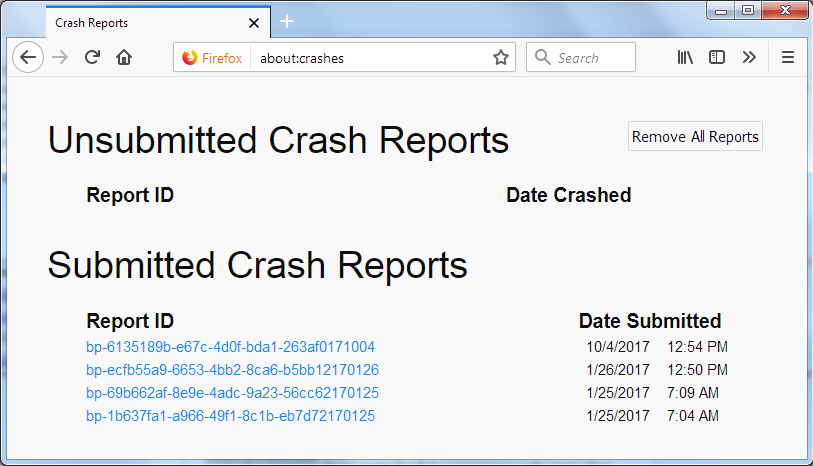
In the address bar, type about:crashes<enter>. Note: If any reports do not have BP- in front of the numbers/letters, click it to submit them.
The crash report is several pages of data. We need the report numbers to see the whole report.
Using your mouse, mark the most recent 7 - 10 Submitted crash reports, and copy them. Now go to the reply box and paste them in.
Please, Do not post a screenshot ! !
For more help on crash reports, see; https://support.mozilla.org/en-US/kb/firefox-crashes-asking-support