


Too Much Memory Consumption
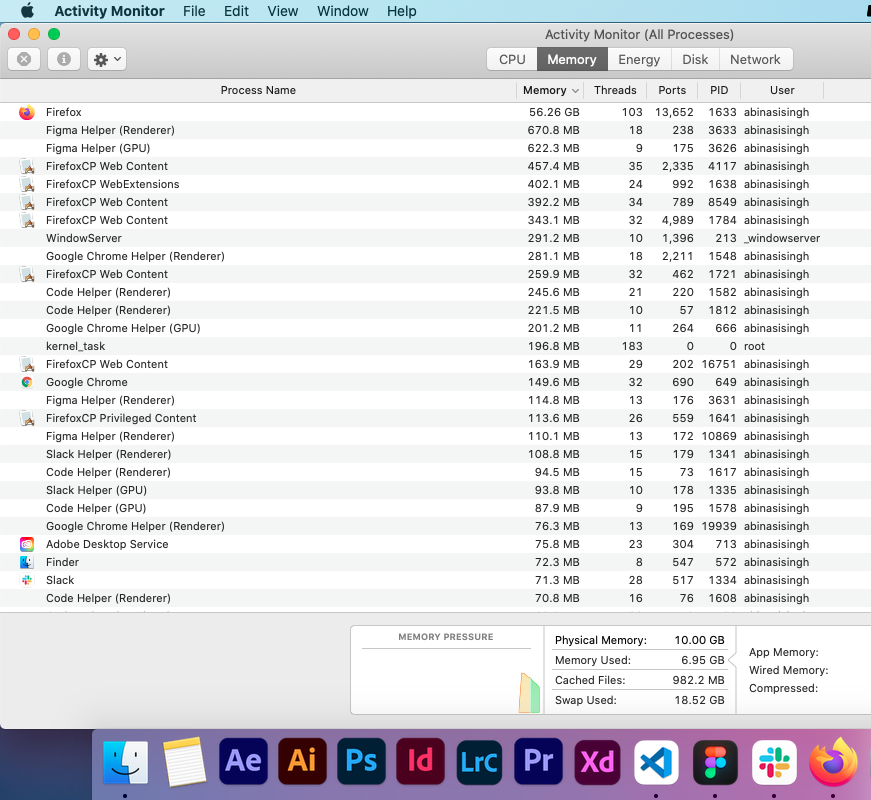
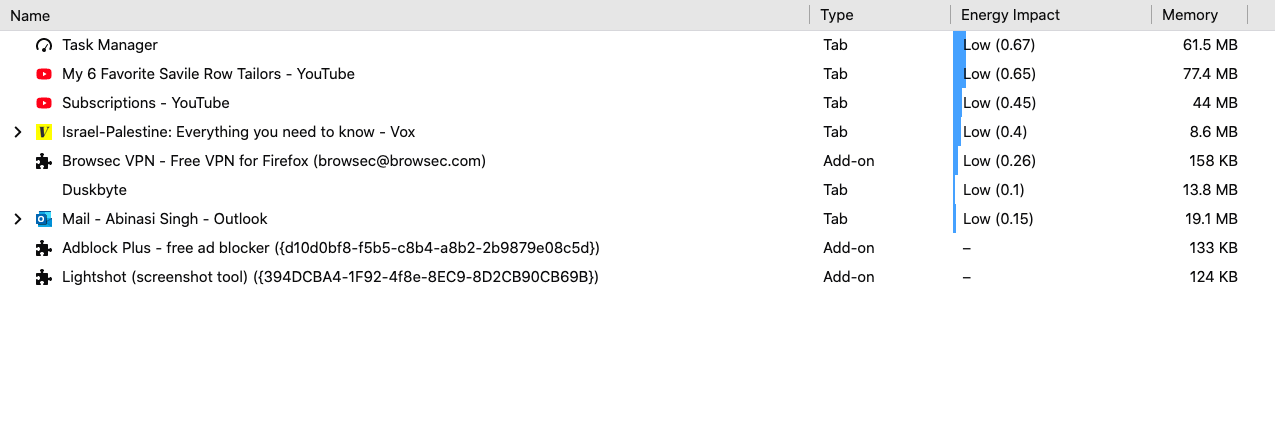
Firefox is using too much ram in my Laptop. I'm using the latest version. I have 10gb of ram installed in my Laptop. I am using a mac system, when i open Activity Monitor it shows Firefox is using about 56gb of ram. Firefox Webcontent and Webextension are using Extra ram in seprate. But when i opened the inbuilt task manager of the Firefox it doen't show that much. Please Find attached images .
Vsi odgovori (1)

Diagnose Firefox issues using Troubleshoot(Safe) Mode {web link}
A small dialog should appear. Click Start In Troubleshoot(Safe) Mode (not Refresh). Is the problem still there?
https://support.mozilla.org/en-US/kb/firefox-slow-how-make-it-faster
https://support.mozilla.org/en-US/kb/firefox-uses-too-many-cpu-resources-how-fix
https://support.mozilla.org/en-US/kb/firefox-uses-too-much-memory-ram
https://support.mozilla.org/en-US/kb/firefox-hangs-or-not-responding
https://support.mozilla.org/en-US/kb/firefox-takes-long-time-start-up
https://support.mozilla.org/en-US/kb/quick-fixes-if-your-firefox-slows-down
MemTest LAST UPDATED : 12/04/2020
Could you please run a tool from http://memtest.org/
in order to check the integrity of your RAM?
You will need a thumb or disk drive to install it on.
Do you let Windows handle the page file or did you set a fixed size ?
Control Panel -> System -> Advanced -> Performance -> Settings
If you use a fixed size for the page file then try the former and let Windows handle the page file. How to determine the appropriate page file size for 64-bit versions of Windows {web link}