


Can't read message on OWA
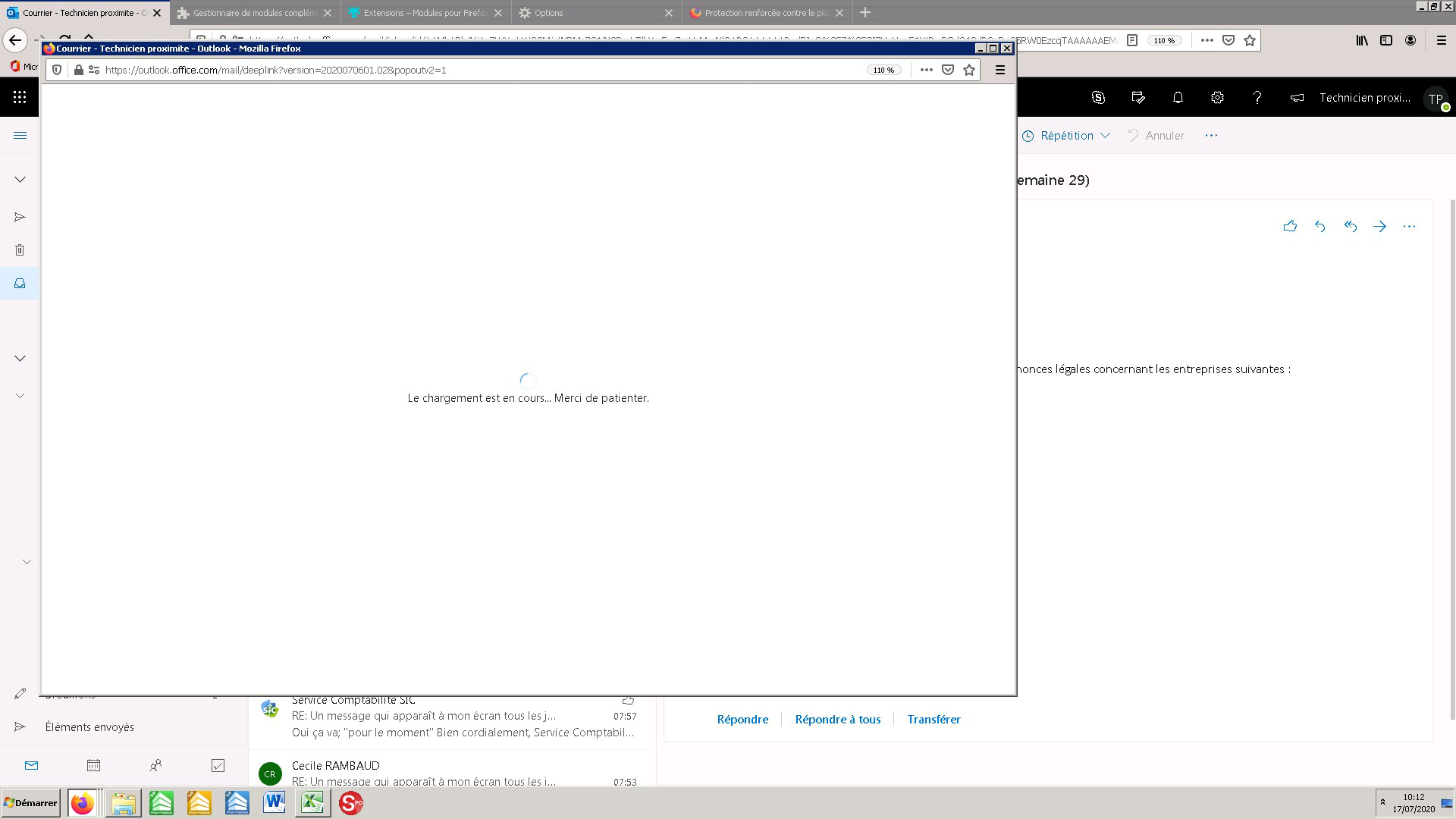
Hello, we previously use firefox ESR version 68.0.1 to view outlook messages via OWA, there was no problem reading the messages,when you double click on it the message was displayed on another tab, Since my update to version 78.0.1 ESR, we can no longer develop the messages on OWA which displays a blank page. We have already tried to empty the browser cache, or even by adding an exception for cookies from "outlook.office.com" Can you help us ? thank you in advance
cordially
Vsi odgovori (4)
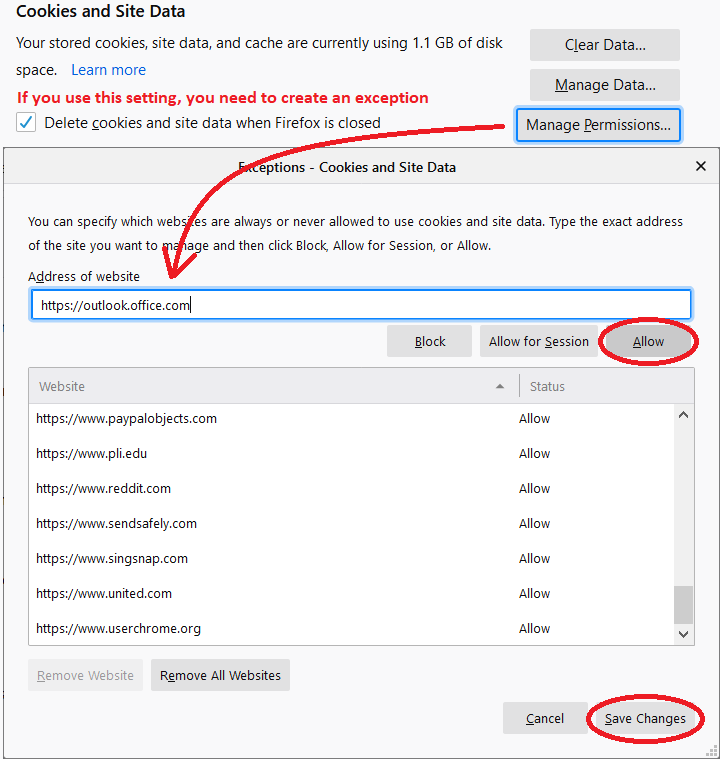
Usually if you have Firefox set to clear cookies and site data at shutdown, you do need to create an "Allow" exception. Could you double-check that your exception includes the protocol, in other words, it is:

Note: if you quote a URL (including an image URL) in your reply, your post usually is delayed in appearing while it goes through spam checks.
Izbrana rešitev
Are you left-clicking the links ?
You can try to set/modify these prefs on the about:config page.
- browser.link.open_newwindow = 3
- browser.link.open_newwindow.restriction = 0
You can open the about:config page via the location/address bar. You can accept the warning and click "I accept the risk!" to continue.
Hello, Thank you for your help, we were able to resolve our concerns, this was due to the fact that we had activated browsing in private mode for each new session. We have tested removing this mode and now everything works fine.
cordially
Thank you for updating us with the explanation.