


How do I set up a new email account to store messages under Local Folders
I currently have two mail accounts sharing Local Folders/Inbox. On adding a 3rd account, in NewAccont/Server Settings/Message Storage/Advanced/ I selected "Inbox for Different account: Local Folders".
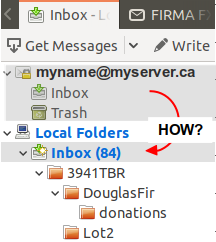
However, a separate new folder is created above Local Folders named newname@myserver.ca containing an Inbox and Trash folder.
This was the process I followed when I added my 2nd mail account which has happily stored all its messages under Local Folders.
I am using Thunderbird 68.4.1 (64-bit) on an Ubuntu 18.04.4 LTS
Izbrana rešitev
You will note I told you to restart Thunderbird as well.
That advice is because there is a file in the profile that stores the state of the folder pane and sometimes it just does not get with the program until the application restarts.
Preberite ta odgovor v kontekstu 👍 1Vsi odgovori (6)
I will take a punt you added the last account as IMAP. Lobal inbox only works for POP accounts.
Otherwise a restart after you change the setting for the inbox should set it right.
Sorry, I should have mentioned that the Incoming server was set to POP3 ..something I copied from my previous 2 accounts which use POP3 and have been happily sharing Local Folders for years.
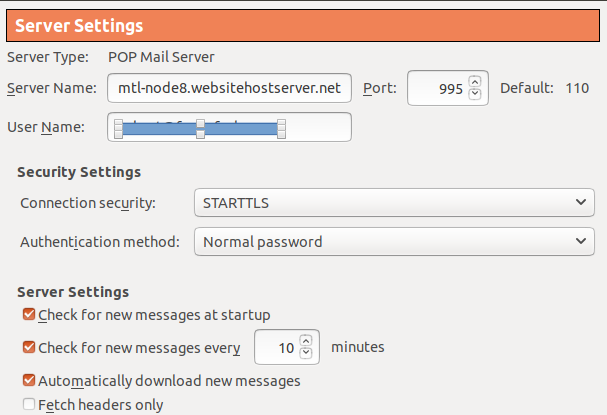
Have you restarted Thunderbird sice setting up the pop account as a Global account? If no, please restart Thunderbird now.
Please report back on results.
Doh! The myname@myserver.ca folder vanished after restarting Thunderbird. Why didn't I thing of restarting earlier?
Interestingly, as I was testing (before restarting) test mails were ending up in Local_Folders/Inbox/ and Local_Folders/Sent/ leaving the myname@myserver.ca folder unused ..just going for the ride.
Izbrana rešitev
You will note I told you to restart Thunderbird as well.
That advice is because there is a file in the profile that stores the state of the folder pane and sometimes it just does not get with the program until the application restarts.
Indeed, I should have read your response more carefully intead of pulling out my hair.