


Windows 10 reached EOS (end of support) on October 14, 2025. For more information, see this article.

Поиск в поддержке

Избегайте мошенников, выдающих себя за службу поддержки. Мы никогда не попросим вас позвонить, отправить текстовое сообщение или поделиться личной информацией. Сообщайте о подозрительной активности, используя функцию «Пожаловаться».

Подробнее

Firefox Android Notification Bitwarden

  • 4 ответа
  • 1 имеет эту проблему
  • 150 просмотров
  • Последний ответ от Mildred PC

дополнительные действия

I keep getting these notifications, and because they relate to Bitwarden" I'm very reluctant to just click on the "accept" button in the message because of the possibility of a scam and the exposure it may create.

Is the notification genuine? How do I know? How can I update Firefox settings to achieve the same result without responding to the notification?

Bit paranoid I accept, but better careful than having regrets! Thks
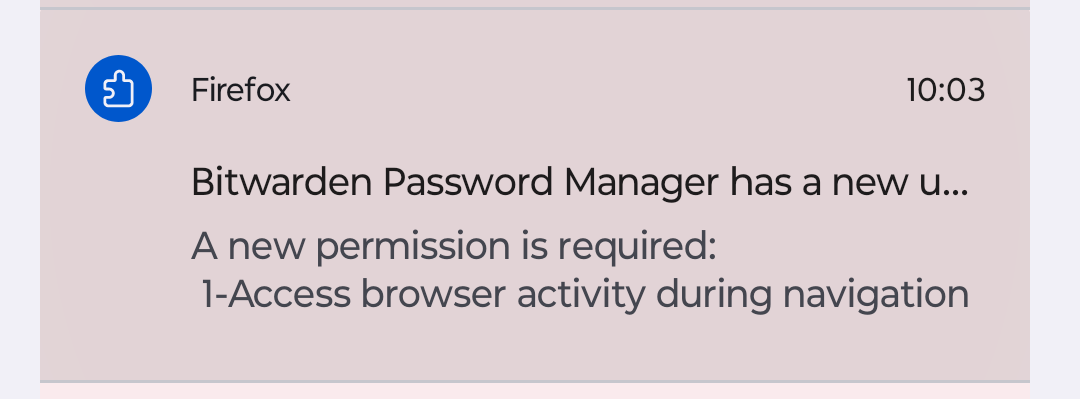
I keep getting these notifications, and because they relate to ''Bitwarden" I'm very reluctant to just click on the "accept" button in the message because of the possibility of a scam and the exposure it may create. Is the notification genuine? How do I know? How can I update Firefox settings to achieve the same result without responding to the notification? Bit paranoid I accept, but better careful than having regrets! Thks
Приложенные скриншоты

Выбранное решение

Solved. Re-installed the add-on in Firefox and the additional permission was included automatically.

Прочитайте этот ответ в контексте 👍 1

Все ответы (4)

дополнительные действия

Hi

Do you have a Bitwarden app installed on your Android device?

дополнительные действия

Hello,

Yes. All these notifications were coming up on my Android 14 phone. All asking me to accept a new permission. They seem to have disappeared now. Very strange! Rgds

дополнительные действия

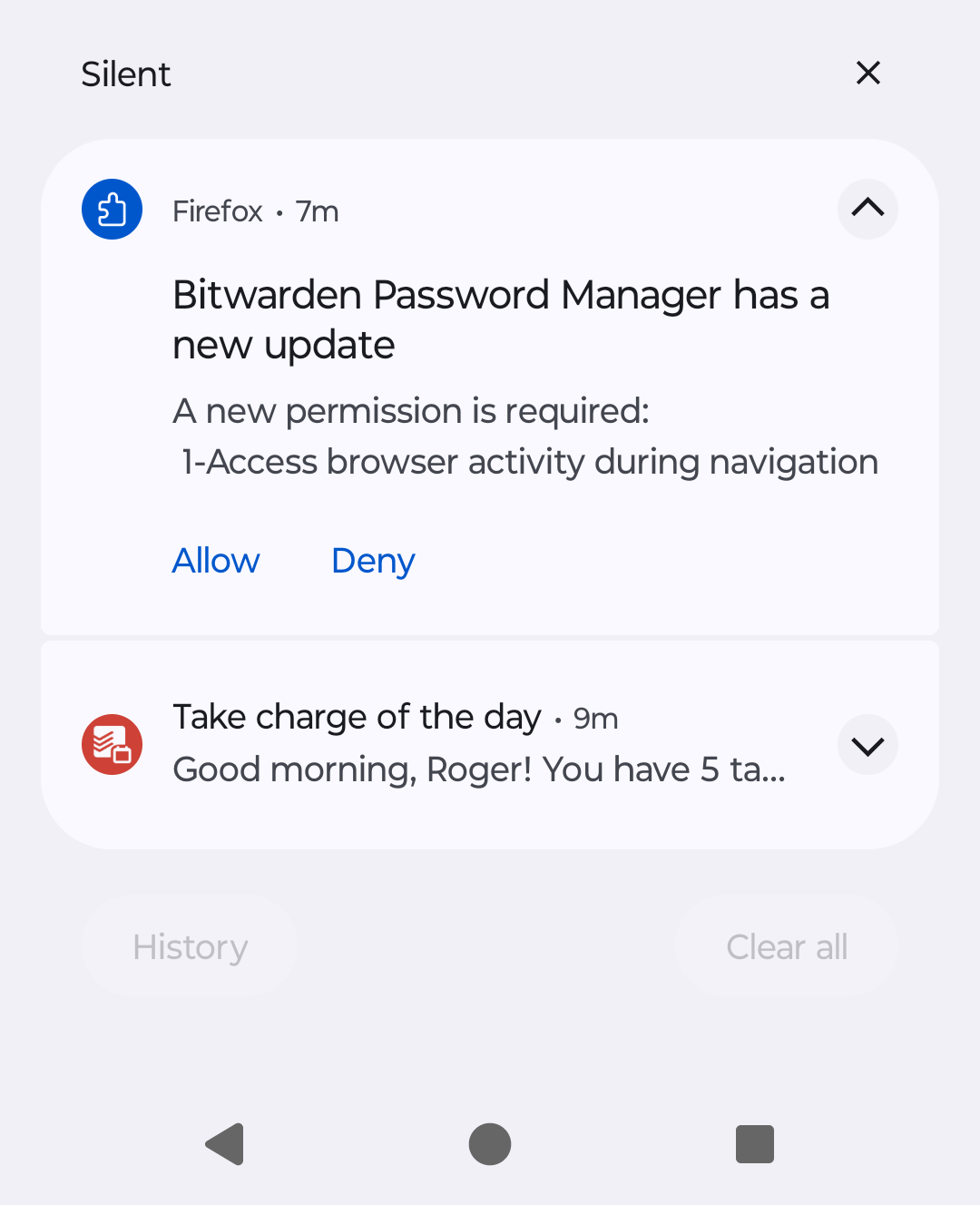
The notifications are back again. See screenshot.

Anyone know what this is about? Thks
Изменено Mildred PC

дополнительные действия

Выбранное решение

Solved. Re-installed the add-on in Firefox and the additional permission was included automatically.