


Windows 10 reached EOS (end of support) on October 14, 2025. For more information, see this article.

Поиск в поддержке

Избегайте мошенников, выдающих себя за службу поддержки. Мы никогда не попросим вас позвонить, отправить текстовое сообщение или поделиться личной информацией. Сообщайте о подозрительной активности, используя функцию «Пожаловаться».

Подробнее

Prevented access to website

  • 7 ответов
  • 0 имеют эту проблему
  • 9 просмотров
  • Последний ответ от jonzn4SUSE

дополнительные действия

Firefox is blocking/preventing me from visiting a website even though it is secure but Firefox does not recognize the certificate issuer. How do I get around this? Thank you.

Firefox is blocking/preventing me from visiting a website even though it is secure but Firefox does not recognize the certificate issuer. How do I get around this? Thank you.

Все ответы (7)

дополнительные действия

Try searching for the site in History (Ctrl+H), right-click > Forget About This Site.

дополнительные действия

Thanks for the quick response. I tried your suggestion but I was still blocked.

дополнительные действия

What is the address of the website that you are trying to view?

дополнительные действия

https://strikeout.ws/baseball It's a sport streaming site and not only does Firefox call it a secure site but so does my AV. I used mt AV safe browsing feature to go on the site but Firefox still blocked access.
дополнительные действия

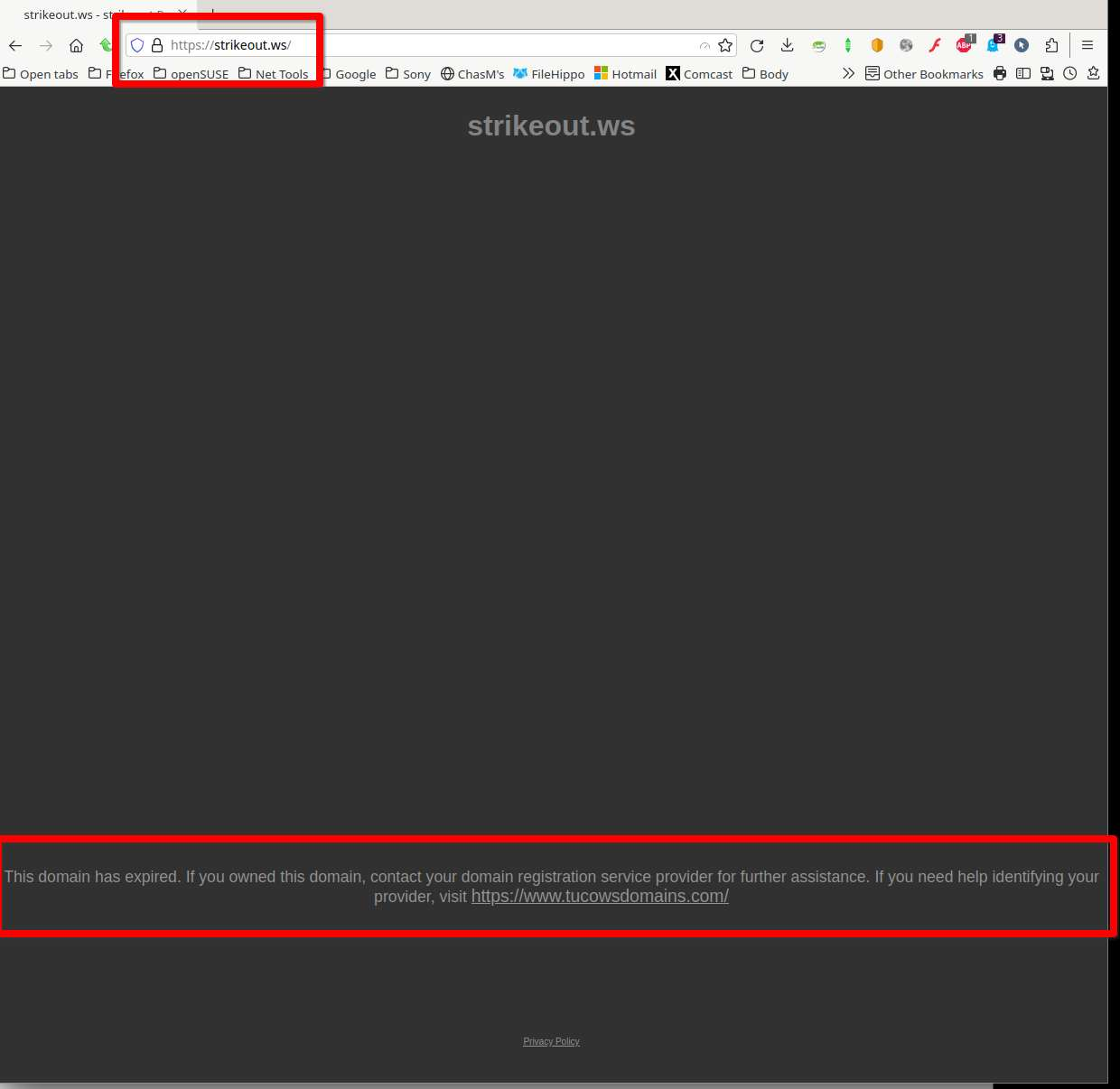
Is this what you're getting? see screenshot

дополнительные действия

Yes, it wasn't like that before but it is now. I've used that streaming site for quite a long time but I guess it doesn't function anymore. Thanks for your help and sorry for the bother.

дополнительные действия

Oh stop it...We're here to be bothered.  ;-)) If no more questions, mark it as resolved to remove it from our list of issues and have a nice day.