Ceisteanna leis an gclib seo á dtaispeáint: Taispeáin gach ceist
  • Réitithe
  • Cartlannaithe

LastPass is now disabled with every Firefox restart

For the past few months every restart of Firefox disables LastPass. I did NOT have this problem previously. The version of LastPass is current (no updates found). I can g… (tuilleadh eolais)

For the past few months every restart of Firefox disables LastPass. I did NOT have this problem previously. The version of LastPass is current (no updates found). I can go to Add-ons and the toggle is set to "on" but the icon in the menu bar is black. If I click the toggle off, then back on, LastPass comes on just fine. Why is Firefox disabling something that Add-ons says is loaded? VERY strange. Does NOT happen in Chrome. Thanks for any assistance. PITB!!!

Asked by RobertL39 1 bhliain ó shin

Answered by zeroknight 1 bhliain ó shin

  • Réitithe
  • Cartlannaithe

Double icons on Stop & Reload buttons when using custom icons

When reloading a page, or navigating to a new page, the default Stop icon momentarily appears over my own Reload icon, and the default Reload icon also appears over my St… (tuilleadh eolais)

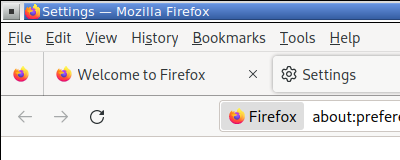
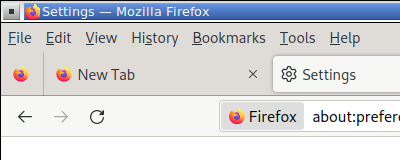
When reloading a page, or navigating to a new page, the default Stop icon momentarily appears over my own Reload icon, and the default Reload icon also appears over my Stop icon.

Please see attached image and animation.

Any idea if this is a minor bug?

Below is my code to split the Reload button into Reload & Stop buttons, then to add text to the navigation buttons, and finally to add icons to the navigation buttons.

This anomaly happens whether or not I split the Reload & Stop buttons. With just a single Reload button, I'm also seeing the default Reload icon appear over my own.

Thank you.

/* ---------- SPLIT RELOAD BUTTON INTO RELOAD & STOP ------------- */
#reload-button, #stop-button {
   display: inherit !important; 
} 
#reload-button > .toolbarbutton-icon {
  -moz-appearance: none !important; 
}


/* ------------ ADD TEXT LABELS TO NAVIGATION TOOLBAR BUTTONS --------------- */
/* Shows both icon and label for toolbarbuttons */
toolbar .toolbarbutton-1[label]{
  flex-direction: column;
  align-items: center !important;
}
toolbar .toolbarbutton-1[label]:not([disabled]):hover{ background-color: var(--toolbarbutton-hover-background) !important; }
toolbar .toolbarbutton-1[label] > .toolbarbutton-icon,
toolbar .toolbarbutton-1[label] > .toolbarbutton-badge-stack{
  padding: var(--toolbarbutton-inner-padding) !important;
  padding-bottom: 0px !important;
  height: calc(var(--toolbarbutton-inner-padding) + 16px) !important;
  border: none !important;
  background-color: transparent !important;
  box-shadow: none !important;
}
toolbar .toolbarbutton-1[label] > .toolbarbutton-text {
  display: flex !important;
  min-height: 16px !important;
  padding-top: 3px !important;
  padding-bottom: 6px !important;
  background-color: transparent !important;
  overflow: hidden;
  width: 9ch; /* changes space between buttons */
}
toolbar .toolbarbutton-1[label] > .toolbarbutton-text::before{
  margin-inline: auto;
 }
:root:not([uidensity="compact"]) toolbar .toolbarbutton-1[label] > .toolbarbutton-text{ padding: 2px !important; }


/* ------------ ADD CUSTOM ICONS TO NAVIGATION TOOLBAR BUTTONS ----------- */
#back-button {
   list-style-image: url("image/back.png") !important;
   padding-top: 8px !important;
}
#back-button image{
   max-height: 16px !important; 
   max-width: 16px !important;
   padding: 0px !important;
   margin-bottom: 3px !important;
}
#forward-button {
   list-style-image: url("image/forward.png") !important;
   padding-top: 8px !important;
}
#forward-button image{
   max-height: 16px !important; 
   max-width: 16px !important;
   padding: 0px !important;
   margin-bottom: 3px !important;
}
#reload-button {
   list-style-image: url("image/reload.png") !important;
   padding-top: 8px !important;
}
#reload-button image{
   max-height: 16px !important; 
   max-width: 16px !important;
   padding: 0px !important;
   margin-bottom: 3px !important;
}
#stop-button {
   list-style-image: url("image/stop.png") !important;
   padding-top: 8px !important;
}
#stop-button image{
   max-height: 16px !important; 
   max-width: 16px !important;
   padding: 0px !important;
   margin-bottom: 3px !important;
}
#print-button {
   list-style-image: url("image/print.png") !important;
   padding-top: 8px !important;
}
#print-button image{
   max-height: 16px !important; 
   max-width: 16px !important;
   padding: 0px !important;
   margin-bottom: 3px !important;
}
#home-button {
   list-style-image: url("image/home.png") !important;
   padding-top: 8px !important;
}
#home-button image{
   max-height: 16px !important; 
   max-width: 16px !important;
   padding: 0px !important;
   margin-bottom: 3px !important;
}

Asked by Slouch 1 bhliain ó shin

Answered by Slouch 1 bhliain ó shin

  • Réitithe

extensions eating memory but not showing anywhere

When i go to "about:memory" and do a measurement to see whats eating memory i find extensions that are nowhere to be found in the extension manager nor in the folders whe… (tuilleadh eolais)

When i go to "about:memory" and do a measurement to see whats eating memory i find extensions that are nowhere to be found in the extension manager nor in the folders where the extension files are. they are: - Extension(id=wikipedia@search.mozilla.org, name="Wikipedia (en)", baseURL=moz-extension://8551 - Extension(id=webcompat@mozilla.org, name="Web Compatibility Interventions", baseURL=moz-extensi - Extension(id=screenshots@mozilla.org, name="Firefox Screenshots", baseURL=moz-extension://486 - Extension(id=pictureinpicture@mozilla.org, name="Picture-In-Picture", baseURL=moz-extension:// - Extension(id=google@search.mozilla.org, name="Google", baseURL=moz-extension://13f3307a-648b- - Extension(id=formautofill@mozilla.org, name="Form Autofill", baseURL=moz-extension://dfdf20df- - Extension(id=ddg@search.mozilla.org, name="DuckDuckGo", baseURL=moz-extension://c8eb7a13-e1ab - Extension(id=bing@search.mozilla.org, name="Bing", baseURL=moz-extension://424719d2-8ccf-4c8e- - Extension(id=addons-search-detection@mozilla.com, name="Add-ons Search Detection", baseURL=moz- (the names are cut thats how it shows and at the end there is a "..." i cant select) I tried looking everywhere and i cant find where are this extensions to delete them. i use the google website to do searches so dont need an extension, i dont use duckduckgo at all, i dont use bing at all, i dont use the screenshot feature, i dont use the picture in picture thing and also i use the wbesite if i want to go to wikipedia. I would like to know how to erase them entirely since i dont use them and they are eating memory.

Asked by karras85 3 seachtaine ó shin

Answered by jscher2000 - Support Volunteer 3 seachtaine ó shin

  • Réitithe
  • Cartlannaithe

a site does not display properly

A friend has passed away and I cannot access her obituary page. I could for a couple of days but I can't any more. Is this a problem with the FF latest upgrade? The pag… (tuilleadh eolais)

A friend has passed away and I cannot access her obituary page. I could for a couple of days but I can't any more. Is this a problem with the FF latest upgrade? The page is [link removed by moderator]

I do not want her obituary page made public on a forum in case it causes inappropriate comments.

I have just discovered the page works ok on Chrome so I will use that for now, but I am reporting the problem to try and help you. I am using latest version of Firefox.

I have added a screen snip of the part-loaded page.

I just followed the button below about extra troubleshooting information and lost all the information I had typed into this box, which irritates me as well.

Have a look please and let me know, thanks.

Oldjon

Asked by Oldjon 1 bhliain ó shin

Answered by cor-el 1 bhliain ó shin

  • Réitithe
  • Cartlannaithe

Need help to locate backed up Firefox profile to restore after Windows and Firefox re-install

Prior to getting some desktop PC upgrades that required a new install of Windows 11 and a new install of Firefox, I backed up my entire PC (yea!). Now that I have re-ins… (tuilleadh eolais)

Prior to getting some desktop PC upgrades that required a new install of Windows 11 and a new install of Firefox, I backed up my entire PC (yea!).

Now that I have re-installed Firefox, I see that I have none of my saved bookmarks and so I want to restore the Firefox profile - all of it or at least the bookmarks.

I have tried following the Firefox instructions for this, but am apparently not doing it right.

I can't seem to locate the bookmarks file, for starters, in my backed up files. I find the profile but I don't find anything like places.sqlite.

Can someone help me so that I am locating the right (and complete) files, copying them correctly, and then switching to the new/old profile correctly?

Thanks in advance.

Asked by eastevens1956 2 bhliain ó shin

Answered by jscher2000 - Support Volunteer 2 bhliain ó shin

  • Réitithe
  • Cartlannaithe

program help

Hopefully you can help. I know this may be a Microsoft issue or question but I'm having trouble in finding a reasonable way to contact them for help. My question is, my … (tuilleadh eolais)

Hopefully you can help. I know this may be a Microsoft issue or question but I'm having trouble in finding a reasonable way to contact them for help. My question is, my computer runs slow, and so I thought I would clean up my files by using the Microsoft disk clean up procedure. I did so. But, my specific question is what is a good number to have when the it says a given number of disk space can be cleaned up? For example, I believe when I first tried to clean the disk it said 5.1 GB of disk space could be cleaned. When I ran the disk clean process and it completed it then said 66 KB of disk space could be cleaned. So how much disk space did I gain or get cleaned up? And, if I can only clean up 66 KB of disk space is that indicative of not really needing to clean the disk any farther? Hopefully some one can help. While this may be a Microsoft issue, I believe the Firefox contributors have enough computer knowledge to help answer my question. At least that is my hope. Thank you.

Asked by sciencemagic 2 bhliain ó shin

Answered by Paul 2 bhliain ó shin

  • Réitithe
  • Cartlannaithe

checkboxes missing from webform

Hello! I have a Mailchimp signup form here: https://utexas.us4.list-manage.com/subscribe?u=91ef16fd009c97ce473909aa7&id=1d94de45cb The form should display with check… (tuilleadh eolais)

Hello! I have a Mailchimp signup form here: https://utexas.us4.list-manage.com/subscribe?u=91ef16fd009c97ce473909aa7&id=1d94de45cb

The form should display with checkboxes that allow multi-select. It used to work that way in Firefox, but currently it only highlights the selection and doesn't allow more than one option to be selected. It works correctly in Chrome and Edge, however. Is there a way to get this working again? Thanks in advance for any advice!

Asked by christa16 2 bhliain ó shin

Answered by cor-el 1 bhliain ó shin

  • Réitithe
  • Faoi Ghlas
  • Cartlannaithe

Firefox searching instead of dns resolving internal websites

I have multiple internal websites, which all follow the pattern of [site.one.two] which resolves fine using the internal DNS server i have configured by going to https://… (tuilleadh eolais)

I have multiple internal websites, which all follow the pattern of [site.one.two] which resolves fine using the internal DNS server i have configured by going to https://site.one.two and through other programs via site.one.two, and all the [one.two] suffixes are blacklisted from being resolved with DoH in firefox, but it still forces a web-search, even with searching from address bar being turned off, instead of resolving through my local DNS server (local server resolves local domain suffixes, anything else gets resolved through cloudflare DNS). I haven't found a fix in any other forums, and there are enough unique internal addresses that manually adding each and [every site.one.two] as an exception would be something i would like to avoid. Is there any way to tell firefox to resolve through DNS first for addresses or domain suffixes?

Asked by sydmackintosh 2 bhliain ó shin

Answered by jscher2000 - Support Volunteer 2 bhliain ó shin

  • Réitithe
  • Cartlannaithe

sessionstore file

Hi Was told to ask new question off of this tread. https://support.mozilla.org/en-US/questions/1314940#question-reply I have similar issue. Have file that has all the ta… (tuilleadh eolais)

Hi Was told to ask new question off of this tread. https://support.mozilla.org/en-US/questions/1314940#question-reply

I have similar issue. Have file that has all the tab history, but can't get Firefox to recognize or use it. The scrounger pulls up everything so the file is good it seems.

Why can't, or how do we get Firefox to use it?

Thank you

Asked by cleejoy 1 bhliain ó shin

Answered by cleejoy 1 bhliain ó shin

  • Réitithe

pull down bookmarks glitched after rebuilt system

Rebuilt my computer, restored Bookmarks from 'bookmarks-2025-08-30.html' but the original 'Other bookmarks' (just below 'Bookmarks toolbar') is now empty and has been mov… (tuilleadh eolais)

Rebuilt my computer, restored Bookmarks from 'bookmarks-2025-08-30.html' but the original 'Other bookmarks' (just below 'Bookmarks toolbar') is now empty and has been moved to the bottom of all my other bookmarks in a new 'Other Bookmarks' folder. How do I get the contents back in the 'Other bookmarks' (just below 'Bookmarks toolbar'). P.S. I have a backed up 'bookmarks-2025-08-30.json' as well as a ' bookmarks-2025-08-30.html' available, if that would help. Regards and Best, NP_145

Asked by np_145 4 mhí ó shin

Answered by jscher2000 - Support Volunteer 4 mhí ó shin

  • Réitithe
  • Cartlannaithe

Updated W10 to FF 116 and had cert problems

After updating a W10 laptop from 115 to 116 of FF the user started having problems with getting to different websites (sites they worked on/with regularly). The problem i… (tuilleadh eolais)

After updating a W10 laptop from 115 to 116 of FF the user started having problems with getting to different websites (sites they worked on/with regularly). The problem is the cert DB. The doc I found says that it is cert8.db. Actually it is now cert9.DB.

What I had to do was go to task manager and kill a task that was holding the cert9.db file. Then I could rename it (cert9.old.db). Then restarted their laptop and FF came up and started fixing the cert file (as expected). This seems to have fixed their problem.

Asked by Wylbur 2 bhliain ó shin

Answered by Wylbur 2 bhliain ó shin

  • Réitithe
  • Cartlannaithe

Firefox themes

Saved themes in Firefox color not visible in add-ons manager. Does not fix itself in safe mode. One of the saved themes is a default preset I liked, the other is a preset… (tuilleadh eolais)

Saved themes in Firefox color not visible in add-ons manager. Does not fix itself in safe mode. One of the saved themes is a default preset I liked, the other is a preset I made myself, using all options except advanced colors.

Asked by Lord_Voidwrath 1 bhliain ó shin

Answered by Lord_Voidwrath 1 bhliain ó shin

  • Réitithe

How do I diagnose a reproducible tab crash?

Just over a week ago, I found that a particular page transition always crashed by browser tab (i.e. a reproducible crash). This occurred on the Quora.com website when vis… (tuilleadh eolais)

Just over a week ago, I found that a particular page transition always crashed by browser tab (i.e. a reproducible crash). This occurred on the Quora.com website when visiting the 'Questions' tab for any Quora Space. I am not aware of anything special associated with this operation, and it works OK in Chrome. There may be other cases -- outside of that particular website -- but that is the one most affecting me at the moment.

There are no associated Windows events logged. I checked about:crashes and the Crash Report folder but i cannot find any readable details.

If I refresh the page then the transition occurs without problem.

I would like to find the cause myself because I am on an Windows 7 64-bit ESR version, although I do not believe this is an ESR issue as it was working fine a couple of weeks ago. it is just that I cannot find any logged information on the cause.

Asked by ACProctor 3 mhí ó shin

Answered by ACProctor 3 mhí ó shin

  • Faoi Ghlas

Need help with Chase bank online

Dear Ty: I appreciate your efforts to help me, unfortunately, it did not work. FireFox is still at 115.30.0. Any other thoughts? I thought there might be some software… (tuilleadh eolais)

Dear Ty: I appreciate your efforts to help me, unfortunately, it did not work. FireFox is still at 115.30.0. Any other thoughts?

I thought there might be some software I could download to spoof the Chase system into thinking Firefox was a later version,

Thanks and regards,

LS

Asked by Lorraine Schlagheck 2 mhí ó shin

Last reply by Denys 2 mhí ó shin